
AI clip generation and reframing
Finds strong moments in a recording for short clips. Auto Reframe detects faces and important scenes, then adjusts the framing for the subject.
AI video editing and repurposing for marketing teams working from long-form recordings.
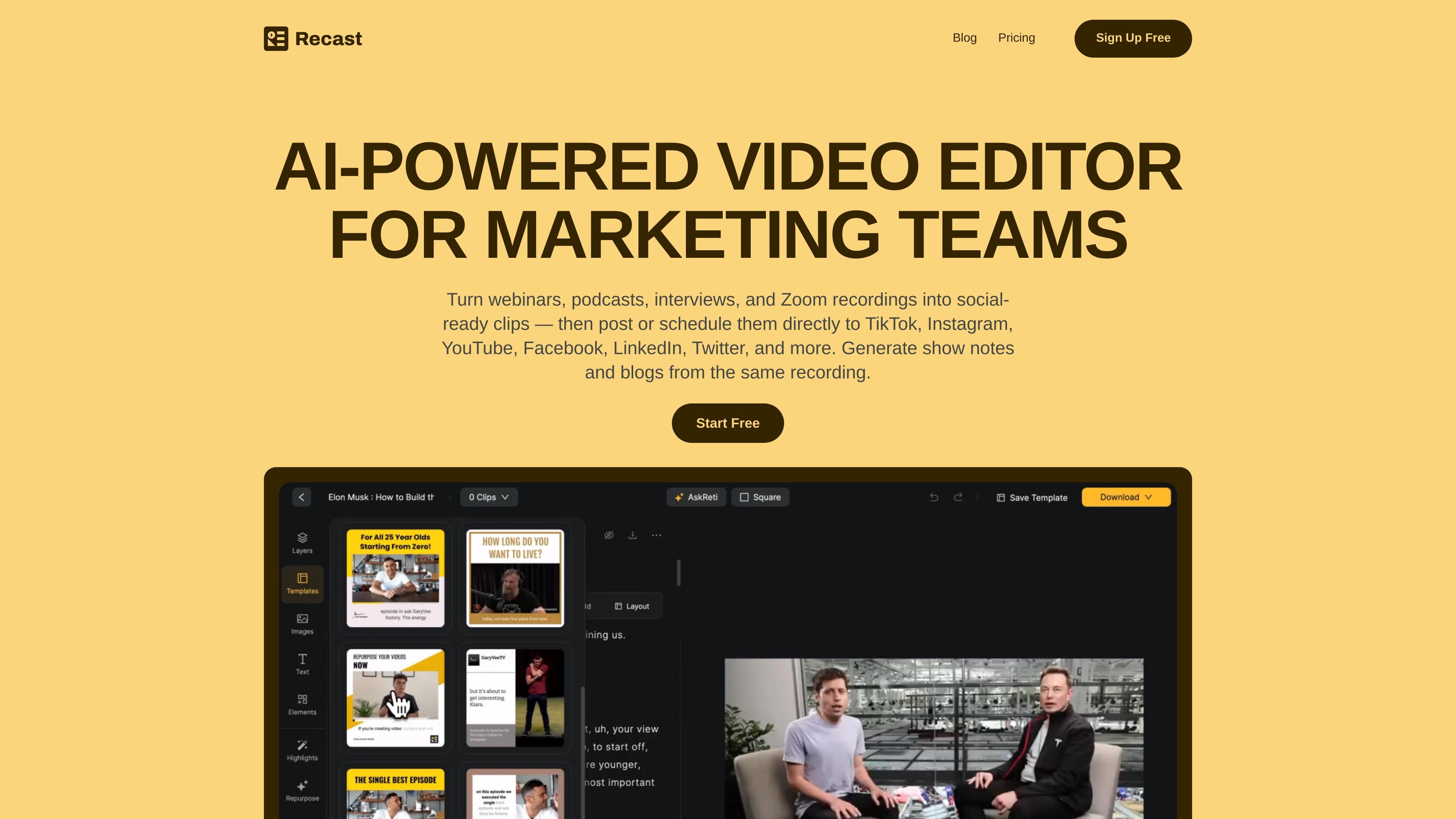
Recast Studio is an AI-powered video editor for turning webinars, podcasts, interviews, and Zoom recordings into social-ready video and written content. Its workflow combines clip discovery, transcript-based editing, caption and brand styling, and social publishing, so teams can reuse a recording without moving between separate editing and scheduling tools. The same source can also produce audiograms, show notes, blog drafts, social posts, and email copy.
Finds strong moments in a recording for short clips. Auto Reframe detects faces and important scenes, then adjusts the framing for the subject.
Edit a video by highlighting and deleting transcript text to trim footage and remove unwanted words while keeping captions in sync.
Automatically removes filler words such as “um” and “uh,” as well as pauses, to clean up the audio.
Add animated captions, brand styles, custom fonts, and layers such as B-roll, images, shapes, soundwaves, and progress bars.
Generate social posts, blog drafts, show notes, summaries, and email copy from a recording using AI writing tools and custom prompts.
Connect social accounts to post or schedule content directly to TikTok, Instagram, YouTube, Facebook, LinkedIn, and X. A shared workspace supports video sharing, feedback, and project management.
Select useful moments from a long webinar, prepare captioned clips, and publish them across social channels; create a blog draft or show notes from the same recording.
Turn an episode into short video clips or audiograms, then draft social posts and email copy to support its release.
Use transcript editing to shape interview excerpts into focused clips without working through a complex editing timeline.
Give teammates a shared place to review videos and feedback, then schedule approved clips across connected social accounts.
Recast Studio is described for webinars, podcasts, interviews, Zoom recordings, and live-event recordings.
You can create social video clips, audiograms, and written assets such as social posts, blog drafts, show notes, summaries, and email copy.
Yes. Recast supports direct posting or scheduling to TikTok, Instagram, YouTube, Facebook, LinkedIn, and X (Twitter), after connecting the relevant accounts.
The pricing page defines one credit as one minute of uploaded video. Yearly plans receive their credits upfront at the start of the billing cycle.
The transcription feature lists support for more than 20 languages.
Os dados de tráfego são apenas para referência.

vizard.ai
AI video editing and clipping platform for turning long videos into social-ready content.

getcapte.com
Online video editing for creators, with AI subtitles, translation, and short clips.

scriptme.io
AI transcription, subtitle editing, and translation for audio and video workflows.