
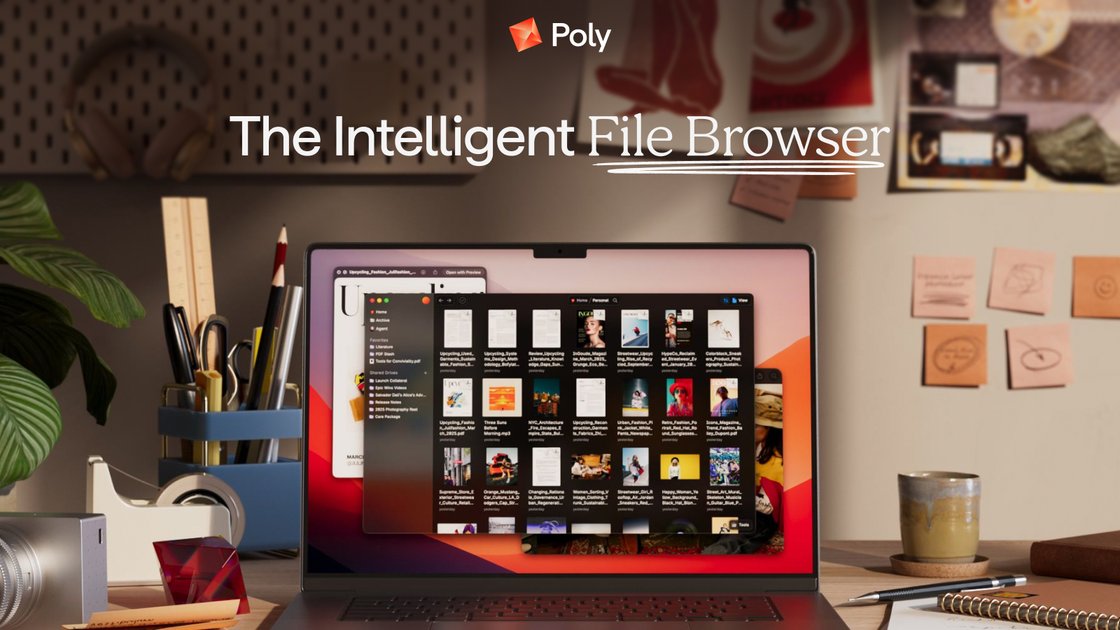
Natural-language and visual search
Search files using natural language and visual cues such as image, concept, phrase, color, and face. Poly also searches inside videos, documents, photos, and other file content.

Poly é um navegador de arquivos e serviço de armazenamento em nuvem com IA para arquivos e mídia pessoais.
Poly is an intelligent cloud file browser for personal files and media. It is currently presented as a beta with a waitlist. Poly describes web and desktop experiences for storing, browsing, searching, sharing and organizing files with AI-assisted workflows; access is subject to the beta rollout.
The site emphasizes natural-language search, file-aware chat, and support for many file types, including documents, photos, videos, and audio. It also highlights local file system sync, offline use, and privacy-first storage and encryption controls.
Search files using natural language and visual cues such as image, concept, phrase, color, and face. Poly also searches inside videos, documents, photos, and other file content.
Ask questions about your files, request summaries, and use an AI agent to help research and organize content across folders and file types.
Use grid, tree, column, gallery, and other view modes to analyze folders, switch between browsing styles, and attach properties that fit the task.
Access and sync Poly files in your local file system from the desktop app, with offline support that syncs changes back to the cloud when you return online.
Manage shared work with version history, public sharing, shared drives, and real-time updates for collaborative file access.
Poly says files are encrypted on your device, in transit and in the cloud. Its Hide from AI control hides selected files from search and AI so the agent does not read them.
Use Poly to find a document, clip, or image when you remember only a detail such as a phrase, scene, color, face, or concept rather than the exact filename.
Browse large folders of research, archives, or datasets with flexible views, summaries, and content-aware search to surface what matters faster.
Ask Poly to answer questions about stored material or summarize long content when working through interviews, notes, or mixed media.
Keep files synchronized with your local file system while using the desktop app offline, then let changes sync back to the cloud later.
Share folders or collaborate on shared drives while using version history to revert changes and public sharing for outward-facing files.
Poly currently offers a beta waitlist and describes web and desktop experiences. Join the waitlist and check your access invitation for supported devices and setup instructions.
The homepage says Poly lets you search with natural language, search by image, concept, phrase, color, face, and more, and search within files for scenes, pages, or clips.
Poly’s homepage shows an AI chat-style workflow where you can ask questions about files, request summaries, and get help finding content. The demo page also says the agent can research, answer questions, and organize files.
Yes. The homepage says Poly syncs with your local file system, and the features section highlights desktop sync for accessing and syncing Poly files in your local file system.
According to Poly, files are encrypted on your device, in transit and in the cloud. Hide from AI excludes selected files from search and AI reading. Poly also describes offline use for web and desktop, with changes synchronized to the cloud when you reconnect. Access is subject to the beta rollout.
Os dados de tráfego são apenas para referência.

quark.cn
Navegador de IA e ferramenta de produtividade para PC e mobile, com pesquisa, armazenamento na nuvem, processamento de PDFs, tradução de vídeos e informações educacionais.

tryreference.com
Reference é uma ferramenta de busca local de arquivos para agentes de IA que retorna citações de arquivos no dispositivo do usuário. Foi projetada para manter os dados localmente, sem enviá-los para a nuvem.

www.docusmart.eu
DocuSmart AI é uma ferramenta de pesquisa de documentos e base de conhecimento para organizações sem fins lucrativos e da sociedade civil. Ela indexa arquivos do Google Drive, OneDrive e Dropbox, permitindo que as equipes façam perguntas em inglês simples e recebam respostas com citações baseadas nos próprios documentos.

myaidrive.com
AI Drive é uma plataforma na nuvem de gestão documental e análise com IA para equipes jurídicas e profissionais, com OCR, pesquisa semântica e agentes de IA personalizados.

rename.click
RenameClick é um aplicativo de desktop local-first para macOS e Windows que renomeia, organiza e pesquisa arquivos por conteúdo, com sugestões de AI para revisar antes de aplicar.

beaconfind.app
BeaconFind é um app privado de busca de arquivos com IA para Windows que encontra arquivos pelo significado, não pelo nome exato. A indexação e a busca ficam no seu dispositivo; o app oferece Ctrl+K, busca multilíngue e respostas com citações dos seus documentos.