
Semantic file search
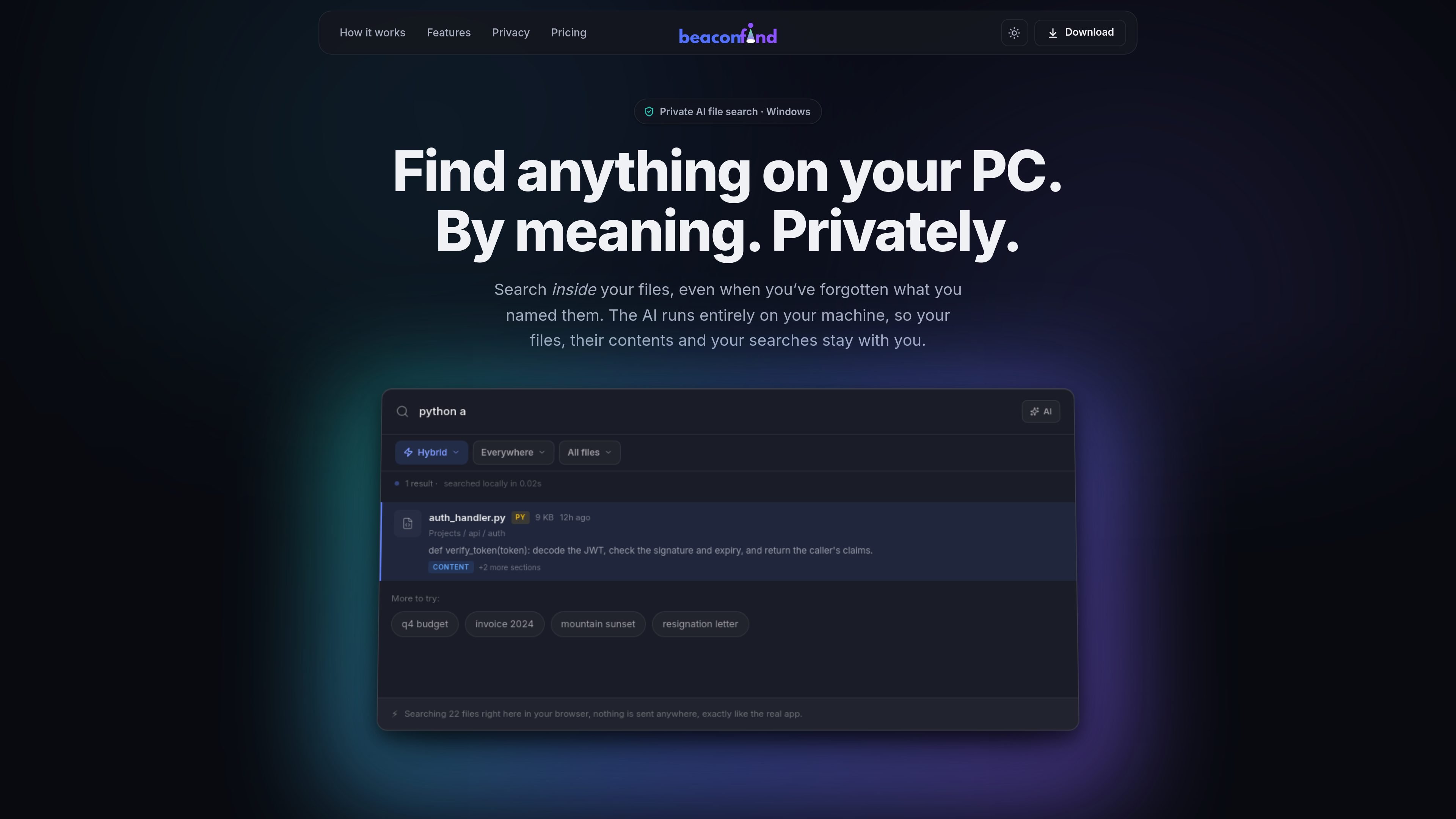
Search files by describing what you remember in plain language, instead of relying on an exact filename match.

BeaconFind é um app privado de busca de arquivos com IA para Windows que encontra arquivos pelo significado, não pelo nome exato. A indexação e a busca ficam no seu dispositivo; o app oferece Ctrl+K, busca multilíngue e respostas com citações dos seus documentos.
BeaconFind is a private AI file search app for Windows. It is designed to help you find files on your PC by meaning, using Ctrl+K to search with plain-language prompts instead of exact filenames.
The product’s core promise is that the AI runs on your machine. The site says your files, their contents, your searches, and the index stay local, with no cloud uploads or API keys required.
Search files by describing what you remember in plain language, instead of relying on an exact filename match.
Search across documents, notes, images, screenshots, and scans, with text extraction and visual understanding where applicable.
Ask questions about your files and get answers with citations that open back to the source passages.
Use filters and saved views to narrow results by type, date, size, and other metadata, then reuse those views later.
Let the app run in the background on a schedule, or pause it with performance and gaming modes when you want resources back.
Keep search local with an on-device stack that supports 50+ languages and does not require cloud APIs or API keys.
Use it when you remember what a document is about but not the filename, such as a quarterly report, a lease clause, or a draft you saved under a vague name.
Search across screenshots, scans, and photos by what they show, which is useful for whiteboard photos, scanned notes, or image-based records.
Ask questions about contracts, agreements, or other documents and jump to cited passages instead of reading whole files manually.
Search in the language you think in and retrieve files written in another language, which fits multilingual personal archives or mixed-language work folders.
Tune indexing and background activity for your machine, including overnight indexing or performance mode when you want to reduce resource usage.
BeaconFind indexes folders on your Windows PC and lets you search them by meaning rather than exact filename. It also supports asking questions about retrieved documents and opening cited passages.
The site states that BeaconFind runs entirely on your machine, with no cloud, no uploads, no API keys, no telemetry, and offline operation supported.
You can point BeaconFind at folders such as Documents, Desktop, and Downloads. The product then reads files on your device and builds a local index you can search with Ctrl+K.
The pricing page states that BeaconFind offers a free 14-day trial, a lifetime purchase option, and a 30-day refund. It does not show subscription tiers in the captured text.
The product page says BeaconFind is for Windows 10 and 11.
Os dados de tráfego são apenas para referência.

www.docusmart.eu
DocuSmart AI é uma ferramenta de pesquisa de documentos e base de conhecimento para organizações sem fins lucrativos e da sociedade civil. Ela indexa arquivos do Google Drive, OneDrive e Dropbox, permitindo que as equipes façam perguntas em inglês simples e recebam respostas com citações baseadas nos próprios documentos.

tryreference.com
Reference é uma ferramenta de busca local de arquivos para agentes de IA que retorna citações de arquivos no dispositivo do usuário. Foi projetada para manter os dados localmente, sem enviá-los para a nuvem.

memoria.anasouh.fr
Memoria é um app de busca de fotos e vídeos que funciona no dispositivo e encontra textos, palavras faladas, objetos, rostos, lugares e metadados da câmera na sua biblioteca pessoal. Feito para coleções grandes e difíceis de pesquisar, processa tudo localmente, sem conta ou assinatura.

siriil.com
Ollie é um agente de IA com prioridade local para Windows que conecta e-mails, chats, documentos, arquivos, calendários e ferramentas empresariais e responde a perguntas sobre essas informações em linguagem simples, sem terminal nem arquivos de configuração.

diabrowser.com
Dia é um navegador de trabalho nativo de IA que usa abas e ferramentas conectadas para criar respostas, briefings e conteúdos prontos para apresentações. Disponível no macOS; Windows em breve.

dashworks.ai
Assistente de IA para dúvidas profissionais com busca unificada em apps, documentos, sites e Slack