
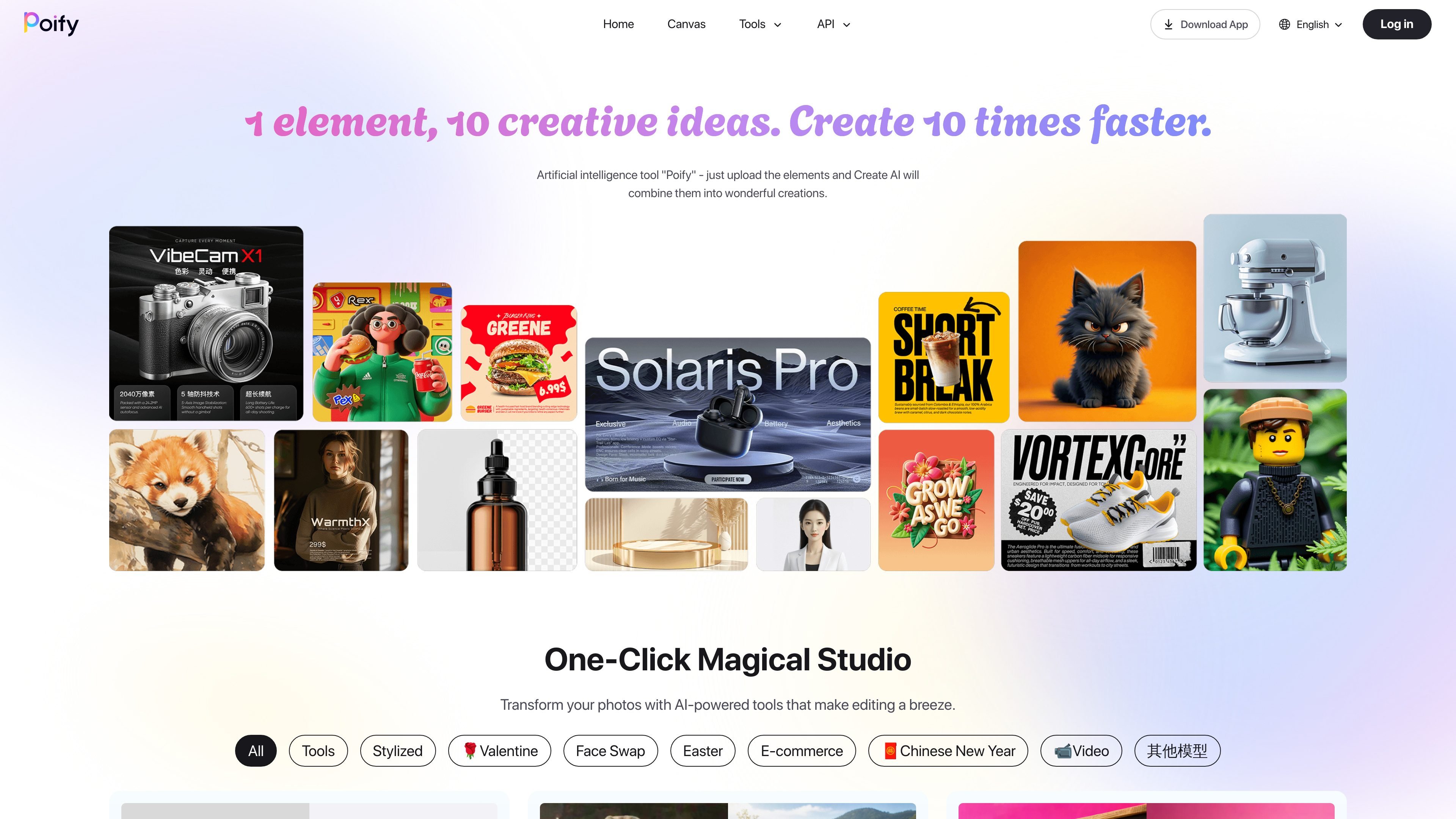
One input, multiple creative outputs
The homepage positions Poify as a one-click studio where users upload an element and the system combines it into multiple creative outputs. This supports fast variation generation from a single source asset.

Estúdio de imagens com IA para criar e editar visuais rapidamente
Poify is an AI-powered creative studio for generating and editing visuals from a single uploaded element. The site tagline says, “1 element, 10 creative ideas. Create 10 times faster,” and the homepage describes it as an artificial intelligence tool that combines uploaded elements into multiple creative outputs.
The product centers on quick image transformation and content generation. The collected pages show tools for background removal, portrait retouching, face swap, style transfer, text-to-image generation, image-to-video conversion, and e-commerce image workflows such as product background changes and virtual try-on.
In practice, Poify appears designed for users who want fast visual variations without building a manual editing workflow from scratch. The homepage and playground pages present the tools as ready-made actions: upload an image, choose a mode, and generate a result.
The available evidence also suggests a broad gallery of use cases, from stylized portraits and seasonal avatars to product imagery and fashion try-on. However, the collected sources do not confirm pricing, integrations, or detailed account-plan structure because the pricing page is unavailable.
The homepage positions Poify as a one-click studio where users upload an element and the system combines it into multiple creative outputs. This supports fast variation generation from a single source asset.
The site lists dedicated tools for background removal, portrait retouching, hair color changes, and high-definition enlargement. These tools focus on common image-editing tasks rather than a single generic generator.
Playground pages show image-generation and image-to-image models, including Chinese-language image generation and FLUX-based image workflows. That indicates the product supports both text-driven and image-driven creation paths.
The tool gallery includes style presets such as Pixar style, Ghibli style, watercolor, retro comic, pixel style, and New Year avatars. These presets are aimed at fast stylistic transformation of existing photos.
E-commerce-oriented tools include product background change, studio-style product shooting, virtual garment fitting, and virtual shoe try-on. These tools point to product presentation and try-on use cases for commerce content.
The site navigation includes Home, Canvas, Tools, API, Download App, and Playground. This suggests the product is organized as a browser-based suite with a separate app and a developer-facing entry point, though the sources do not document those areas in detail.
Use Poify to create several visual concepts from one source image, especially when you want quick variation rather than a manual edit-by-edit workflow.
Use the photo-editing tools to remove backgrounds, retouch portraits, enlarge images, or change hair color in a few steps.
Use the style presets to transform portraits or photos into formats such as Pixar-style artwork, Ghibli-style visuals, watercolor, retro comic, or pixel art.
Use the e-commerce tools to prepare product imagery, switch backgrounds, or explore virtual garment and shoe try-on workflows.
Use the playground tools to experiment with image generation, image-to-image, or image-to-video outputs for creative testing.
Poify presents itself as a one-click creative studio for uploading an element and generating multiple AI-driven visual variations. The homepage highlights image editing, style transfer, background changes, retouching, face swap, and video-related workflows.
The homepage and playground pages show browser-based tools such as background removal, AI virtual shoe try-on, and image-to-video workflows. A separate app download link is listed in the site navigation, but the collected sources do not provide deeper installation details.
The site surfaces many individual tools in a gallery and playground format, including background remover, product background change, portrait retouching, face swap, and several stylized generators. That suggests users can start from a tool, upload an input, and generate a result without building a workflow from scratch.
The collected pricing page is unavailable and returns a page-not-found error, so no plan names, limits, or price points can be confirmed from the provided evidence.
The sources do not describe API documentation, third-party integrations, or enterprise deployment options. The navigation includes an API link, but the collected text does not show supported integrations or endpoints.
Os dados de tráfego são apenas para referência.

picpicai.com
Editor de fotos com IA baseado na web para aprimorar imagens, remover fundos, editar retratos e criar visuais estilizados

fluxai.studio
FLUX AI é uma plataforma web de geração de imagens para criar e editar recursos visuais com a família de modelos Flux da Black Forest Labs. Oferece uma cota gratuita de créditos e planos pagos com gerações privadas e direitos de uso comercial.

imageditor.net
Editor de imagens com IA baseado na web para criar, editar, ampliar e usar imagens comercialmente.

dzine.ai
Dzine é uma ferramenta web de AI para imagens e design que permite gerar, editar e exportar elementos visuais, além de oferecer fluxos de trabalho de vídeo com AI. Foi criada para quem busca um controle mais direto sobre composição, estilo e edições com prompts do que a geração apenas por texto costuma permitir.

diffusionbee.com
Aplicativo local Stable Diffusion para criar e editar imagens de IA no macOS, offline e gratuito

aiease.ai
AI Ease é uma plataforma de IA baseada no navegador para criar imagens e vídeos, aprimorar fotos e gerar conteúdos visuais a partir de texto, imagens ou efeitos. Vários recursos são gratuitos, com planos pagos para funcionalidades adicionais.