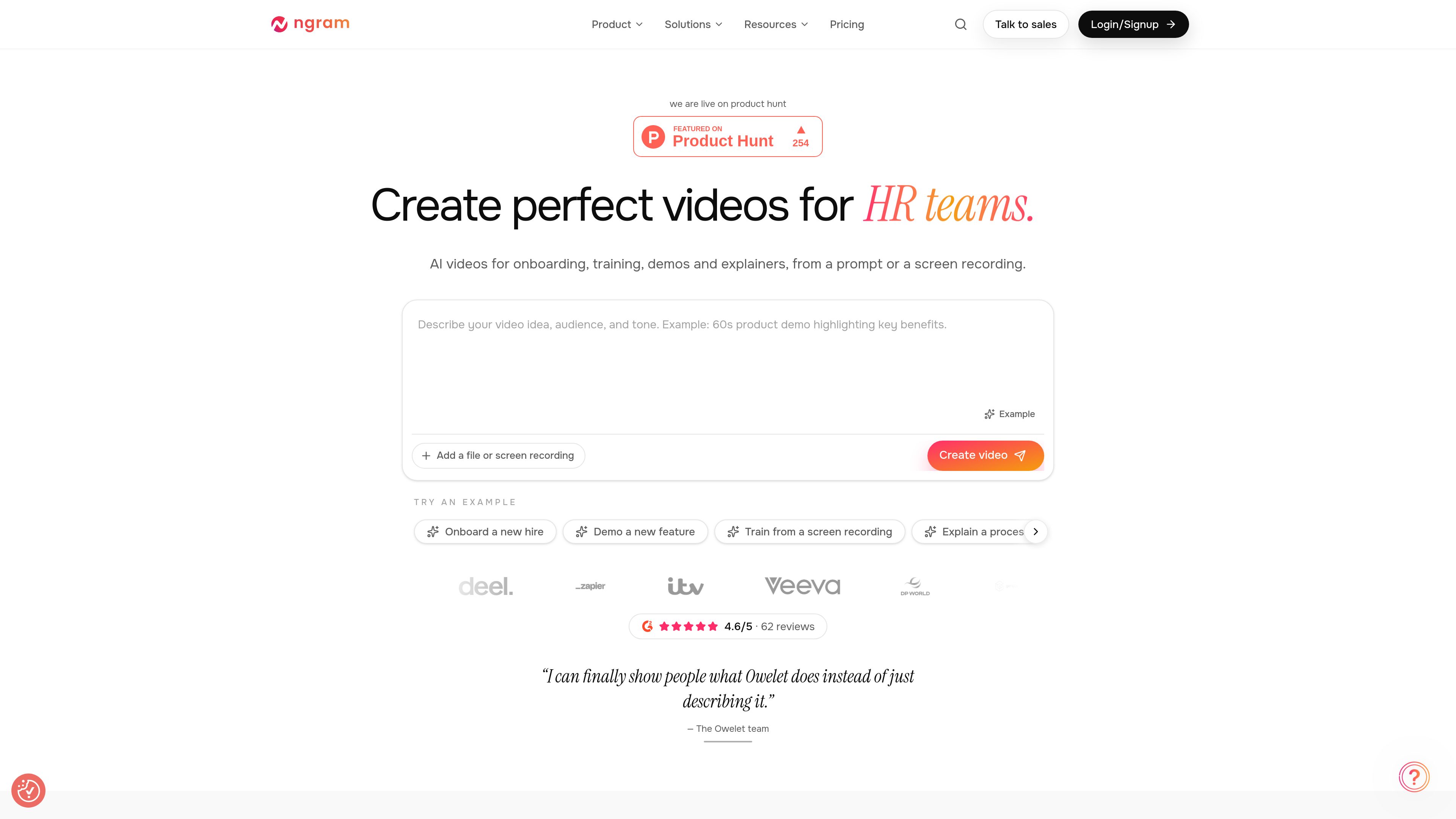
ngram is an AI video generator and editor for teams creating onboarding, training videos, product demos, launch videos, and explainers. It turns a written brief or screen recording into an editable video, with options for narration, music, visuals, animation, and AI presenters.
The creation workflow starts with the video's idea, audience, and tone. ngram proposes a scene plan for approval before generating the video, then presents the result alongside its storyboard. Users can refine the generated version through chat and script edits, or open a separate editor copy for more detailed production work.
O que ngram pode fazer?
01
Brief-to-video generation
Describe the subject, audience, and tone, then approve a scene-by-scene plan before generation starts. ngram assembles narration, a soundtrack, visuals, and animation into a draft that can be previewed alongside its storyboard.
02
Scene-specific chat revisions
Select a frame or scene and describe the change in plain language, such as shortening an introduction or replacing a line. Version history lets users review and download earlier generated renders without overwriting the current version.
03
Script editing and revoicing
Edit narration scene by scene and apply changes to revoice the affected scene. Voice and language changes, AI presenters, and custom voices provide options for adjusting how the video delivers its message.
04
Independent full editor
Start with uploaded footage, a screen recording, or a blank canvas, or open a generated video as a separate editor copy. The full editor provides timeline, canvas, recording, elements, and effects controls for detailed edits.
05
Music and audio controls
Let ngram choose music for the video's tone and pacing, then browse or swap tracks and save volume changes. Separate muting controls for audio layers help balance music, narration, and other sound.
06
Captions and delivery options
Apply caption styles and brand colors, reorder scenes on the timeline, and export MP4 or GIF files. The homepage also offers sharing by link or embed; video hosting and player customization are listed as being in limited rollout.
Casos de uso
“Employee onboarding and training”
HR and learning teams can turn an onboarding brief or recorded process into an instructional video. Scene-level narration changes help update individual instructions when a process changes.
“Product demonstrations”
Product and sales teams can use screen recordings to show a feature or explain a software workflow. Editing tools let them arrange the sequence and adjust narration around the steps viewers need to understand.
“Launch announcements”
Marketing teams and founders can create a short launch video from a campaign brief. A proposed storyboard gives them a chance to review the sequence before generating visuals, narration, and music.
“Educational explainers”
Educators and other subject specialists can specify a topic, audience, and tone to produce an explanation or a lesson from a lesson plan. This supports adapting the presentation to a particular audience, including children.
Perguntas frequentes
Do chat edits and full-editor edits stay synchronized?
No. Opening a generated video in the full editor creates an independent project copy. Later chat edits to the generated video and changes to the editor copy do not update each other.
Is there a free plan?
Yes. The Free plan includes a one-time allocation of 600 credits, covering up to 60 seconds of premium AI-generated footage at the base rate, with no credit card required. It offers 720p exports. Generation seconds measure AI-generated footage, not final video length.
How much do paid plans cost?
Monthly prices are $29 for Basic, $59 for Premium, and $299 for Ultimate. Annual billing reduces the equivalent monthly prices to $23.20, $47.20, and $239.20, respectively, with the full year billed upfront. Enterprise pricing is custom. Paid plans include unlimited manual editing and exports, with 720p, 1080p, and 4K export quality on Basic, Premium, and Ultimate, respectively.
How are credits used?
Credits cover usage-heavy AI actions across ngram. AI video generation starts at 10 credits per second, while agentic video editing costs 1 credit per second. Additional credits can be purchased. For annual subscriptions, the listed monthly capacity is an equivalent allowance, and the year's credits are issued together.
Which plans support multiple teammates?
Ultimate includes unlimited teammates, BrandKits, custom voices, and custom avatars. Free, Basic, and Premium list one workspace user each. Enterprise offers custom capacity, organization-wide security and controls, and dedicated onboarding and support.
Informações rápidas
Category
AI video generation and video editing
Primary users
Sales, marketing, support, HR, learning, product, and leadership teams
Starting materials
Written prompts, screen recordings, and uploaded footage
Export formats
MP4 and GIF
Website
ngram.com
Alternativas ao ngram
V
Vyond
vyond.com
A business video creation platform for generating, editing, and localizing videos.
V
Vmaker AI
vmaker.com
AI video creation and editing platform for recording, repurposing, and publishing videos.
M
Microsoft Clipchamp
clipchamp.com
A browser-based video editor for recording, editing, and sharing videos, with a Windows app option.
O
Odysser
odysser.com
AI video editing for creators and teams producing talking-head and social videos.
E
EasyCut
easycut.studio
A browser-based video editor for refining Claude-generated videos and editing local media.
S
Sondo
sondo.ai
AI music video generator for turning tracks and cover images into publishable videos.