
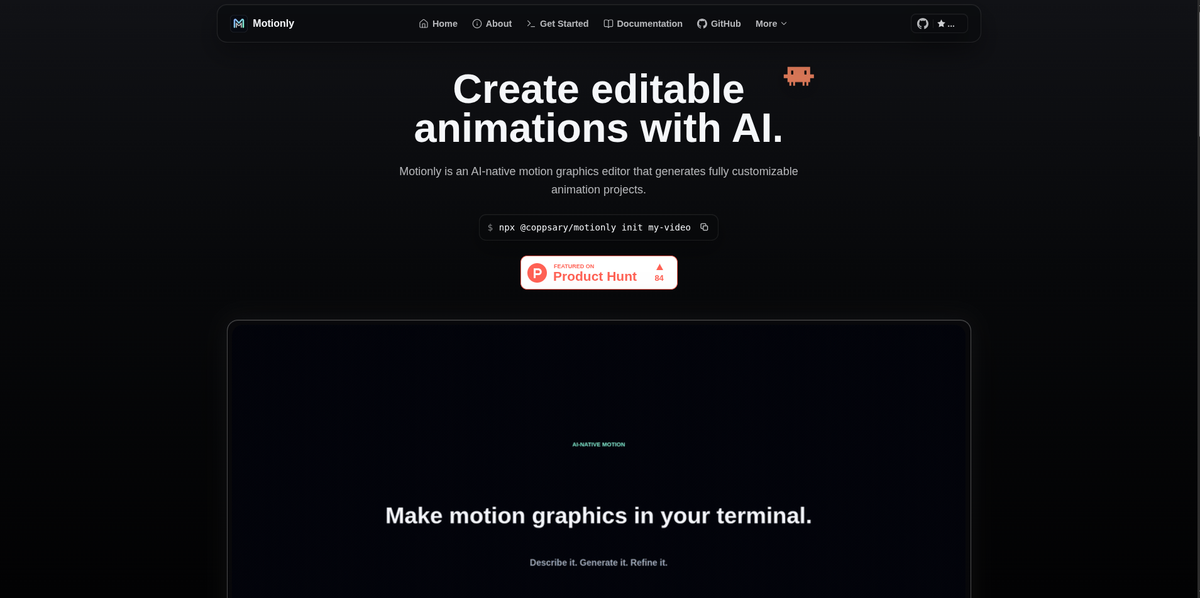
Prompt-to-editable drafts
Create an AI-generated starting point from a story, copy, timing, and assets, then continue editing the project instead of replacing it with a frozen render.

Motionly é um editor de motion graphics de código aberto e nativo de AI que transforma prompts e recursos em projetos de animação editáveis. Oferece um fluxo de trabalho local com edição em canvas e linha do tempo, arquivos-fonte .motion legíveis e exportação local para MP4.
Motionly is an open source, AI-native motion graphics editor for building editable animation projects. The site describes it as a way to generate a first draft from prompts and assets, then refine that draft visually instead of treating the AI output as final.
The core workflow stays local and source-friendly: Motionly writes projects into a readable .motion file, supports canvas and timeline editing, and exports finished motion graphics to MP4. The product is positioned for product videos, launch animations, social clips, SVG motion graphics, and other short-form motion design work that benefits from iterative editing.
Create an AI-generated starting point from a story, copy, timing, and assets, then continue editing the project instead of replacing it with a frozen render.
Work with the draft on a canvas and timeline, where you can adjust layers, timing, easing, and playback by hand after the initial generation.
Inspect and iterate on a readable .motion file so project changes stay version-friendly and follow-up prompts stay precise.
Export finished motion graphics to MP4 locally after the visual pass, without moving the project away from your source tree.
Keep images, video, SVGs, GIFs, Lottie files, and audio inside a project assets folder and reference them from the project file.
Use Motionly with agentic AI tools by installing the Motionly skill for Codex, Claude Code, Antigravity, and other providers mentioned on the site.
Generate a first pass for a short product video, then adjust the layers, timing, and playback manually until the motion matches the intended message.
Build launch animation drafts for new features where the animation needs to be specific to the product and easy to revise after review.
Create SVG-based motion graphics, keeping the source editable so shape motion and timing can be refined rather than recreated.
Keep animation projects close to code, assets, and Git history when you want a local workflow that can be reviewed and versioned.
Use an AI agent to generate an editable draft, then continue in the Motionly editor for hands-on refinement before exporting MP4.
Motionly is designed for prompt-to-editable-animation workflows. You can start from an AI-generated draft, then refine the project on a canvas, timeline, and source view before exporting MP4 locally.
The getting-started page says Motionly runs locally and requires Node.js 20.19.0 or newer, npm, and FFmpeg on PATH for MP4 export. The quick-start command shown is npx @coppsary/motionly init my-video.
Motionly keeps its source in a readable .motion file and supports local MP4 export after visual editing. The getting-started page also notes support for assets such as images, videos, SVGs, GIFs, Lottie files, and audio in the project assets folder.
The site positions Motionly for editable animation projects such as product videos, feature launch animations, social clips, and SVG motion graphics. It is built for product teams, developers, and creators who want AI-generated drafts that remain editable.
The source describes Motionly as open source and local-first. Projects live with your code and assets, and changes can be reviewed in Git.
Os dados de tráfego são apenas para referência.

flowstep.ai
Flowstep é um assistente de design com IA que transforma prompts em UI editável, copia para o Figma, exporta código e conecta IDEs via MCP.

framenet.ai
FrameNet é um gerador de motion graphics com IA que transforma prompts, imagens ou dados em animações para designers, profissionais de marketing e criadores.

shotcandy.app
Shotcandy é uma ferramenta gratuita e de código aberto para navegador que transforma capturas de tela, gravações e trechos de código em imagens ou vídeos prontos para compartilhar. Adicione fundos, molduras, ajuste de tamanho e movimento sem enviar arquivos nem criar uma conta.

thebrief.ai
The Brief é uma plataforma de geração de anúncios com tecnologia de IA que ajuda as equipes a criar, adaptar, publicar e otimizar anúncios em um único fluxo de trabalho. Oferece geração criativa treinada com a marca, exportação em vários formatos e colaboração para profissionais de marketing, designers, agências e empresas.

animaapp.com
Plataforma de IA orientada a design que transforma arquivos Figma, URLs, prompts e clones de sites em apps e código prontos para produção, com integração de API e SDK.

napkin.ai
Napkin AI transforma texto em recursos visuais editáveis para apresentações, documentos, redes sociais e colaboração em equipe.