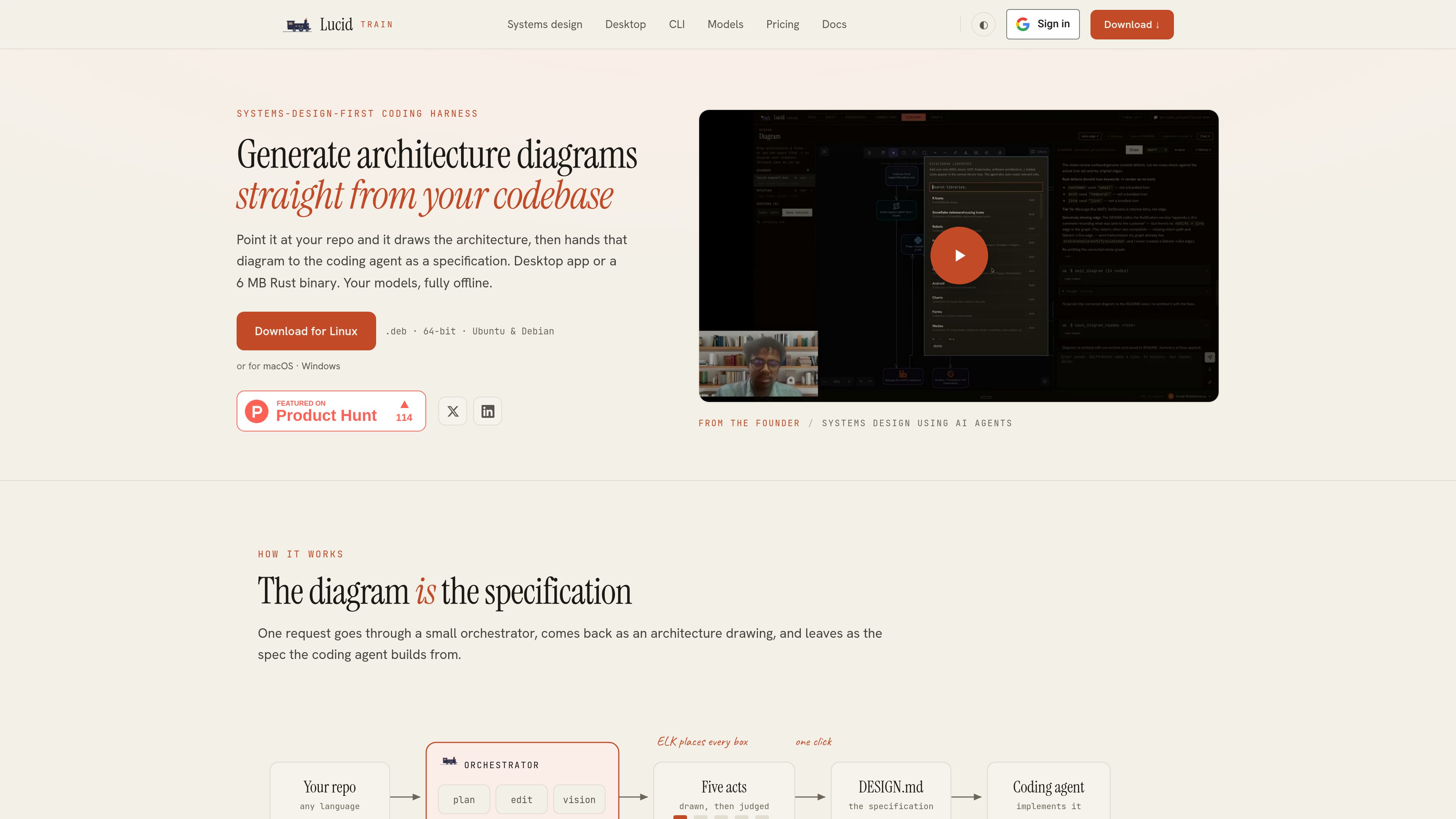
Lucid Train is a local-first coding harness that generates architecture diagrams from repositories and turns them into specifications for an AI coding agent. It is available as a desktop app or a free, open-source Rust CLI.
Lucid Train is a local-first developer tool that generates architecture diagrams from source code and uses those diagrams as specifications for AI-assisted coding. It can survey a repository, produce a semantic graph of components and relationships, and hand the resulting architecture to its coding agent.
The product is offered as a desktop application and as a small Rust CLI. The desktop app combines coding-agent sessions with Diagram, Audit, Dashboards, and Connectors surfaces. The CLI provides the same agent core in a terminal-oriented workflow.
O que Lucid Train pode fazer?
01
Repository-to-architecture diagrams
The agent reads a repository on the local machine and emits a semantic graph of components, tiers, and relationships. ELK computes the positions and orthogonal edge routing instead of relying on language-model-generated coordinates.
02
Editable diagram specifications
Generated diagrams are Excalidraw scenes that can be exported to SVG or PNG and edited in Excalidraw clients. A one-click action turns the canvas into a Markdown specification covering components, relationships, and narrator notes.
03
Local and configurable model providers
Run models locally through Ollama, bring an API key for an OpenAI-compatible endpoint or OpenRouter, or use the hosted model options described in the documentation. The site says prompts are sent to the provider selected by the user.
04
Agent review and execution modes
The CLI and agent support full tool use, propose-only planning, and cited research mode. Plan mode allows a reviewed plan before execution, while risk-tiered commands and reviewable diffs provide checkpoints for edits.
05
Multi-project desktop workspace
The desktop app can hold several repositories, with each project maintaining its own agent sidecar and history. It also includes a command palette, editor launching for VS Code, Cursor, or Zed, voice input, and image attachments for vision models.
06
Audits, observability, and connectors
The desktop app includes dependency checks using osv-scanner plus npm, cargo, and pip auditing, MCP configuration auditing, Grafana access for dashboards and telemetry, and support for stdio MCP servers and SKILL.md packs.
Casos de uso
“Onboarding engineers to an unfamiliar repository”
A new engineer can start from a diagram generated from the existing codebase instead of reconstructing the system solely from scattered files and documentation.
“Documenting legacy or agent-generated code”
Teams can inspect the architecture of older systems or code produced across multiple AI coding sessions, then create an editable diagram and Markdown specification from the current repository.
“Architecture reviews and technical design documents”
Reviewers can base discussions on a diagram derived from the implementation. The generated specification can provide structured material for a design document or review workflow.
“Migration planning”
Teams can use repository-derived diagrams to examine the current system and make intermediate migration states explicit before asking the coding agent to implement changes.
“Offline and restricted-code environments”
Organizations that cannot send source code to a browser can run the workflow locally with Ollama. The site describes local execution as offline, with no API key required for that setup.
Perguntas frequentes
How does Lucid Train generate an architecture diagram?
The agent surveys a repository and emits a semantic graph of components, tiers, and relationships. The ELK layout engine then computes positions and orthogonal edge routing, so the language model does not decide the box coordinates.
Does the source code leave the machine?
The site states that repository code is read on the user’s machine and that fully offline operation is available with local Ollama models. For external providers, prompts go to the provider configured by the user; credentials are stored in the operating system keychain.
What can I do with a generated diagram?
Diagrams are Excalidraw scenes that can be exported to SVG and PNG and remain editable in Excalidraw clients. The desktop app can also turn a canvas into a Markdown specification listing components, relationships, and notes.
What is the difference between the CLI and desktop app?
They use the same agent core. The CLI is a terminal-focused Rust binary with modes, plans, diffs, and token accounting, while the desktop app adds Code, Diagram, Audit, Dashboards, and Connectors in one window.
How is Lucid Train priced?
The CLI is free and open source with no account required. The desktop app has a seven-day free trial and is listed at $30 per year, or $2.50 per month when billed yearly. Model usage is separate: users can run local models or pay the provider associated with their own API key.
Informações rápidas
Product type
AI coding and architecture diagram tool
Primary platforms
Desktop app for macOS and Windows; Rust CLI for terminal use
Diagram format
Excalidraw scenes with SVG and PNG export
Local workflow
Ollama support for offline, local-model operation
Agent integrations
stdio MCP servers, SKILL.md packs, and OpenAI-compatible endpoints
CLI pricing
Free and open source
Análise de tráfego de Lucid Train
Os dados de tráfego são apenas para referência.
Classificação do domínio
2
Alternativas ao Lucid Train
R
Refact.ai
refact.ai
An open-source coding agent for developers that plans and performs repository-aware software tasks.
L
LucentraCode
lucentracode.com
LucentraCode is an open-source AI coding CLI that helps developers inspect repositories, plan and implement changes, run commands and tests, and verify results from a terminal. It supports interactive and automated workflows with selectable models and integrations for headless execution and MCP.
M
Mastra Factory
mastra.ai
Mastra Factory is an open-source, agent-powered software delivery environment for taking software work from issue intake through planning, implementation, and pull-request review. It provides persistent coding agents, repository workspaces, and configurable lifecycle stages in a web application you can deploy on the Mastra Platform or your own infrastructure.
B
Bytebot
bytebot.ai
Bytebot é um agente de desktop de IA open source que automatiza tarefas no Linux usando tela, mouse e teclado.
J
Jackalope
jackalope.dev
Jackalope is a desktop workspace for running AI coding agents in parallel across separate Git worktrees. It helps developers carry project context between tasks, use supported agent tools, and review related changes together.
C
Claude Code
claude.com
An AI coding agent that understands codebases, edits files, and runs commands for developers.