
Automatic route durations
Uses Google Maps to calculate travel time instead of relying on a manually entered duration, adding an outbound and return block around location-based events.

Adiciona automaticamente blocos de tempo de deslocamento do Google Maps antes e depois de eventos do Google Calendar com um local. Assim, quem se desloca para reuniões pode reservar um tempo realista para o trajeto em calendários, páginas de agendamento e apps de planejamento.
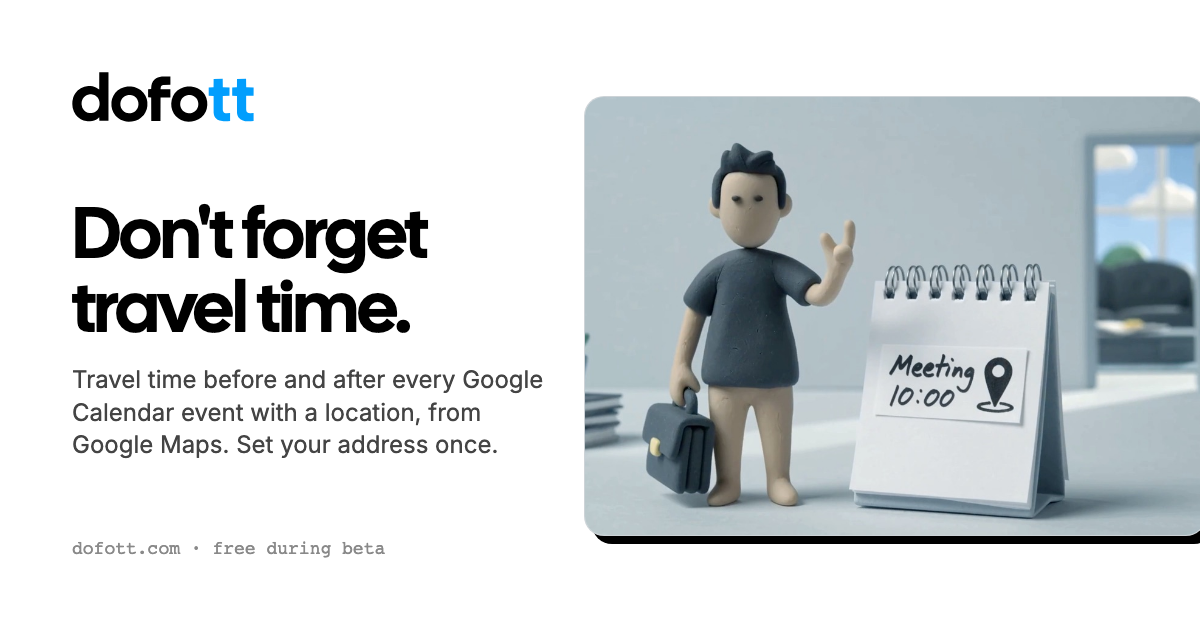
DOFOTT adds travel-time blocks before and after Google Calendar events that have a location. After connecting a Google account, users set home and optional work addresses, select a travel mode, and let Google Maps calculate the route duration for driving, transit, walking, or cycling.
The resulting blocks are ordinary Google Calendar events. They can therefore appear in other apps that show the same Google account, while marking the travel period as busy for scheduling purposes. DOFOTT is intended for people and teams whose calendars need to account for the time spent reaching in-person meetings.
Uses Google Maps to calculate travel time instead of relying on a manually entered duration, adding an outbound and return block around location-based events.
Users can set home and optional work starting points, with work used during configured work hours and home at other times.
Supports driving, transit, walking, and cycling, with the option to change the mode for an individual trip.
Travel blocks follow events when they move or change length, disappear when the event is deleted, and support recurring events and single-occurrence changes.
Each travel block provides controls for the mode, starting point, return trip, or no travel. Users can add five, ten, or fifteen minutes for parking and finding the destination.
Writes to calendars the connected account can edit. Blocks can use Google Calendar colors, remain quiet, show as busy, and be removed with a single deletion control.
Consultants, salespeople, and other people traveling to appointments can reserve realistic driving or transit time between in-person meetings.
People using Calendly, Cal.com, SavvyCal, or TidyCal can expose travel blocks as busy time so new bookings do not occupy the journey.
Users planning in Apple Calendar, Notion Calendar, Akiflow, Sunsama, or Superhuman can see the blocks through the connected Google Calendar account.
Recurring meetings with locations can receive recurring travel blocks, while a change to one occurrence can remain specific to that date.
Team members can connect their own Google Calendars so colleagues see travel time as busy without exposing home or work addresses. The team offering is currently described as a pilot.
You need a Google account with Google Calendar. Gmail is not required; Google Workspace and Google accounts created with another email address can work. Connect the account, choose writable calendars, and set your address details.
It can appear in Apple Calendar when the events are stored in a connected Google account because the blocks are ordinary Google Calendar events. It does not work with calendars stored only in iCloud and does not support Outlook as its calendar platform.
A meeting with a location that receives travel time counts once, regardless of the number of blocks. Video calls with only a meeting link or a location such as Zoom or Teams do not count. Each occurrence of a recurring event counts separately.
It works 60 days ahead, with the planning window moving forward over time. Meetings farther out receive blocks as they enter that range, while recurring events are handled as recurring blocks as far ahead as the meeting extends.
Up to 12 qualifying meetings per calendar month are free. A month exceeding 12 costs $5 plus tax with unlimited qualifying meetings for that month; the annual plan costs $36 plus tax with no meeting limit. The published pricing also states that the sign-up month is free and annual subscriptions can be refunded in full within 30 days.
Os dados de tráfego são apenas para referência.

toki.com
Toki é um assistente de calendário e organização de agenda com IA que transforma textos, notas de voz, capturas de tela e e-mails em eventos, lembretes e planos de tarefas, além de ajudar a coordenar reuniões. Ideal para pessoas, equipes e famílias com vários compromissos.

spline.design
Plataforma no navegador para criar experiências 2D/3D interativas e colaborar em tempo real

premast.com
Plataforma de recursos e fluxos de trabalho para apresentações, com bibliotecas de marca e plugins para PowerPoint e Google Slides

readpdfoutloud.com
Read PDF Out Loud é um leitor de PDF no navegador que narra documentos com uma voz natural enquanto destaca cada palavra. Foi criado para artigos de pesquisa, relatórios, livros e PDFs com equações, figuras, tabelas e layouts de duas colunas.

kiwidesk.kiwicanopy.com
Um gerenciador de janelas em mosaico para Mac que organiza automaticamente as janelas abertas e oferece layouts, atalhos de aplicativos, perfis e movimentação de janelas com o mouse. Mantém a área de trabalho organizada sem redimensionar e posicionar cada janela manualmente.

www.holavoicemail.com
Hola AI é um app de correio de voz com IA que atende chamadas não atendidas, conversa com quem liga, filtra spam e envia resumos concisos pelo app, SMS ou e-mail. É ideal para pessoas e empresas que precisam saber o contexto das chamadas quando não podem atender.