
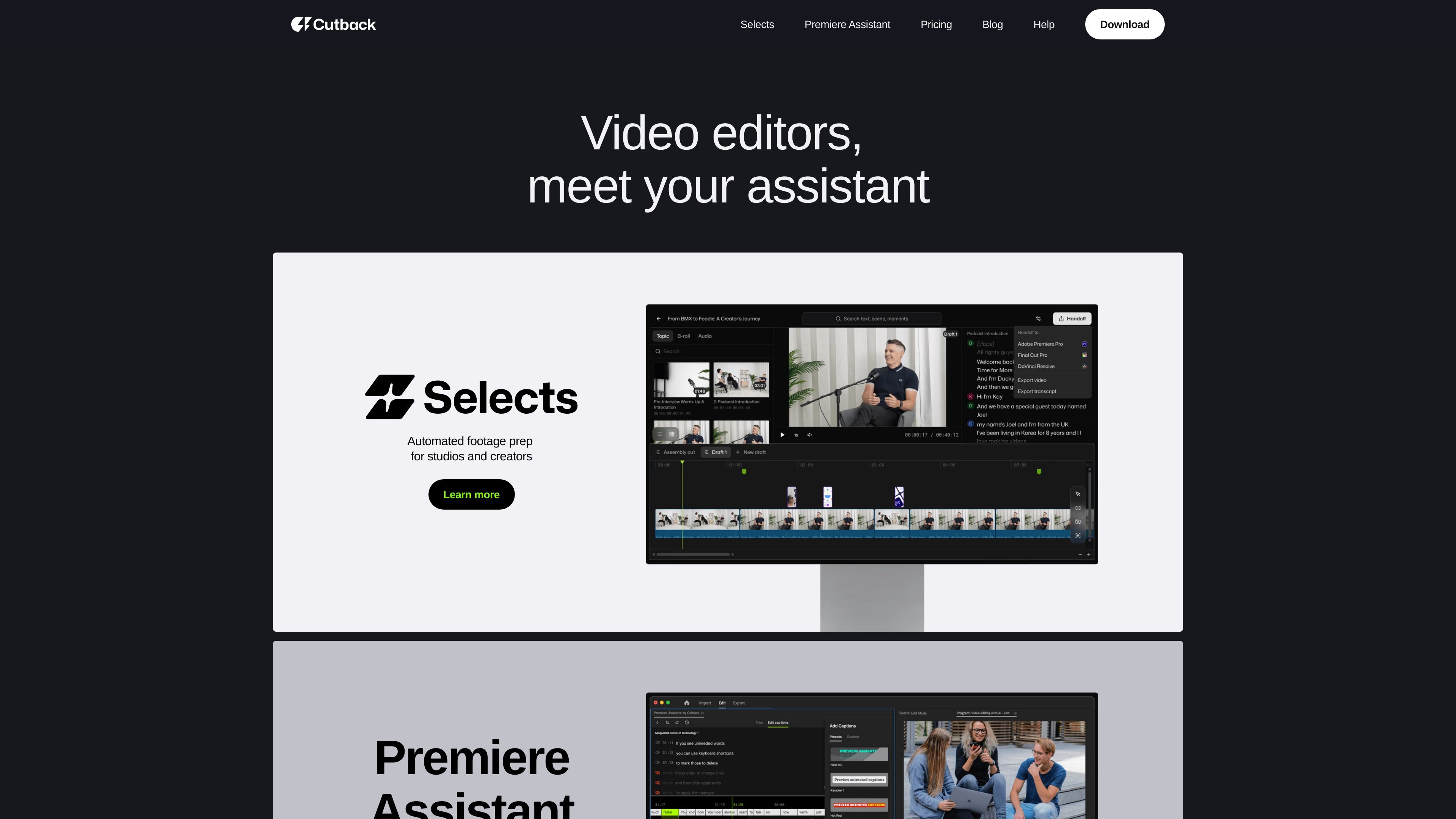
Premiere Assistant for repetitive edits
Cuts down repetitive Premiere Pro work by handling tasks such as captions, silence removal, trim operations, multi-cam edits, and animated captions.

Cutback ajuda na preparação de rough cuts e nas tarefas repetitivas de edição. Selects organiza as filmagens, enquanto o Premiere Assistant automatiza legendas, remoção de silêncios, cortes, edição multicâmera e tradução no Adobe Premiere Pro.
Cutback is a video editing assistant built around two products: Selects and Premiere Assistant. Together, they focus on speeding up the early and repetitive parts of post-production rather than replacing the editor’s creative decisions.
Selects is aimed at the initial sorting, organizing, and reviewing of raw footage so editors can move faster into the creative stage. Premiere Assistant is built for Adobe Premiere Pro and handles tasks such as captions, silence cutting, trimming, multi-cam editing, translation, and animated effects.
Cuts down repetitive Premiere Pro work by handling tasks such as captions, silence removal, trim operations, multi-cam edits, and animated captions.
Creates or edits captions and supports translation, which is useful for versions that need accessibility or multilingual delivery.
Automates multi-camera editing in supported Premiere Assistant plans, with a Basic plan limit of up to three cameras listed on the pricing page.
Selects is designed for the early editing phase: sorting, organizing, and reviewing raw material before the creative pass begins.
Selects is listed as supporting Adobe Premiere Pro, Final Cut Pro, and DaVinci Resolve, which makes it relevant across common NLE workflows.
Pricing details show plan-based limits and monthly or yearly billing for Premiere Assistant, including a contact-sales Enterprise tier.
Use Selects when you need to turn raw footage into a more reviewable rough cut by sorting clips, organizing material, and narrowing down what matters before the edit gets creative.
Use Premiere Assistant in Adobe Premiere Pro when the timeline work is repetitive, such as removing silences, trimming sections, adding captions, or applying animated captions.
Use the caption and translation tools when a project needs readable captions or translated captions for different audiences or delivery requirements.
Use multi-cam editing features for interviews, talks, or other recordings captured with multiple cameras where the same action needs to be assembled efficiently.
Use Selects for formats listed on the site such as talk shows, podcasts, scripted videos, vlogs, lecture videos, and field interviews.
Cutback offers Selects for rough-cut prep and Premiere Assistant for editing workflows inside Adobe Premiere Pro. Selects also supports Final Cut Pro and DaVinci Resolve, while Premiere Assistant is described for Adobe Premiere Pro.
The source shows a Starter plan for Premiere Assistant and paid Lite, Basic, Pro, and Enterprise plans. Pricing is available monthly or yearly, with yearly billing shown as discounted relative to monthly pricing.
Premiere Assistant includes transcribing video, editing captions, removing silences, trimming video, animated captions, translating captions, auto multi-cam, and AI image edit or clip animation depending on plan. The pricing page also notes limits on some actions and account/device rules.
Selects is positioned for the initial sorting, organizing, and reviewing phase of editing, helping editors reach the creative stage sooner. The site lists talk show editing, podcast editing, scripted videos, vlog, lecture videos, and field interview use cases.
The source does not provide a full setup guide or detailed export format list. It does indicate that Premiere Assistant works in Adobe Premiere Pro and that Selects supports Adobe Premiere Pro, Final Cut Pro, and DaVinci Resolve.
Os dados de tráfego são apenas para referência.

autocut.com
Plugin de edição de vídeo com IA para Premiere Pro e DaVinci Resolve que automatiza silêncios, legendas, zooms e cortes de podcasts.

kapwing.com
Plataforma web de criação e edição de vídeos com IA, legendas, tradução, dublagem e colaboração.

devmotion.app
DevMotion é uma plataforma de criação e edição de vídeos com IA no navegador, voltada a lançamentos de produtos, demonstrações, anúncios e comunicados de recursos. Transforma prompts ou URLs de produtos em projetos de vídeo HTML editáveis com animação, narração, música, legendas e controles de linha do tempo.

imaginario.ai
Video intelligence for marketing and post-production teams to find moments and build rough cuts.

www.aivideoeditor.app
AVE é um editor de vídeo com IA para Mac, com abordagem local-first, linha do tempo real, planos de edição revisáveis e exportação local. Ajuda criadores, profissionais de marketing, editores e equipes Mac a transformar filmagens em entregáveis editados, mantendo os projetos no dispositivo por padrão.