
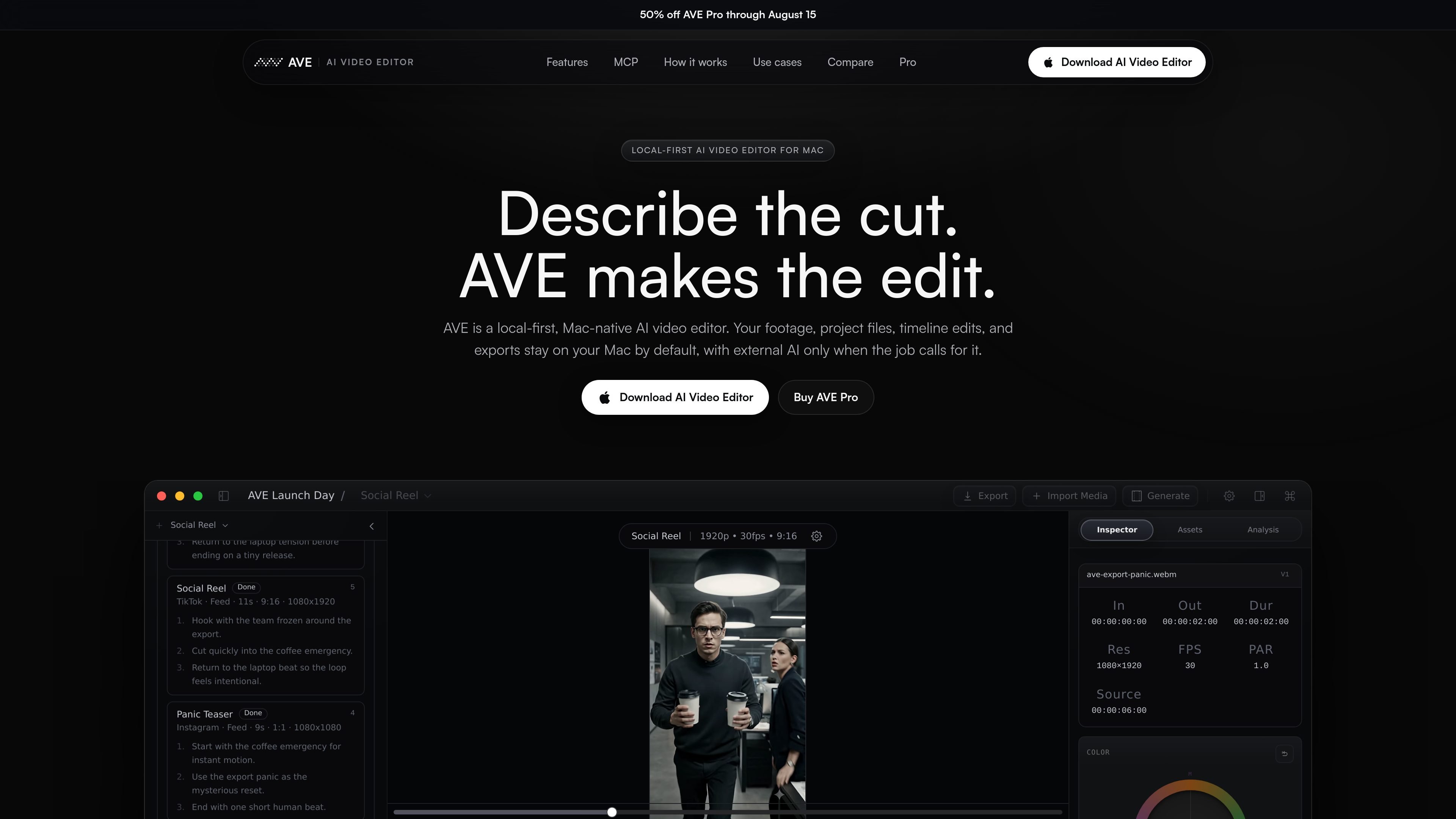
Real timeline edits
AVE supports supported AI-driven timeline actions such as trim, split, ripple, move, duplicate, delete, retime, close gaps, add transitions, add captions, adjust volume, and apply motion on an editable timeline.

AVE é um editor de vídeo com IA para Mac, com abordagem local-first, linha do tempo real, planos de edição revisáveis e exportação local. Ajuda criadores, profissionais de marketing, editores e equipes Mac a transformar filmagens em entregáveis editados, mantendo os projetos no dispositivo por padrão.
AVE is a local-first AI video editor for Mac built around a real non-linear timeline. It is designed to help editors and teams go from raw footage to a finished cut while keeping project files, media, analysis, and exports on the local machine by default.
The product combines Ask and Plan modes with reviewable edit plans, so AI can search footage, propose multi-step edits, and execute supported timeline actions only after approval. The app also supports local export, Apple Silicon Macs, and a controlled MCP bridge for Codex CLI or Claude Code.
AVE supports supported AI-driven timeline actions such as trim, split, ripple, move, duplicate, delete, retime, close gaps, add transitions, add captions, adjust volume, and apply motion on an editable timeline.
Plans can use imported assets, transcripts, visual notes, clip metadata, and current timeline context, which helps keep suggestions grounded in the project instead of in a generic prompt.
Create deliverables in 16:9, 4:5, 1:1, 9:16, LinkedIn, Instagram, TikTok, Shorts, YouTube, websites, and custom formats.
Use titles, lower thirds, shapes, brand-aware styling, camera presets, color correction, opacity, masking, and motion actions when the edit needs finishing.
Project files, imported media, local analysis, timeline execution, and exports stay on the Mac by default, with encrypted storage for BYO provider keys in the desktop app.
AVE supports Ask mode for questions and smaller edits, Plan mode for approval-gated edit plans, and local assistant connections for Codex CLI or Claude Code through AVE MCP.
Turn podcasts, launch footage, interviews, and event recordings into vertical clips without manually hunting every usable moment. The site’s example request emphasizes finding a 30-second segment, keeping the punchline intact, removing dead air, and adding captions.
Build launch cuts, ads, founder clips, feature explainers, and social variants from one footage pool while keeping timeline control. AVE is positioned for teams that need website, LinkedIn, Instagram, and Shorts versions from the same source material.
Use transcript search, visual search, and plan previews to tighten episodes, highlights, and promotional clips from talking-head footage. This fits YouTube, podcast, and interview editing where finding the right section is often the hardest part.
Edit sensitive footage on your Mac by default, then choose whether to connect external assistants, APIs, or generation providers. This use case is aimed at agencies, consultants, and internal teams working with private projects.
Import generated clips, search the assets, assemble a sequence, and leave the edit ready for manual polish. AVE serves as the editing layer around generated footage rather than replacing the editor’s final pass.
AVE is a local-first AI video editor for Mac. It combines a non-linear timeline with Ask and Plan modes, so you can search, review, and approve edits before they are applied to the timeline.
Yes. The site says AVE 1.0.21 is available for Apple Silicon Macs, and the current download is a DMG that you install by dragging AVE into Applications.
AVE requires macOS 14.0 or later and Apple Silicon, M1 or later.
AVE performs real timeline edits. Supported actions include trimming, cutting, moving, splitting, transitions, captions, search, rough cuts, sequence creation, and export preparation.
Yes. AVE MCP connects local Codex CLI or Claude Code installations to a controlled set of AVE project, search, edit, review, and export tools through a local authenticated bridge.
Os dados de tráfego são apenas para referência.

openchatcut.com
OpenChatCut é um editor de vídeo gratuito, open source e local-first para edição conversacional com assistência de IA em uma linha do tempo multifaixa real. Transforme prompts em cortes editáveis mantendo o controle sobre projetos, exportações e alterações na linha do tempo.

diffusion.studio
Diffusion Studio é um editor de vídeo baseado no navegador com canvas infinito, edição na linha do tempo, fluxos de trabalho com assistência de IA e exportação em 4K. O plano gratuito oferece projetos ilimitados, sem marca d’água e uso comercial.

movavi.com
Movavi Video Editor é um editor de vídeo para desktop que permite cortar, recortar e aprimorar clipes com ferramentas de linha do tempo e recursos assistidos por AI. Oferece download gratuito, amplo suporte a formatos e requisitos do Windows documentados.

devmotion.app
DevMotion é uma plataforma de criação e edição de vídeos com IA no navegador, voltada a lançamentos de produtos, demonstrações, anúncios e comunicados de recursos. Transforma prompts ou URLs de produtos em projetos de vídeo HTML editáveis com animação, narração, música, legendas e controles de linha do tempo.

cybercut.ai
CyberCut é um editor de vídeo web com IA que transforma filmagens ou scripts em vídeos editados com menos trabalho manual. Oferece edição em linguagem natural, conversão de vídeos longos em curtos e fluxos de script para vídeo.

openmotion.design
OpenMotion é uma ferramenta de motion design orientada por prompts para criar cenas editáveis, vídeos de lançamento, vídeos explicativos e clipes para redes sociais. Combina planejamento de cenas com IA, canvas, linha do tempo e controles de som, e permite exportar para vídeo, WebM com transparência e HTML independente.