
Voice and screen capture
Start a capture from any app with a keyboard shortcut and talk while pointing at the interface. Aloud records the screen with your voice and live transcript.

Aloud é um app para Mac que grava a tela enquanto você explica um problema de software e transforma a gravação em um plano organizado, com capturas de tela, para agentes de programação. Transcreve no dispositivo e exporta HTML ou envia a nota ao Claude Code.
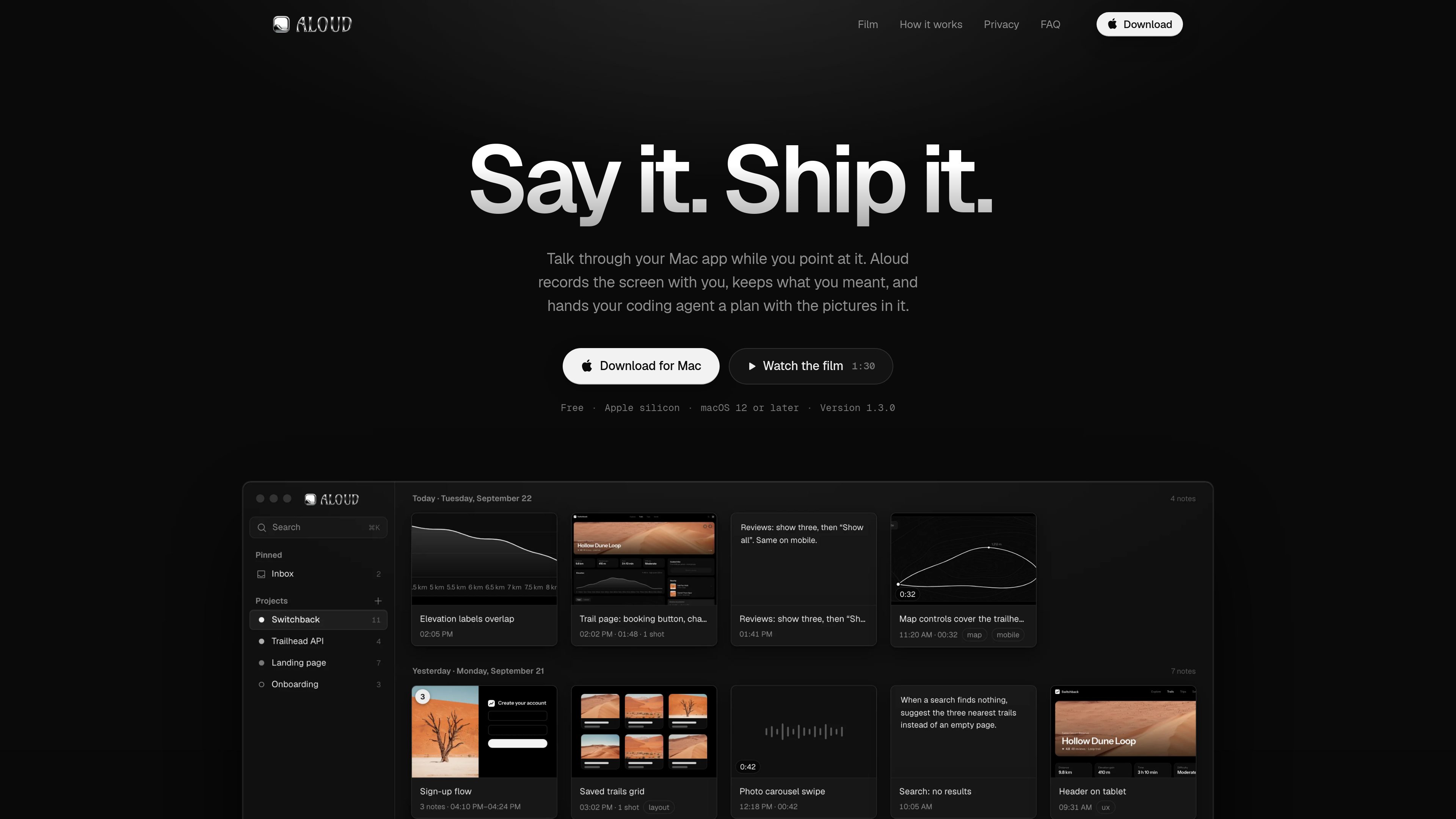
Aloud is a Mac app for explaining software issues by speaking while pointing at the relevant parts of an app. It records the screen alongside your voice, creates a transcript, and captures still frames when you refer to items such as “this button.” Notes are organized by day and project, and multiple cards can be merged in the order they were recorded.
The app turns the resulting note into a cleaner handoff for coding work. It can refine the transcript, add relevant images, write tasks with completion details, and export the words and screenshots together for a coding agent or another person.
Start a capture from any app with a keyboard shortcut and talk while pointing at the interface. Aloud records the screen with your voice and live transcript.
When you refer to something such as “this button,” Aloud suggests the relevant frame. A separate area-capture shortcut records selected pixels without freezing or dimming the screen.
Captures become cards grouped by day and filed by project. Cards can be stacked and merged into one note in the order they were recorded.
Cleanup removes filler and stutters, repairs misheard words from context, and preserves the intended correction. Separate workflows can clarify open points, add images, or write a task plan.
Screenshots can be cropped, marked with arrows, boxes, freehand drawings, highlights, or text. The original image is retained.
Send a plan and its images to Claude Code, copy a task or complete plan, or export one self-contained HTML file for Claude Code, Cursor, Codex, or a colleague.
Record a walkthrough of a page that needs attention, point to the affected controls or layout, and turn the spoken observations into a plan with screenshots.
Give a coding agent task-specific context without separately describing every interface element. Each task can travel with the screenshot it concerns.
Talk through a Mac app as you test it, then clean up the transcript and keep the resulting note organized by project.
Export the note as a single HTML file containing its text and screenshots so a colleague can open it in a browser.
It records your Mac screen while you talk through an app, creates a transcript, suggests screenshots for references such as “this,” and produces a structured note that can be handed to a coding agent.
No. Transcription runs on the Mac, and the audio and screen video are never uploaded. Optional AI workflows send only the transcript text, notes, and still frames they use; that workflow data is kept for 90 days and then deleted.
Aloud can send a plan directly to Claude Code. Its self-contained export can also be used with Claude Code, Cursor, or Codex, or shared with a colleague.
Yes. Export creates one HTML file containing the words and screenshots. It opens in a browser and does not require Aloud.
Aloud runs from the menu bar. The shortcut ⌥ ⇧ N starts a spoken capture, while ⌥ ⇧ S lets you drag across an area of the screen. The shortcuts work in any app after launch.
Os dados de tráfego são apenas para referência.

murmell.com
Murmell é uma tela no navegador para executar agentes de programação com IA em sandboxes compartilhadas na nuvem. Ajuda desenvolvedores a coordenar Claude Code, Codex, Kimi e OpenCode em um mesmo projeto, sem configuração local nem conflitos de arquivos.

omlx.ai
oMLX é um servidor de inferência LLM nativo do macOS, baseado em MLX, para executar localmente no Apple Silicon modelos compatíveis de linguagem, visão-linguagem, embeddings e reranking. Criado para fluxos de trabalho com agentes de programação, funciona com Claude Code, OpenClaw, Cursor e clientes compatíveis com OpenAI.

www.tryport22.com
port22 é um app para iOS e um agente para macOS que monitoram e controlam sessões de agentes de programação em execução no terminal. Transmite transcrições para o iPhone, avisa quando é necessária uma entrada e oferece suporte a Claude Code, Codex e OpenCode.

build.reflex.dev
Reflex Build transforma prompts em aplicações Python para implantação no Reflex Cloud, na sua própria nuvem ou localmente, com templates prontos para produção e integrações para agentes e ferramentas de programação.

skillsmp.com
SkillsMP é um marketplace gratuito para descobrir habilidades de agentes open source em repositórios públicos do GitHub, com pesquisa, navegação, API REST e acesso MCP para Claude Code, Codex CLI e ChatGPT.

rapidnative.com
RapidNative transforma prompts, esboços, documentos e capturas de ecrã em apps React Native reais para iOS e Android, com colaboração, pré-visualização, exportação e publicação.