
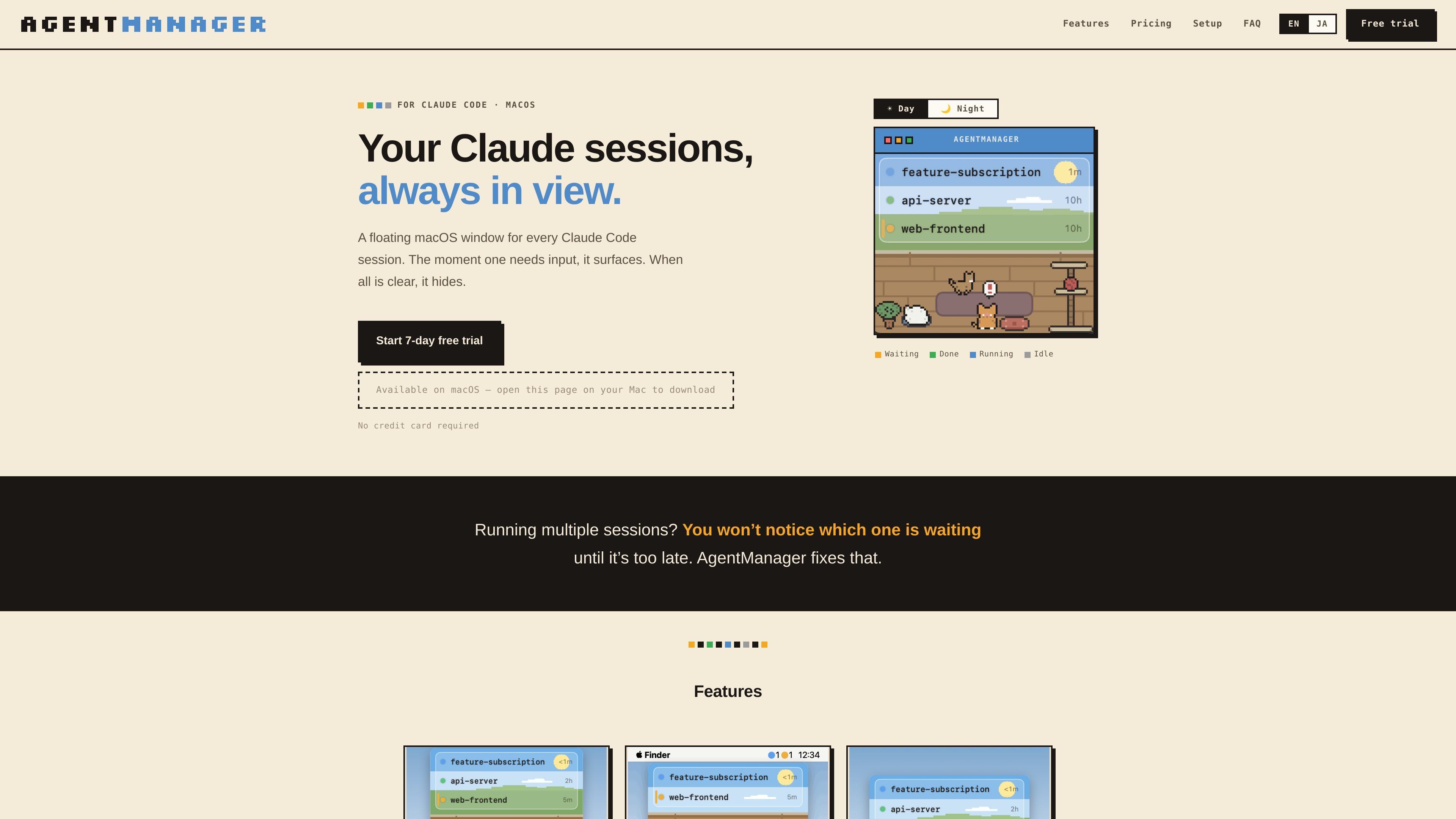
Status at a glance
Shows which sessions are running, waiting for input, done, or idle, plus how long each has been in that state.

AgentManager é um app para macOS que permite monitorar sessões do Claude Code em uma janela flutuante. Ele ajuda você a ver qual sessão precisa de atenção e voltar ao terminal ou contexto de IDE correspondente.
AgentManager is a macOS app for Claude Code sessions. It keeps a floating window for your sessions so you can see when one is waiting, running, or finished without constantly checking the terminal.
The app is built for people who run multiple Claude sessions and need a clearer way to notice when one requires input. It uses Claude Code hooks to detect sessions automatically, then shows a window, menu-bar status, and jump controls for moving back to the right terminal or IDE context.
Shows which sessions are running, waiting for input, done, or idle, plus how long each has been in that state.
Brings the window forward as soon as any Claude session needs input, then hides it again when everything is clear.
Lets you click a session row to jump to the right pane, tab, or project window depending on the host app.
Supports keyboard-first control with a configurable window toggle and navigation for switching between sessions.
Displays status counts as colored dots in the menu bar so you can check activity without opening the window.
Includes optional cat sound alerts, a day/night pixel-art cat room, and a simple mode that hides the illustration for a list-only view.
Useful when you keep several Claude sessions open and need to see which one is waiting for input without checking each terminal manually.
Helps when you step away from the keyboard: the window appears when a session needs input, and the cat alert can notify you even if you are not watching the screen.
Supports workflows where Claude Code is launched from a terminal or IDE and you want to jump back to the exact pane, tab, or project window quickly.
Works for users who prefer keyboard-driven control and want to toggle the window, navigate sessions, and jump without using the mouse.
AgentManager is designed for macOS 13 Ventura or later and requires Claude Code (the claude CLI) to be installed.
Detection works in any terminal because it uses Claude Code hooks. Jump behavior varies by app: it can jump precisely to panes or tabs in iTerm2, Terminal, and Ghostty, and it can jump to the project window in supported IDEs such as VS Code, Cursor, Android Studio, and JetBrains IDEs.
No special permissions are needed for session detection. Jumping may require Automation permission for iTerm2, Terminal, or Ghostty, and Accessibility permission for Android Studio and similar IDEs. Some apps, including VS Code, Cursor, Zed, Warp, kitty, WezTerm, and Alacritty, do not require additional permissions for jumping.
During onboarding, AgentManager registers a Claude Code hook in ~/.claude/settings.json and creates a .bak backup first. After that, every Claude session appears automatically in the list.
Yes. The app offers a 7-day free trial with all features unlocked and no credit card required. After the trial, pricing on the homepage shows monthly and annual paid plans.
Os dados de tráfego são apenas para referência.

www.tryport22.com
port22 é um app para iOS e um agente para macOS que monitoram e controlam sessões de agentes de programação em execução no terminal. Transmite transcrições para o iPhone, avisa quando é necessária uma entrada e oferece suporte a Claude Code, Codex e OpenCode.

blackflare.dev
BlackFlare é um app para a barra de menus do macOS voltado para Claude Code e Codex: mantém as sessões ativas, envia notificações de conclusão ou de entrada necessária e mostra o uso. Também encaminha alertas para Telegram ou Slack e permite alterar padrões sem editar arquivos de configuração manualmente.

valpere.github.io
session-indexer é uma ferramenta para desenvolvedores hospedada no GitHub que indexa transcrições de sessões do Claude Code no SQLite e permite pesquisá-las semanticamente. Foi criada para recuperar o histórico JSONL por projeto, com FTS5 como alternativa quando a busca baseada em embeddings não está disponível.

tablo-cat.netlify.app
tablo é um widget de desktop em forma de gato que monitora sessões do Claude Code e do OpenAI Codex no canto da tela. Acompanhe em tempo real o uso do contexto, as solicitações de permissão, as notificações e a atividade de cada sessão.

omlx.ai
oMLX é um servidor de inferência LLM nativo do macOS, baseado em MLX, para executar localmente no Apple Silicon modelos compatíveis de linguagem, visão-linguagem, embeddings e reranking. Criado para fluxos de trabalho com agentes de programação, funciona com Claude Code, OpenClaw, Cursor e clientes compatíveis com OpenAI.

murmell.com
Murmell é uma tela no navegador para executar agentes de programação com IA em sandboxes compartilhadas na nuvem. Ajuda desenvolvedores a coordenar Claude Code, Codex, Kimi e OpenCode em um mesmo projeto, sem configuração local nem conflitos de arquivos.