
Hybrid CAD workflows
Zoo Design Studio combines point-and-click CAD, code-based modeling, and Zookeeper in one environment so engineers can choose the workflow that fits the task.

Zoo is a CAD software platform for hardware design that combines traditional modeling tools, code-based CAD, and the Zookeeper conversational agent. It supports Mac, Windows, Linux, and browser-based exploration for users building and iterating on mechanical and hardware designs.
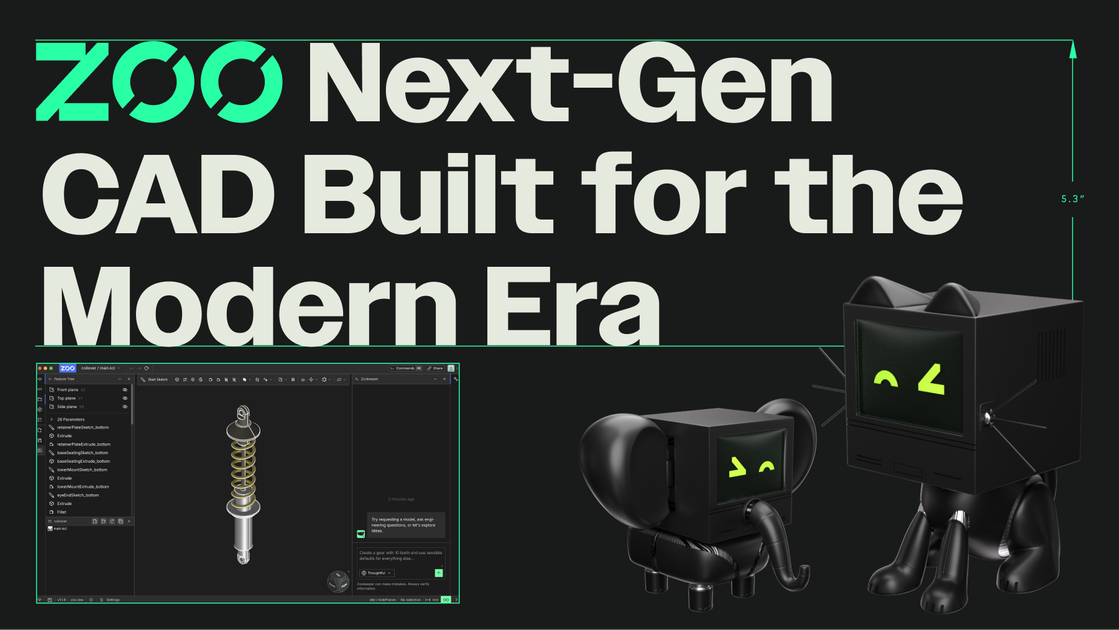
Zoo is a CAD software platform for hardware design. It pairs a modern geometry engine with Zoo Design Studio, a desktop CAD environment, and Zookeeper, a conversational CAD agent that can generate and refine models from prompts.
The site positions Zoo as infrastructure for a modern hardware design toolkit rather than a single-purpose drafting app. Users can work with point-and-click tools, code, or Zookeeper in one environment, which is intended to support both rapid concept work and more controlled engineering iteration.
Zoo’s published examples show use across mechanical and hardware design tasks such as assemblies, valves, plates, guides, and other production-oriented parts. The product pages also emphasize research, reasoning, and manufacturing-aware feedback as part of the workflow.
The platform is available on Mac, Windows, and Linux, with a browser-based try experience and documentation for design users and developers. Pricing information is published separately, and the pricing page points to simple plan comparison with free exploration plus plan-based billing options.
Zoo Design Studio combines point-and-click CAD, code-based modeling, and Zookeeper in one environment so engineers can choose the workflow that fits the task.
Zookeeper turns text prompts into fully editable CAD models and is built to reason about the design while it works, rather than only producing static geometry.
The product is built on Zoo’s own geometry engine and supports B-rep geometry, which the site contrasts with mesh-based output.
Zookeeper can inspect, snapshot, and debug geometry during generation, which the site presents as part of its research and reasoning workflow.
The site says Zookeeper provides manufacturing-aware feedback and is tuned for real-world manufacturing workflows.
Zoo offers desktop access for Mac, Windows, and Linux, plus a browser-based try-in-browser option for exploring the product.
Use Zoo Design Studio to sketch and refine mechanical parts with Zookeeper, then switch into direct editing or code when you need tighter control over constraints and parameters.
Use the conversational agent to turn a prompt into a fully editable model for components such as plates, guides, valves, or enclosures, then adapt the result for your specific design.
Use the research and reasoning workflow when you need the system to help evaluate geometry, inspect model state, or propose changes while you develop production-ready CAD.
Use the desktop app or browser try experience to explore the product before download, especially if your team is evaluating a new CAD workflow across operating systems.
Use the published docs and developer sections when you need guidance on Zoo Design Studio, Zookeeper, KCL, APIs, or enterprise topics.
Zoo Design Studio is a CAD application for hardware design. It combines traditional point-and-click tools with Zookeeper, Zoo’s conversational CAD agent, so users can model in the browser or desktop app and switch between direct editing and prompt-based workflows.
The source shows Zoo Design Studio available on Mac, Windows, and Linux, and it also offers a browser-based try-in-browser experience. The docs and pricing pages indicate the product is available to explore for free, with additional pricing plans available.
Zookeeper can generate fully editable CAD models from prompts, and the site shows examples for items such as a drill guide, tool nest block, I-beam, robotic arm, and engine valve. The design studio page also says users can move between point-and-click, coding, and Zookeeper within one environment.
The site positions Zoo as a modern CAD toolkit for hardware design, with Zookeeper using research, reasoning, and geometry inspection to help with production-ready CAD and manufacturing-aware feedback. That makes it suited to design work where prompt-based iteration and engineering control both matter.
The docs page shows separate documentation areas for Zoo Design Studio, Zookeeper, API, CLI, MCPT, KCL, and enterprise topics. The source also states that all Zoo docs are open source and that users can contact support or the community forum for help.