
Content repurposing from one upload
Upload audio or video, then generate transcripts and downstream written assets such as show notes, summaries, articles, newsletters, titles, and social posts from the same source material.

Swell AI is an AI content repurposing platform for turning podcasts and videos into transcripts, show notes, articles, newsletters, social posts, clips, and chat bots.
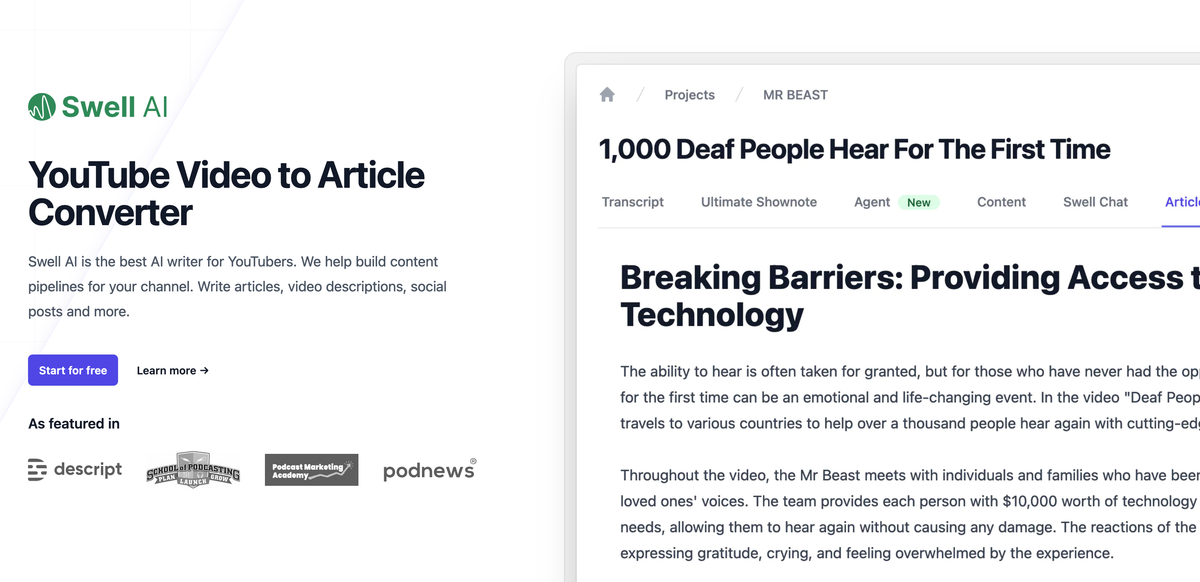
Swell AI is an AI writing platform for turning audio and video into publishable marketing content. The site positions it around podcast and video repurposing, with outputs that include transcripts, clips, show notes, articles, summaries, titles, newsletters, social posts, midroll ads, and intro scripts.
The product is built around a simple upload-and-generate workflow. Users import media, generate content, edit transcripts, clip sections, and export the results, with support for managing multiple shows in one dashboard and setting a brand voice for repeatable output.
Upload audio or video, then generate transcripts and downstream written assets such as show notes, summaries, articles, newsletters, titles, and social posts from the same source material.
Use the transcript editor to highlight sections and create clips, with clips saved for later access by the rest of the team.
Identify speakers automatically and label them in the transcript to make longer recordings easier to review.
Share transcripts through a public or team-facing link, which supports review and collaboration without extra file handling.
Set a brand voice and reusable content templates so outputs can be reused across shows and publishing workflows.
Create chat bots tied to uploaded episodes so audiences can ask questions about a specific episode.
A podcaster can upload an episode and generate show notes, summaries, timestamps, titles, and social posts from the same recording.
A video creator can turn a YouTube recording into an article and supporting promotional copy without rewriting the content from scratch.
An agency or network can manage several shows in one place, keep transcript clips available to the team, and reuse outputs across clients or series.
A team can publish a transcript with a shareable link so editors, collaborators, or an audience can review the material in context.
A creator can attach a chat bot to an episode so listeners can ask questions about the content after publication.
Swell AI takes uploaded audio or video and generates outputs such as transcripts, show notes, summaries, articles, newsletters, social posts, titles, clips, and chat bots for episodes.
The site shows a free Hobby plan and paid Studio and Agency plans, plus a pay-as-you-go option. A pricing page is not available at the provided URL, so plan details should be verified on the site before purchase.
Yes. The site says teams can manage multiple shows in one dashboard, and clips can be accessed by the rest of the team.
Source pages show audio or video upload workflows, a transcript editor, highlighting and clipping, and episode chat bots. The product pages do not document a separate public integration list or API details in the provided evidence.