
Centralized social media management
Create, schedule, publish, and manage social content from one place rather than switching between separate tools.

SocialPlus is a free, self-hosted social media management tool to schedule, publish, and manage posts across multiple networks with calendars, analytics, previews, and content tools.
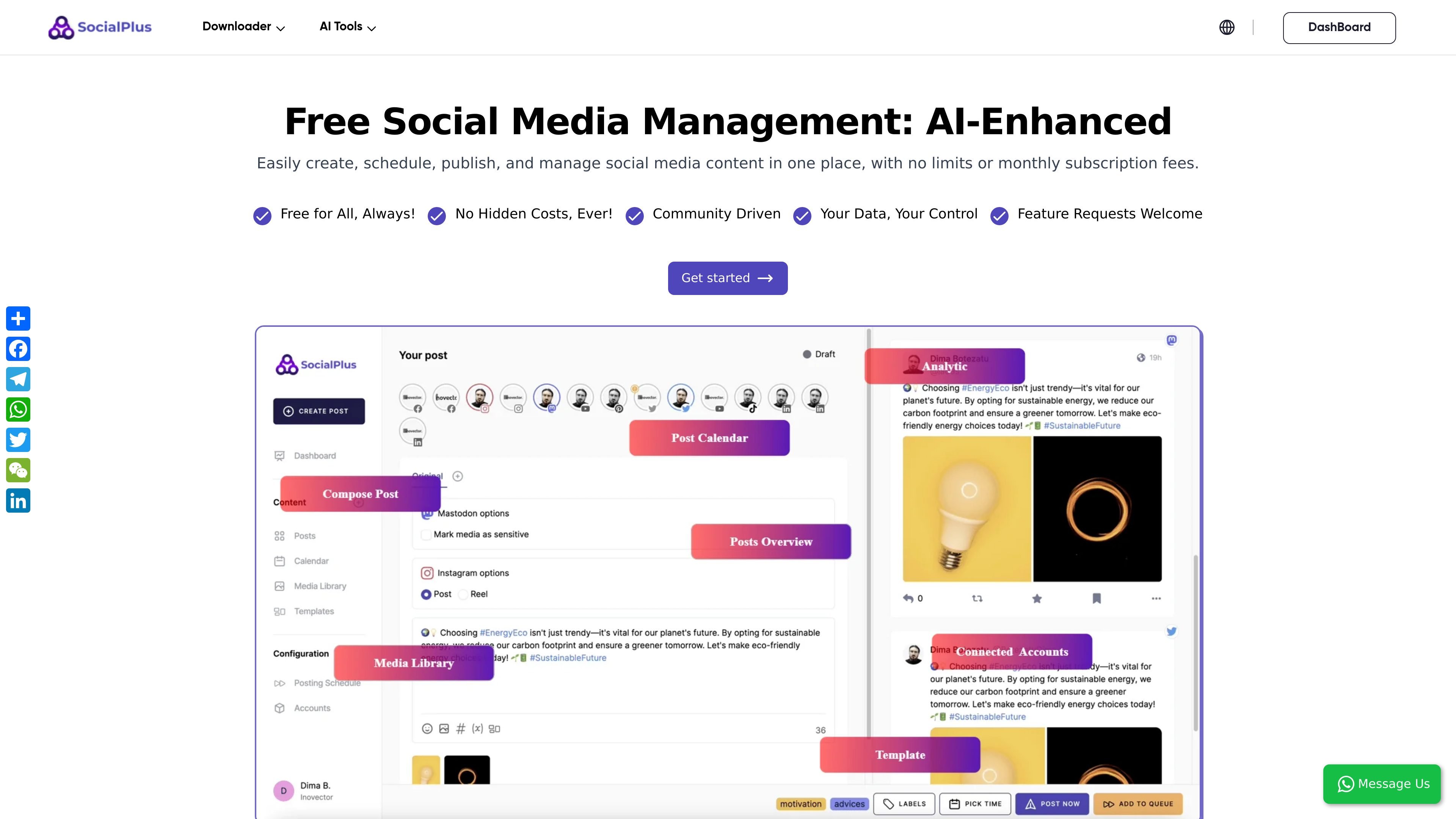
SocialPlus is a social media management tool that brings multiple networks into one place for scheduling, publishing, and managing content. The homepage positions it as free social media management software with no monthly subscription fees or hidden costs.
The product centers on a simple workflow: connect your accounts, then create posts and schedule them for one or more pre-configured channels. It also highlights calendars, analytics, media management, templates, and post previews, making it suitable for users who want a single workspace for planning and publishing social content.
Create, schedule, publish, and manage social content from one place rather than switching between separate tools.
Set up account connections, choose multiple pre-configured accounts, and publish scheduled posts through a simple two-step workflow.
Manage a content calendar with both monthly and weekly views, plus a dedicated posts overview for tracking published or planned content.
Draft posts with support for post customization, previewing, and versioning so content can be adjusted for different channels.
Organize reusable media and content assets with a media library, templates, and hashtag groups.
Monitor performance with analytics while preparing reports around the engagement metrics highlighted on the homepage.
Use the service across the listed social platforms, including Facebook, Instagram, Mastodon, LinkedIn, Pinterest, YouTube, TikTok, X, Threads, and Google Business.
Plan content in advance using monthly or weekly calendars when you need a structured publishing schedule across several networks.
Publish the same campaign to multiple connected accounts from one workspace, then tailor it with platform-specific formatting or previews.
Track social activity and review performance using the analytics tools and reporting metrics highlighted on the homepage.
Organize reusable media, templates, and hashtag groups for teams or individuals who publish repeatedly and want less manual setup.
Use the self-hosted, privacy-first setup when you want a controlled environment for managing social accounts and content.
SocialPlus is a social media management tool that lets you create, schedule, publish, and manage content from one place. The homepage says it supports multiple social platforms and includes analytics, calendars, post composition, media management, and connected accounts.
The homepage describes SocialPlus as free social media management software with no monthly subscription fees or hidden costs. It does not provide a pricing page with plan details, so the public site only supports the claim that it is free.
You start by configuring your social media accounts, then create posts, select one or more pre-configured accounts, and schedule them for publishing. The site presents this as a two-step workflow.
The homepage lists Facebook, Instagram, Mastodon, LinkedIn, Pinterest, YouTube, TikTok, X, Threads, and Google Business as supported social platforms.
The site says SocialPlus is privacy-first, GDPR-compliant, and self-hosted, and it invites users to request additional platform support and translation help. Those are the boundaries and customization options explicitly stated on the homepage.