Neural Canvas icon

Neural Canvas

Reivindicar

Neural Canvas is a web app that creates personalized comic book PDFs from your character, setting, story, and style inputs, with email delivery and a comic library.

Neural Canvas

What Neural Canvas does

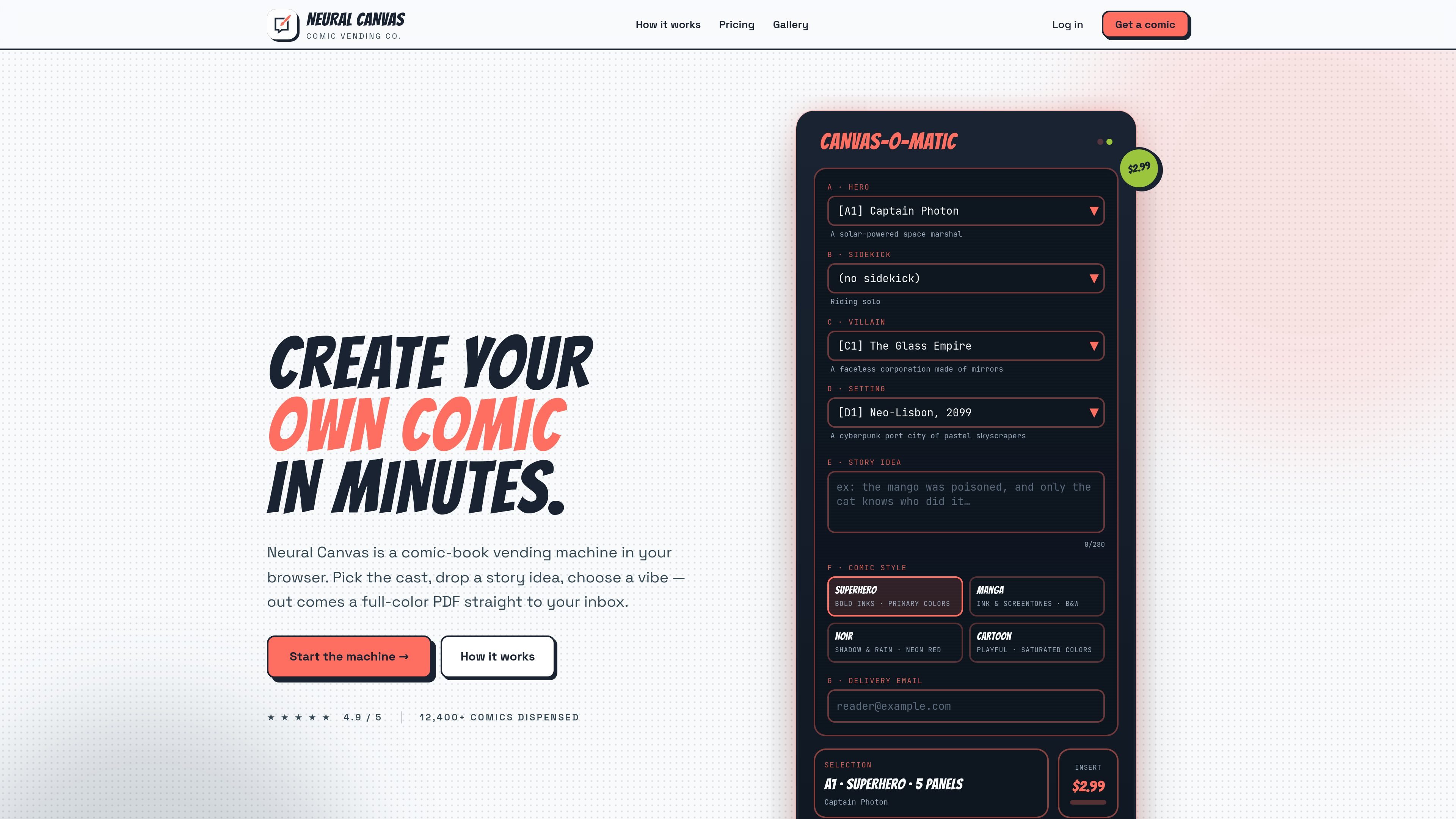
Neural Canvas is a browser-based comic generator that turns a short set of creative inputs into a personalized comic book PDF. The home page presents it as a “comic-book vending machine” where you choose characters, a setting, a story idea, and a visual style, then press the button and wait for the result.

The site positions the product around fast, self-serve comic creation. After entering prompts and an email address, users receive a PDF in minutes, and signed-in users can revisit downloads, re-print past issues, and start new comics from a dashboard.


Core features

Character- and prompt-based comic setup

Builds a comic around a selected hero, optional sidekick, optional villain, setting, story idea, and comic style. The home page shows preset choices plus free-text fields for the story prompt and delivery email.

Multiple comic styles

Offers at least six art directions on the home page, including Superhero, Manga, Noir, and Cartoon, so the output can be matched to the tone of the story.

PDF delivery by email and dashboard

Generates a full-color PDF and sends it by email. The site also says signed-in users can access downloads from their dashboard.

Browser-based, low-friction workflow

Lets users create comics in a few steps without needing to log in just to see how it works, lowering the friction for first-time visitors.

Account library and re-print access

Supports account creation for a library of past comics, re-printing old issues, and queueing a fresh one from the signed-in area.

Tiered comic offerings

Offers multiple purchase paths on the pricing page, including a first-timer offer, a single-shot comic, and a premium Director’s Cut.

Practical uses

  • Rapid comic concepting

    Useful for someone who wants to turn a short premise into a finished comic without drawing or laying out pages manually. The site frames the process as a few selections followed by automated generation.

  • Personalized comic keepsakes

    Fits readers who want a framed, shareable PDF version of a personalized comic. The product says the output arrives by email and can be stored in the dashboard.

  • Ongoing comic library management

    Works for repeat users who want to revisit older issues, re-print them, or generate a new comic from the account area.

  • Style exploration

    Provides a low-friction way to experiment with different art directions such as Superhero, Manga, Noir, or Cartoon before committing to a final comic.

  • Trial before account creation

    Helps first-time visitors evaluate the workflow before signing up, since the site says no login is required to peek at how it works.

Pros and Cons

Pros

  • Clear, guided input flow for characters, setting, story idea, and art style.
  • Browser-based experience with no login required to preview the workflow.
  • Email delivery and dashboard access make it easy to retrieve finished comics.
  • Account features include a library of past comics and the ability to re-print them.
  • Several style options are surfaced up front, which helps users steer the look of the comic.

Cons

  • The site does not publish full pricing details, plan limits, or a complete billing model.
  • There is no visible documentation for integrations, an API, or team workflows.
  • Feature specifics such as file formats beyond PDF, editing controls, and production limits are not documented on the pages provided.

FAQ

Do I need an account to try it?

Yes. The home page says no login is required to peek at how it works, and the register page says account creation takes about 30 seconds and does not require a credit card yet.

What do I get after creating a comic?

The site says the output is a personalized comic book PDF delivered by email, and account holders can also grab downloads from their dashboard.

How does the comic creation process work?

The home page describes a browser-based flow where you pick characters, add a story idea, choose a vibe, and press the button. The AI illustrator then assembles the comic scene by scene.

What pricing options are shown on the site?

The site shows a first-timer offer for an 8-page comic, a single-shot option, and a premium Director’s Cut, but it does not publish a broader billing structure beyond those offers.

Can I manage previous comics after signing in?

The site mentions downloads, re-printing past issues, and queueing up a fresh comic from the dashboard, but it does not describe team accounts or collaboration features.

Quick Facts

Category
AI comic generator
Platform
Web app
Primary output
Personalized comic book PDF
Workflow
Pick characters, setting, story idea, and style, then generate and receive the comic by email
Account features
Library, downloads, re-printing past issues, and queueing new comics
Domain
neuralcanvas.io