
Writing controls for document drafting
Supports writing styles, tones, creative settings, and response length controls in the Word Basic edition.

Ghostwriter Microsoft Office add-ins for Word, Outlook, Excel and PowerPoint. AI-assisted writing and analysis with your own API key for OpenAI, Google Gemini and xAI Grok.
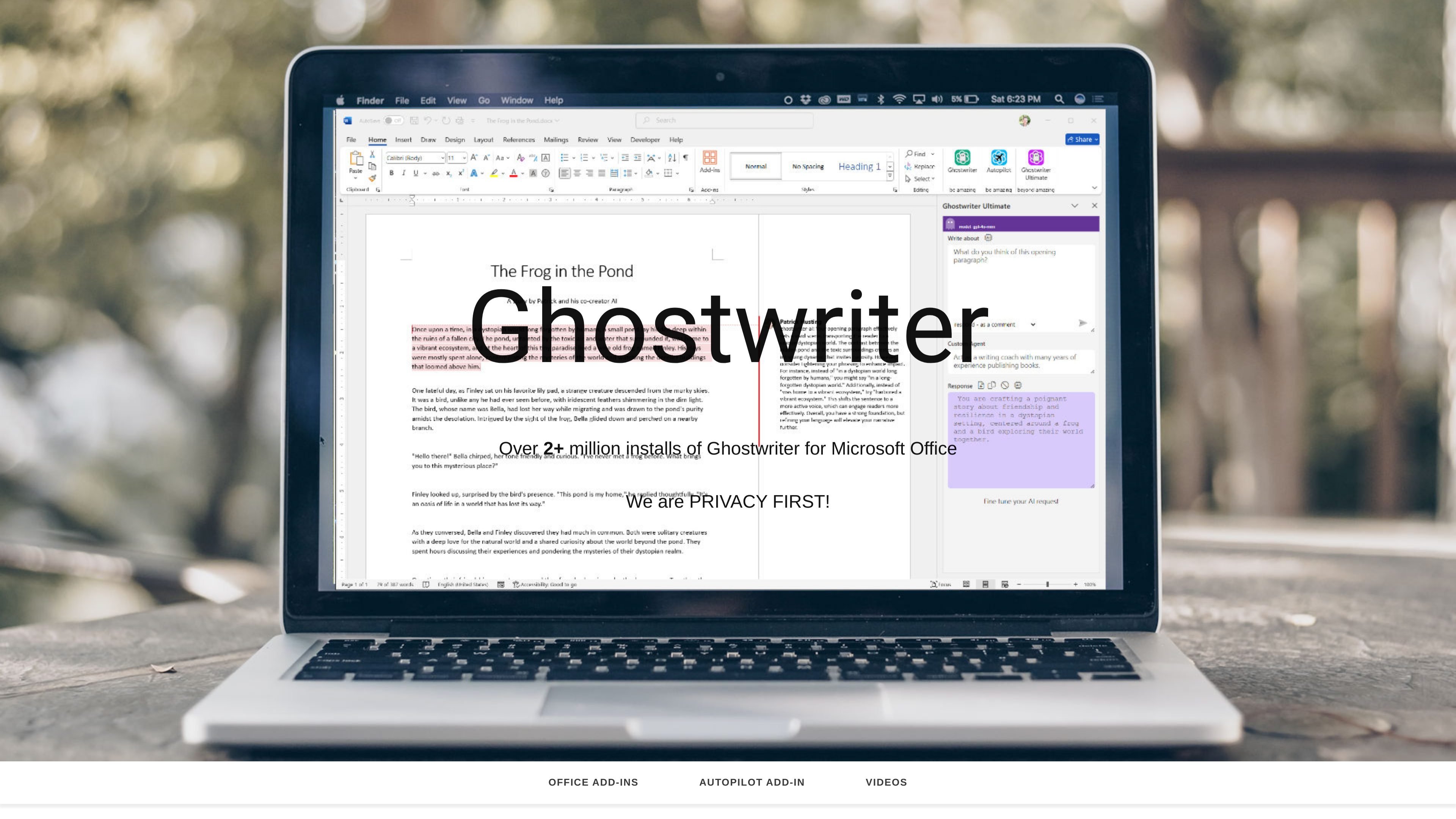
Ghostwriter is a family of Microsoft Office add-ins focused on AI-assisted writing and content work inside Word, Outlook, Excel, and PowerPoint. The site presents separate editions for different apps and roles, including Word Basic, Word PRO, Word Ultimate, Outlook, Excel, PowerPoint, Author, Legal, and a bundle license that covers all four Office add-ins.
Across the product pages, Ghostwriter is positioned as a single-user, one-time-purchase add-in that installs from the Office Store and works with Office 2021, Microsoft 365, and Office Online on Windows, Mac, Web, and iPad. Buyers are told they can add their own API key to unlock models from OpenAI, Google Gemini, and xAI Grok, which makes the app a front end for using those models inside Office workflows.
Supports writing styles, tones, creative settings, and response length controls in the Word Basic edition.
Adds quick action prompts and 50 agents/personas in the Word PRO edition, plus language translation and writing-style options.
Includes an interactive interface, 100 agents/personas, AI Prompt Writer, inline editing, and the latest reasoning models in the Ultimate edition.
Provides quick action prompts, personas, written tones, and language translation in Outlook, with Azure Cognitive Services available.
Lets users analyze selected table data and generate sample data, with quick action prompts, personas, written tones, and language translation.
Offers quick action prompts, personas, written tones, writing styles, and language translation for presentation work.
Use Word Basic when you want AI help with drafting, tone, creative settings, and response length while working in Word.
Use Outlook when you need help creating and responding to large volumes of email with prompts, personas, and tone controls.
Use Excel when you need to inspect selected tables, analyze data, or generate sample data from a spreadsheet workflow.
Use PowerPoint when you need concise, bulleted facts for presentation slides and want language and tone support.
Use the Author or Legal editions when your work is tied to writing projects or legal drafting and summarization workflows inside Word.
Ghostwriter is a set of Microsoft Office add-ins for Word, Outlook, Excel, and PowerPoint. The product pages describe it as an AI writing and analysis assistant that works inside Office and uses the buyer’s own API key to unlock models from OpenAI, Google Gemini, and xAI Grok.
The homepage states compatibility with Office 2021, Microsoft 365, and Office Online, and lists Windows, Mac, Web, and iPad support for the add-ins shown there.
Installation is listed as coming from the Office Store. The site also says it is a single-user product key and that the product key is usually received about an hour after purchase.
Yes, but the site presents these as separate add-ins rather than one shared feature set. Word, Outlook, Excel, PowerPoint, and bundle editions are all listed, with the bundle covering all four Office add-ins.
The source does not provide a public pricing page beyond the homepage listings. It does show one-time purchase prices on the product pages, but no subscription plan details or free trial information.