
Next-action prediction
Cursor includes a tab-completion experience that anticipates the next action and suggests changes, with support for multi-line edits, cross-file jumps, and refactors that ripple through a codebase.

Cursor is an AI coding agent that helps developers with next-action suggestions, agentic workflows, and cloud-based task execution. It offers free, individual, team, and Enterprise plans with admin and security controls for organizations.
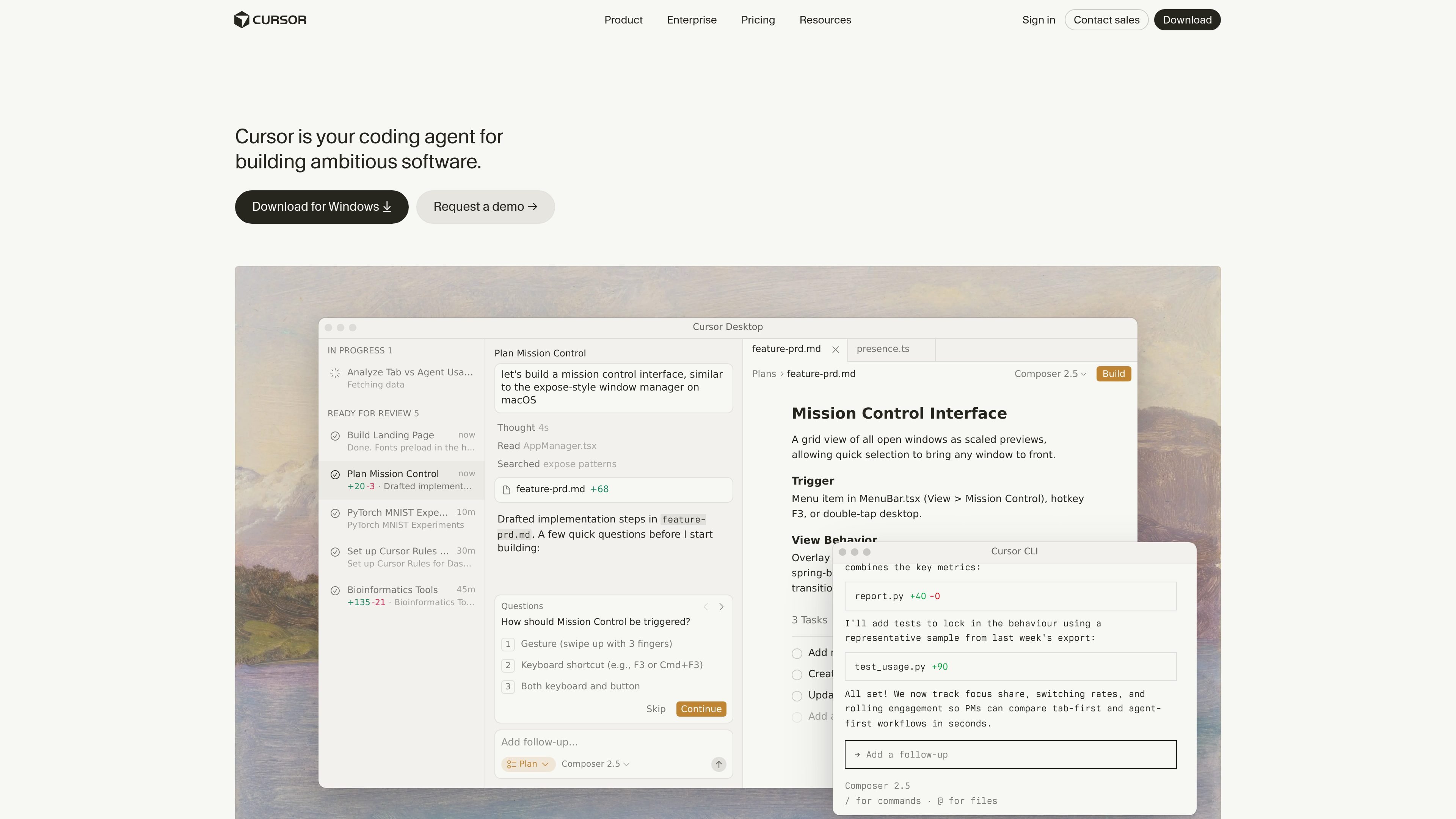
Cursor is an AI coding agent built for developers who want help turning ideas into software faster. The product combines editor assistance, next-action suggestions, and more autonomous agent workflows so users can move between targeted edits and broader task execution.
The site positions Cursor as a tool for building ambitious software, with support for desktop use, terminal-based workflows, cloud agents, and team-oriented administration. Its pricing structure spans a free Hobby tier, individual paid plans, team plans, and custom Enterprise offerings.
Cursor’s product pages emphasize two complementary modes: fast in-session assistance through Tab and a more autonomous agent flow for planning, building, testing, and reviewing work. The result is a product aimed at both individual developers and organizations that want shared controls, usage visibility, and security features.
Cursor includes a tab-completion experience that anticipates the next action and suggests changes, with support for multi-line edits, cross-file jumps, and refactors that ripple through a codebase.
The product centers on an agent workflow that can take tasks off the developer’s plate while they focus on decisions, including autonomous work described in the product demos and cloud agent docs.
Cloud agents work on their own computers to build, test, and demo features end to end, then surface the result for review.
Cursor offers support for MCPs, skills, and hooks on the Pro+ plan, and the pricing page also highlights team marketplaces for internal rules, skills, and plugins on Teams.
Teams get centralized billing and administration, usage analytics, privacy mode controls, SAML/OIDC SSO, and enterprise controls such as SCIM, audit logs, service accounts, and repository or model access controls.
Use Cursor Tab when you want low-friction coding help for the next line, a refactor, or a change that spans multiple files without switching into a fully autonomous flow.
Hand a task to an agent when you want help planning, implementing, and reviewing software work while you stay focused on product decisions.
Use cloud agents for longer-running tasks that should build, test, and demo themselves before you review the result.
Adopt the Teams or Enterprise plans when you need centralized billing, usage analytics, privacy controls, or SSO for a group of developers.
Use enterprise controls when an organization needs repository, model, or MCP access restrictions, audit logs, service accounts, or SCIM seat management.
Cursor offers self-serve plans for individuals and teams, plus an Enterprise plan for organizations that need invoicing, pooled usage, or advanced security controls. The pricing page recommends Pro+ for daily agent users and Ultra for agent power users.
Self-serve plans support major credit and debit cards. Enterprise customers can contact sales for invoice-based billing and wire transfers.
Each plan includes a set amount of model usage. When that amount is used up, on-demand usage continues access to models and is billed in arrears.
Privacy mode can be enabled in settings or by a team admin. When it is on, Cursor says code data is not used for training by Cursor or its model providers.
Cursor subscriptions are sold directly through cursor.com only. The pricing page says it does not authorize resellers or third-party sellers.