
Full-mix and stem-based transcription
Open a full mix and let the local pipeline separate drums before detection, or skip separation and analyze an isolated drum stem directly.

Backbeat Forge turns a full mix, isolated drum stem, or drum MIDI into editable five-line drum notation, then exports reviewed charts as printable PDF or General MIDI percussion.
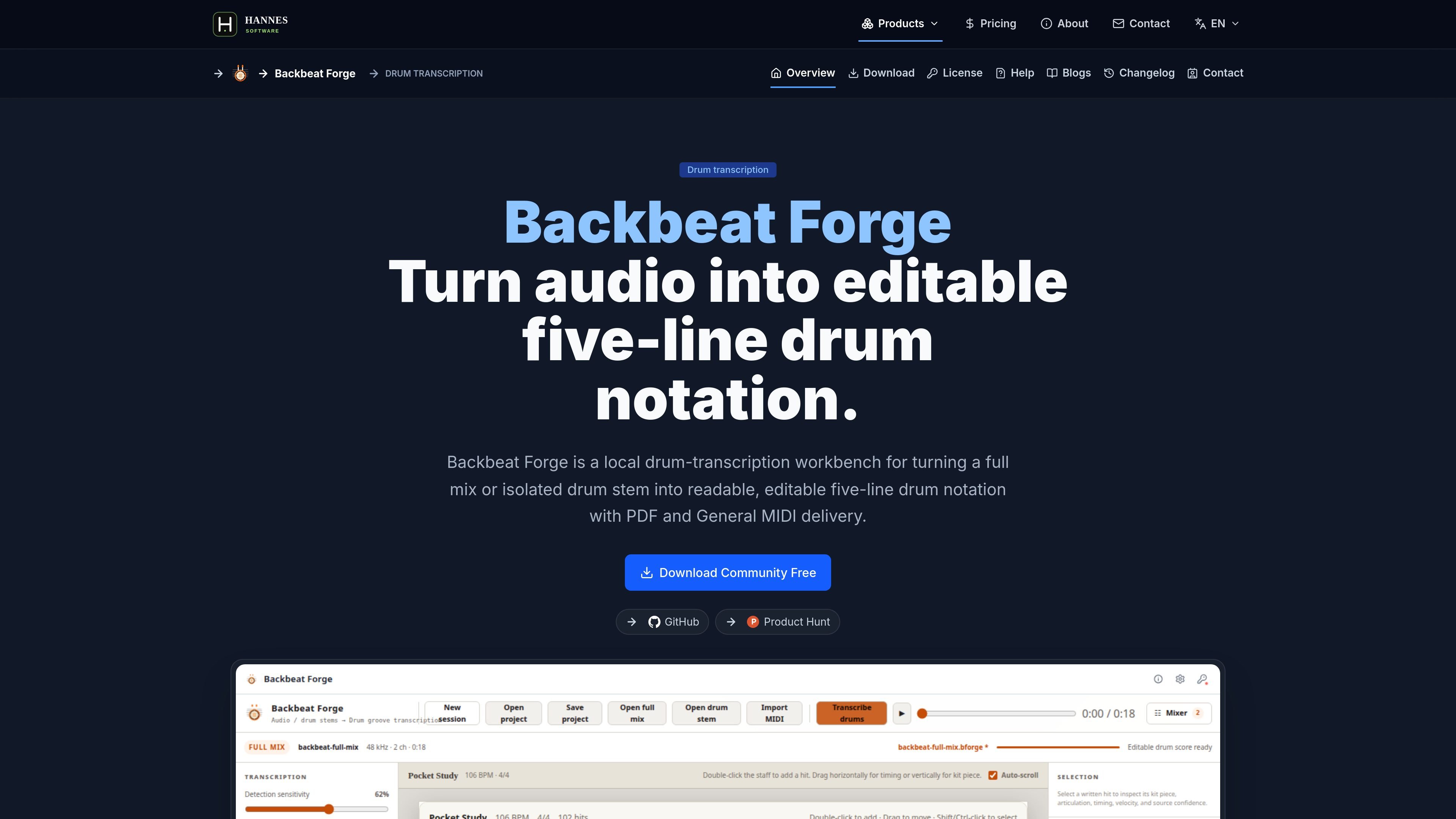
Backbeat Forge is a local desktop drum-transcription workbench for turning a full mix or isolated drum stem into editable five-line drum notation. It is designed around reviewable analysis rather than a finished automatic result, so the user can inspect detections, correct the score, and keep source evidence tied to the chart.
The workflow starts from audio or MIDI, moves through detection and score review, and ends with printable PDF drum charts or General MIDI output. The site positions the app for situations where a drummer, teacher, bandmate, DAW, or notation program needs a corrected part rather than a raw machine pass.
Open a full mix and let the local pipeline separate drums before detection, or skip separation and analyze an isolated drum stem directly.
Review an editable five-line drum score with kit-piece placement, articulation, velocity, timing, rests, stems, beams, and notehead types visible in the notation.
Move hits, change kit pieces, adjust velocity and articulation, add missing notes, delete false positives, and quantize the draft before export.
Import a drum MIDI performance into the same notation editor without running audio analysis, so an existing performance can be reviewed in notation form.
Use the floating mixer during playback to balance the separated drums and accompaniment buses with master gain, per-track volume, mute, and solo controls.
Export the current edited score as printable PDF or General MIDI percussion, with the export based on the reviewed draft rather than the original analysis snapshot.
Open a full song, let the app separate drums locally, then review the detected groove against the recording and correct the draft before saving it as a project or exporting a chart.
Skip separation when you already have a clean drum recording, analyze the onsets directly, and turn the stem into readable notation with fewer preprocessing steps.
Bring in a drum MIDI performance when you want notation review without audio analysis, then inspect the resulting score in the same editor used for audio sources.
Prepare a printable part for rehearsal or lessons by exporting the edited score as PDF, then check measure breaks, tempo, meter, and title before sharing it.
Send the corrected performance into a DAW or notation program by exporting General MIDI percussion on channel 10 after you finish editing the score.
Backbeat Forge can import a local full mix or an isolated drum stem in WAV, MP3, FLAC, OGG, M4A, or AAC, and it can also import percussion MIDI in .mid or .midi. Full mixes can go through local drum separation first, while isolated drum stems go straight to onset analysis.
The source text describes Backbeat Forge as a local drum-transcription workbench, and the download page says it is built for desktop work rather than a cloud-account workflow. It also notes that on Windows or Linux the bundled model and runtime keep decoding, separation, detection, and project saving local.
The reviewed score can be exported as a printable PDF drum chart or as General MIDI percussion on channel 10. The PDF is meant for reading and rehearsal, while MIDI is meant for DAW or notation interchange.
Community Edition is free and supports drum detection plus five-line score viewing. Score editing, quantization, PDF export, and MIDI export require the licensed edition.
The site says Backbeat Forge uses a one-time license rather than a subscription. License activation is handled inside the desktop app with email and license key after purchase, and the website is used for checkout and license-key retrieval.