
AI Q&A with timestamps
Ask questions about a YouTube video and get answers grounded in the transcript, with timestamps included in the response.
AskVideo.ai lets you chat with public YouTube videos using transcript-based AI answers and timestamps, plus a CLI for transcript export and developer workflows.
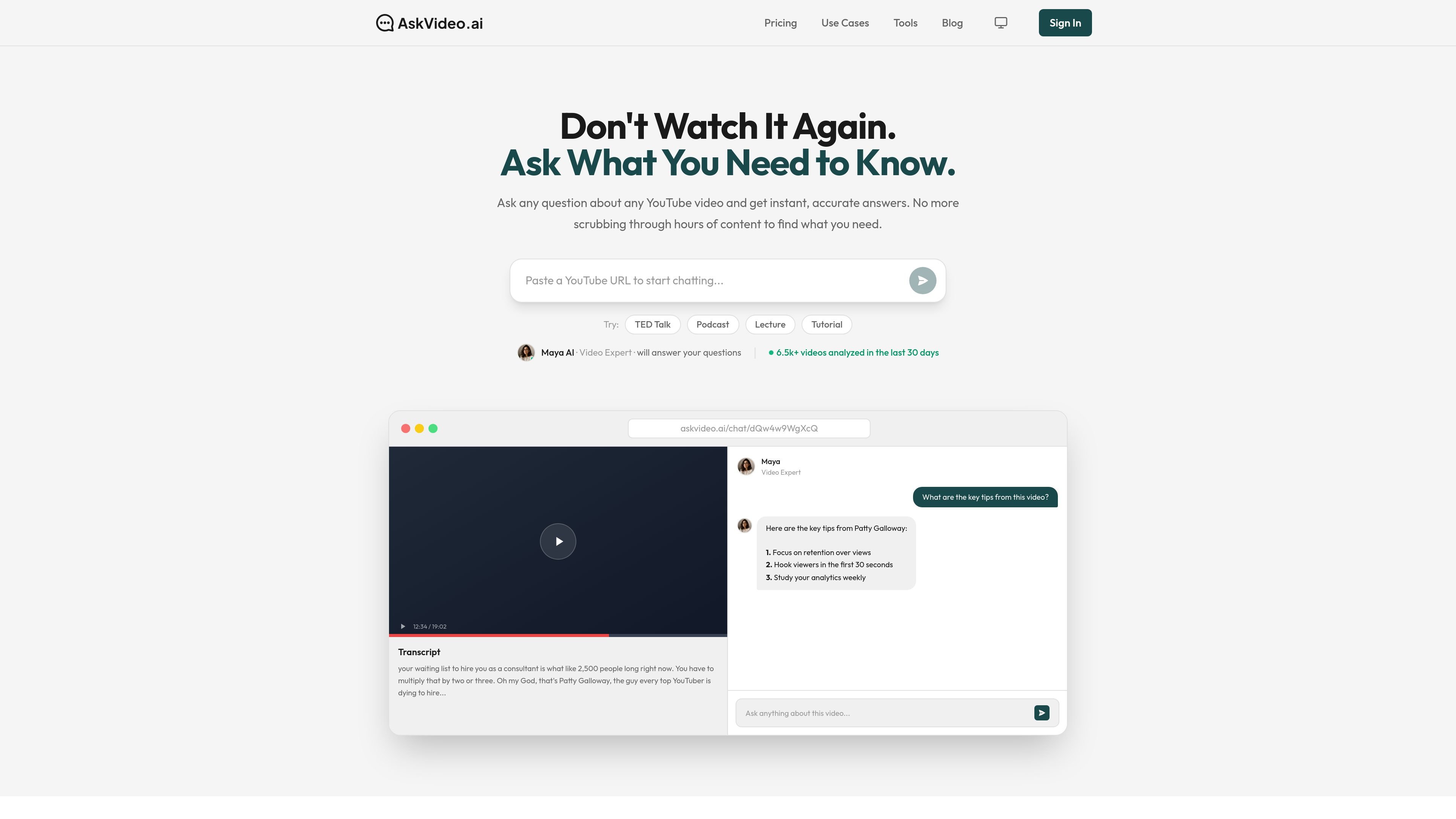
AskVideo.ai is a YouTube video chat tool that turns a video transcript into an interactive Q&A experience. Instead of scrubbing through timestamps manually, users can paste a public YouTube URL and ask for answers, summaries, and key points from the content.
The product is designed for learners, creators, professionals, and developers who want to extract information from video more quickly. Its web app supports timestamped answers, while the CLI adds transcript access, question answering, and machine-readable output for terminal-based workflows.
Ask questions about a YouTube video and get answers grounded in the transcript, with timestamps included in the response.
Paste a YouTube URL and the product processes the video in seconds, making the transcript and chat experience available quickly after indexing.
The pricing page says paid plans can upload video and audio files, extending the product beyond YouTube links.
Pro and Business plans support collections, which let you import a full YouTube playlist or channel and ask questions across all indexed videos.
Pro includes an embeddable chatbot widget and cross-video AI search, which are useful for publishing or browsing larger libraries.
The CLI page documents terminal access for developers and AI agents, including transcript export, interactive chat, and JSON output.
Turn lectures, talks, and tutorials into searchable Q&A so you can jump directly to the answer instead of rewatching the full video.
Pull key points, quotes, and timestamps from webinars, interviews, and presentations for summaries or reference material.
Index a playlist or channel and search across the whole collection when a team or content library spans many related videos.
Use the terminal workflow to fetch transcripts, ask questions, or export structured output in developer and agent workflows.
Embed chat on a site or use cross-video search to make a curated video library easier to explore.
You can start by pasting a public YouTube URL into the web app. The pricing page also shows a CLI flow that uses an email OTP signup and can be used from the terminal.
The pricing page says any public YouTube video works with AskVideo.ai. The CLI page also shows transcript and AI-question workflows for YouTube URLs.
Yes. The pricing page says the Free plan includes AI-powered Q&A with timestamps, video transcripts, 180 minutes of YouTube indexing, and 30 minutes of video upload transcription.
Yes. The pricing page states that Pro and Business plans support collections, which let you import an entire YouTube playlist or channel and chat across all videos at once.
The pricing page says you can cancel anytime from the Settings page, and the refund policy offers a full money-back guarantee within 5 calendar days of purchase.