
Text-to-speech generation
Convert text into speech for content such as videos, podcasts, and narration directly from the web app.

AI Voice Generator is a web-based text-to-speech tool for creating spoken audio from written content, with audio upload, browser recording, and voice previews.
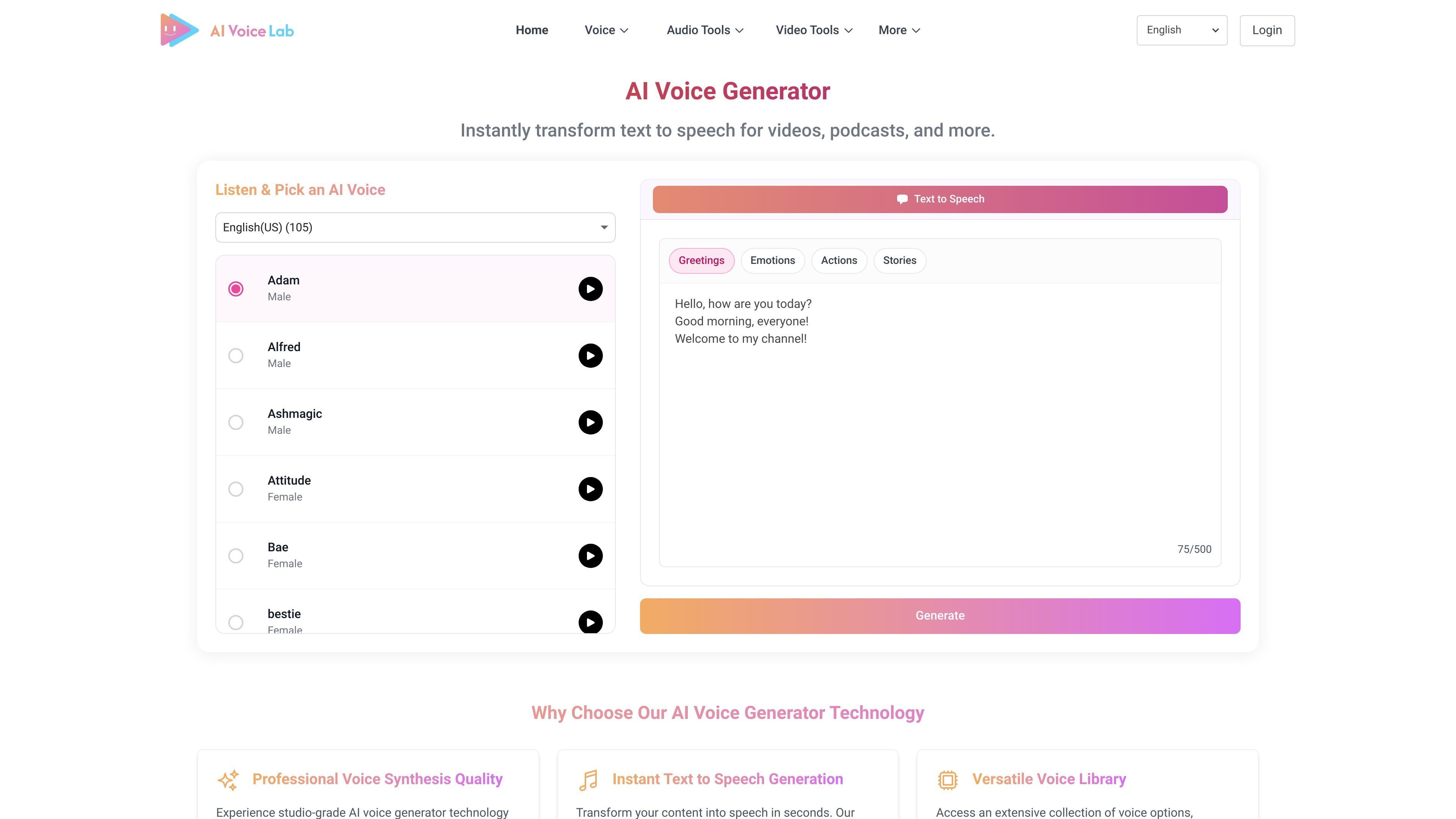
AI Voice Generator is a web-based text-to-speech tool for turning written text into spoken audio. The homepage presents it as a way to create narration for videos, podcasts, and other audio-driven content.
It also supports audio upload and recording workflows, and offers a large selection of English (US) voices with preview playback so users can compare options before generating output.
Convert text into speech for content such as videos, podcasts, and narration directly from the web app.
Choose from a large voice library that includes multiple languages, accents, and character-style voices.
Adjust pace, tone, emphasis, and emotional delivery to shape how the speech sounds.
Upload audio files in formats such as MP3, WAV, M4A, FLAC, AAC, OGG, MP4, and MOV, with a maximum file size of 20MB.
Record audio in the browser and use generated voice workflows alongside live recording.
Preview sample demos and listen before generating to evaluate voice options.
Create narration for video content when you want to turn a script into spoken audio quickly from the browser.
Produce spoken episodes or segments for podcasts and other voice-led projects using the text-to-speech workflow.
Generate consistent narration for training materials, demonstrations, and courses where repeatable delivery matters.
Record or upload audio for experimentation, previews, or workflow testing before finalizing voice output.
Use the voice library and delivery controls to match tone for character-style or branded content.
It generates speech from text and also supports uploading audio files or recording directly in the browser.
The page lists use cases such as e-learning courses, corporate training videos, marketing content, product demonstrations, audiobooks, podcast production, IVR systems, and public announcements.
The site says you can fine-tune pace, tone, emphasis, and emotional delivery, and it also mentions SSML tags for more precise control.
The site describes support resources including documentation, video tutorials, best practice guides, and customer service.