
Hacker News and AI paper feeds
Zeli compiles Hacker News and daily HuggingFace AI papers into one reading flow, so users can review tech news and research together.

Zeli is a web-based reading tool for Hacker News and HuggingFace AI papers, with concise digests to help you quickly choose what to read and mobile home-screen install support.
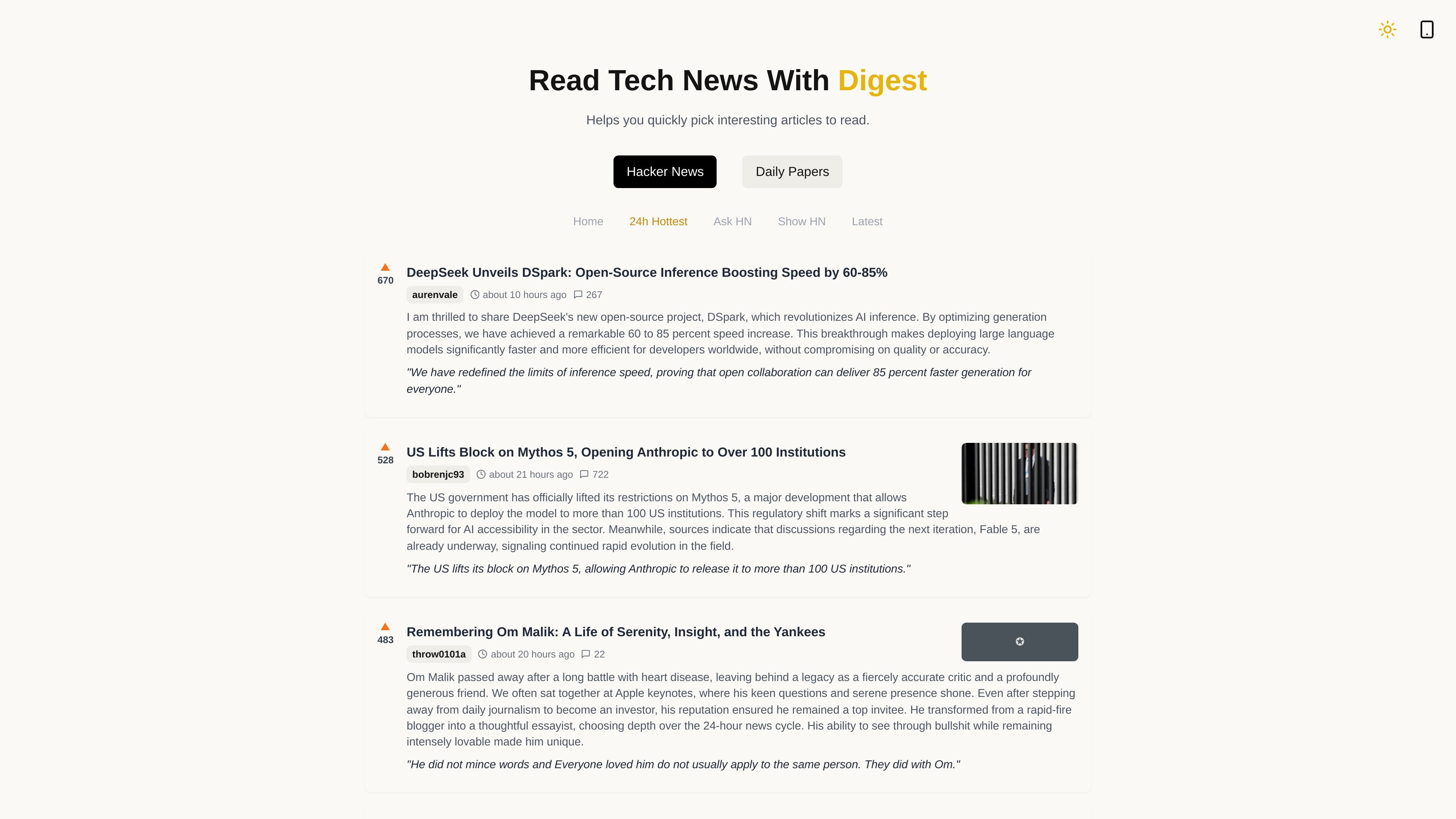
Zeli is a reading tool for Hacker News and daily AI papers from HuggingFace. It compiles items from those sources and generates concise digests that summarize the content and extract key points.
The product is aimed at helping readers decide faster whether an article deserves a full read. The site also includes a mobile-friendly PWA flow, with instructions for adding Zeli to a phone home screen from Chrome or Safari.
Zeli compiles Hacker News and daily HuggingFace AI papers into one reading flow, so users can review tech news and research together.
Each item is paired with a digest that summarizes the article and extracts key points before you open the full text.
The product is designed to help users decide quickly whether an article is worth reading in depth.
The site highlights multiple Hacker News views, including 24h Hottest, Ask HN, Show HN, and Latest.
The PWA page gives browser-based install steps for adding Zeli to a mobile home screen.
Skim the day’s Hacker News feed and use the digest to decide which stories deserve a full read.
Review HuggingFace AI papers and narrow the list before investing time in a deeper technical read.
Browse Ask HN, Show HN, or Latest when you want a specific kind of community discussion rather than a mixed feed.
Open Zeli on a phone and add it to the home screen for quick access to reading digests on mobile.
Zeli is described as a site for reading Hacker News and HuggingFace daily AI papers with concise digests. It compiles articles, summarizes them, and extracts key points so readers can decide whether to read more deeply.
The site shows Hacker News sections such as 24h Hottest, Ask HN, Show HN, and Latest, along with a Daily Papers view for AI papers.
The site emphasizes mobile use and includes instructions to add Zeli to a phone home screen from Chrome or Safari.
The source does not show plan names or prices. The pricing page appears to repeat the main product content rather than present a detailed plan table.