
Visual website design
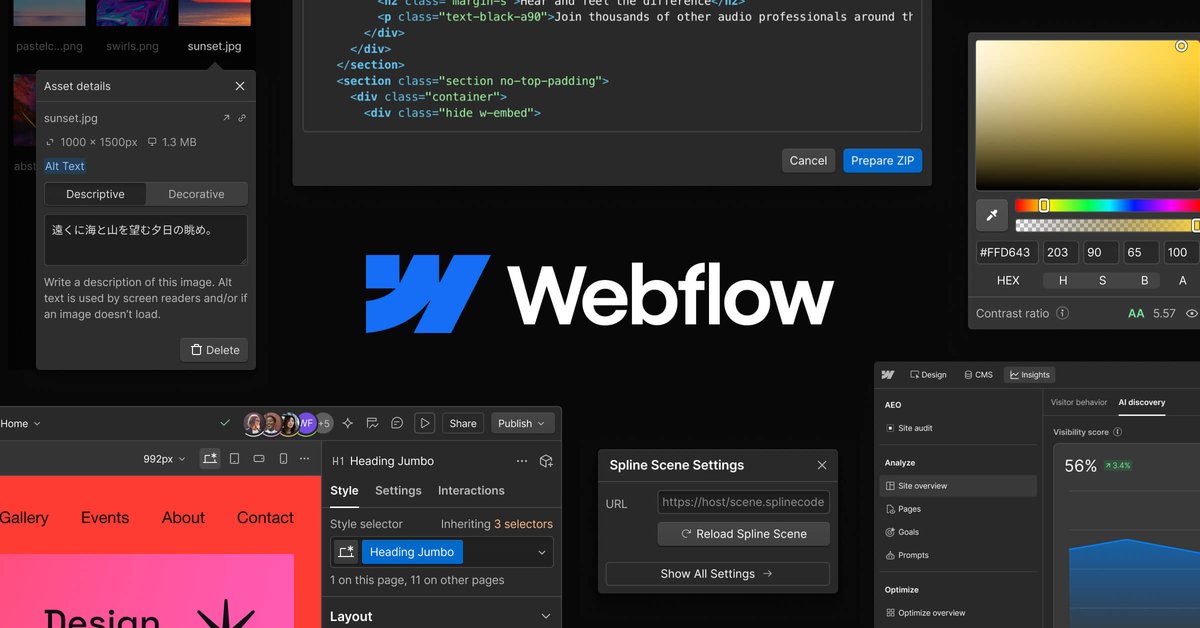
Edit content on a visual canvas, control layouts, and fine-tune typography. Teams can use drag-and-drop templates or create custom web experiences.

A visual website platform for teams to design, publish, manage, and optimize sites.
Webflow is a website platform for teams that need to design, build, publish, and improve web experiences. It combines a visual design canvas with a CMS, hosting, collaboration workflows, and tools for experimentation and search visibility. Marketing teams can make site changes and publish content without routing every update through a developer, while design and development teams work together in a shared workspace.
Edit content on a visual canvas, control layouts, and fine-tune typography. Teams can use drag-and-drop templates or create custom web experiences.
Manage and publish site content through Webflow CMS, with controls over what goes live and when. The platform describes this content workflow as supporting SEO, AI search visibility, and conversion.
Create branches from static or CMS pages to work on changes without affecting the original page. Resolve conflicts before merging and track branch activity in the Site Activity log.
Run A/B tests, personalize site experiences for visitors, and use AI to test multiple variables. Webflow says its optimization tools can also be used with sites not built on Webflow.
Webflow AEO includes tools to see how AI crawls a site, track visibility in AI answers, and create content intended to earn citations.
Bring design, development, and marketing collaborators into one workspace. Shared Libraries let teams share components, variables, and assets across multiple sites, review updates, and manage library installations.
Make page and content changes through visual tools and CMS workflows, with publishing controls that reduce dependence on a developer for routine updates.
Develop branded web experiences in a visual environment, coordinate design and development work, and use page branches to review changes before merging.
Organize site content in the CMS and control what goes live and when, supporting ongoing publishing across a website.
Run A/B tests and personalized experiences to compare variations and optimize visitor journeys, including on sites built outside Webflow.
Share components, design variables, and assets through Shared Libraries, then review library changes and manage installations across multiple sites.
Webflow describes its CMS and visual editing workflows as ways for marketers to manage and publish site content without a developer handling each update.
Yes. Page branching lets a team work on static or CMS pages separately from the original, resolve conflicts, and merge changes when ready.
Webflow includes tools for A/B testing, visitor personalization, and AI-assisted testing of multiple variables. The site says these optimization tools can work with sites built on Webflow or elsewhere.
Webflow AEO offers ways to see how AI crawls a site, track appearances in AI answers, and create content intended to be cited.
Shared Libraries support sharing components, variables, and assets across multiple sites, with workflows to review updates and manage installations.
Traffic data is for reference only.
| Jul | 6355280 |
|---|---|
| Aug | 5655718 |
| Sep | 5279879 |
Traffic analytics are not available yet.
Traffic analytics are not available yet.

framer.ai
Framer is an AI website builder for professional sites, helping teams design, manage CMS content, optimize SEO, collaborate, and publish through one no-code workflow.

wix.com
Create, publish and manage a website with AI assistance, visual editing, hosting and business tools.

mobirise.com
Mobirise is a free offline website builder for Windows and Mac, letting you create sites with AI prompts or drag-and-drop blocks, export code, and publish anywhere.

site123.com
SITE123 is a hosted website builder for creating responsive websites without coding or design software. It supports business sites, online stores, blogs, bookings, events, and other web projects through a guided editor and built-in tools.
webnode.com
Webnode is a no-code website builder for small businesses, personal sites, blogs, and online stores. It combines AI-generated site drafts and content tools with a visual editor, hosting, domain options, and business features.

tilda.cc
No-code website builder for sites, landing pages, and stores