
Single API across multiple AI services
Use one REST API to access multiple supported services, including Google Flow, Flow Music, Dreamina, Kling, Runway, MiniMax, PixVerse, Mureka, TemPolor, and InsightFaceSwap.

useapi.net is a paid REST API for automating video, image, music, speech, and face-swap AI workflows through one integration.
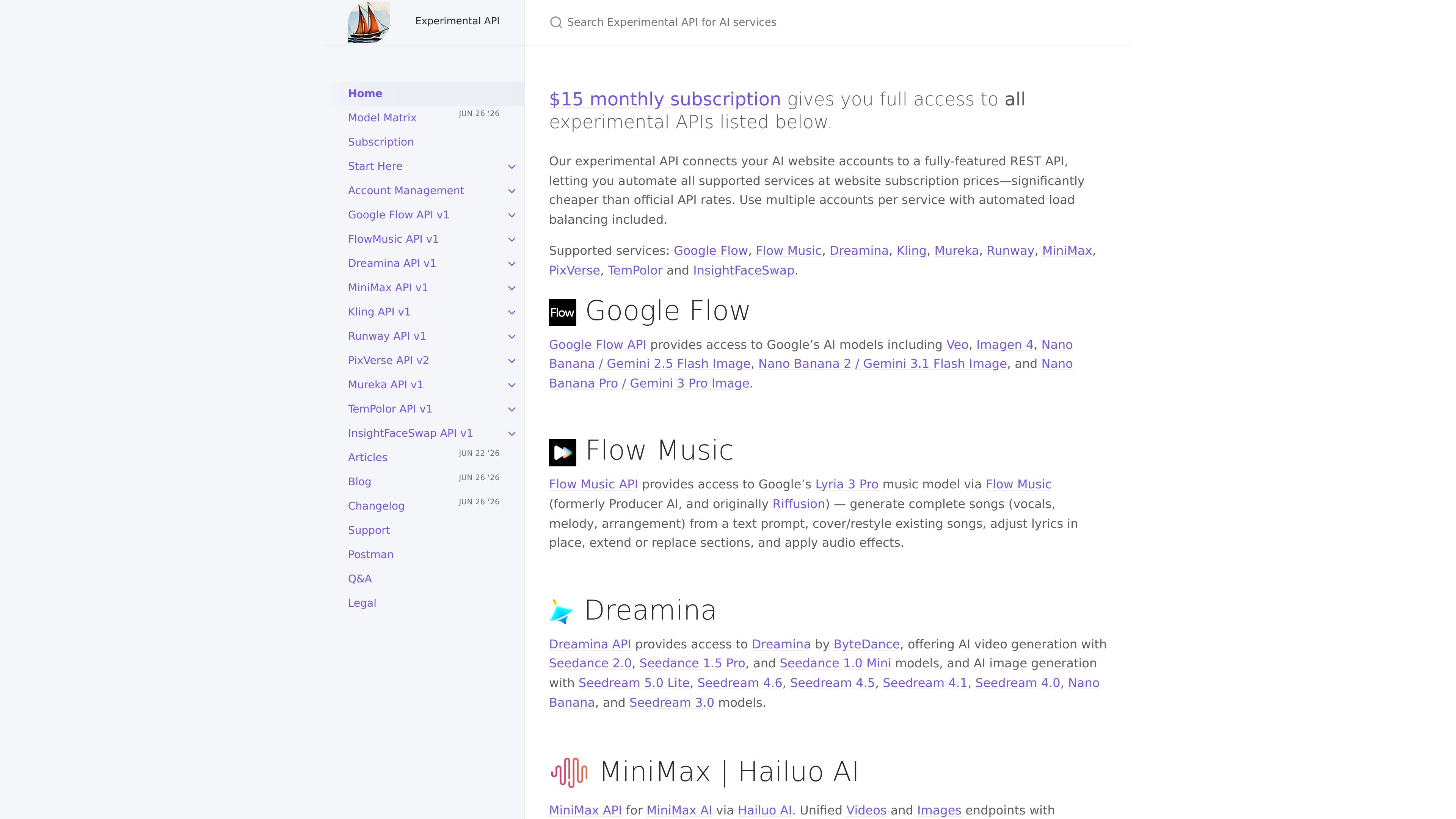
useapi.net is a subscription-based REST API that lets developers automate a set of AI services for video, images, music, speech, and face swapping. The site positions it as a way to connect your own AI website accounts to a unified API and use multiple providers from one integration.
The service centers on supported providers such as Google Flow, Flow Music, Dreamina, Kling, Runway, MiniMax, PixVerse, Mureka, TemPolor, and InsightFaceSwap. The documentation also shows a model matrix with many named models and capabilities, plus setup pages for each service so users can configure the provider they want before making requests.
The main value proposition is operational simplicity: instead of integrating each provider separately, teams can subscribe to useapi.net, configure the underlying service accounts, and work through a shared REST surface with account management, generation, and job endpoints. The docs also note automated load balancing across multiple accounts per service.
Pricing is presented as a paid subscription, with a first plan at $15 per month and additional subscriptions adding account capacity for more of your own accounts per service. The site also references support channels and a refund policy for qualifying initial purchases.
Use one REST API to access multiple supported services, including Google Flow, Flow Music, Dreamina, Kling, Runway, MiniMax, PixVerse, Mureka, TemPolor, and InsightFaceSwap.
The subscription docs say the API connects your website accounts to a REST API and includes automated load balancing across multiple accounts per service.
The model matrix shows coverage across video, image, music, speech, audio, and other utilities such as face swap, upscaling, lip sync, and video effects.
Setup is organized by service, with separate start-here and setup pages for each supported provider, which suggests a workflow built around connecting your own accounts before calling the API.
The documentation exposes a large endpoint surface, including account management, generation, editing, download, scheduler, and job-status endpoints for each API family.
Some models and capabilities are tied to underlying plan conditions, such as unlimited modes or exploreMode for specific services, based on the provider and plan described in the matrix.
Build one backend integration that can route work to several AI providers instead of wiring each vendor separately. This is useful when your product needs multiple generation types, but you want one API surface and one subscription entry point.
Set up a production workflow that spreads requests across multiple accounts for the same service. The subscription docs say automated load balancing is included, which is relevant when you need to manage throughput across your own accounts.
Ship applications that generate videos, images, songs, speech, or face swaps from a shared service layer. The model matrix shows support across these modalities, so teams can choose the provider and model that fits a given task.
Onboard a service-specific integration by following the dedicated setup page for the provider you want to use. This fits developers who prefer a documented, step-by-step setup flow rather than discovering endpoints ad hoc.
Evaluate which provider and model to use for a particular job by reviewing the model matrix before implementation. This is especially relevant when compatibility depends on the provider plan, region, or model variant.
Yes. The docs say you must set up and configure the target AI service and subscribe to useapi.net before using the experimental API.
The subscription page says a first $15/month subscription lets you connect up to 3 of your own accounts per service, and additional subscriptions add 3 more accounts per service for $10/month each.
After payment processing, the site says your API token is emailed in less than a minute, and you can then proceed to the setup docs for the service you want to use.
The service is presented as a single REST API for supported AI services including video, image, music, speech, and face-swap workflows.
The site does not present a free tier on the pages provided. It describes a paid subscription model with a refund policy for initial purchases that meet the stated conditions.