
Online text-to-speech conversion
Convert written text into speech from the browser and generate downloadable audio files without installing desktop software.

Text to Speech.im is a browser-based text-to-speech tool for turning text into downloadable audio online, with voice selection, basic controls, and free or paid plans.
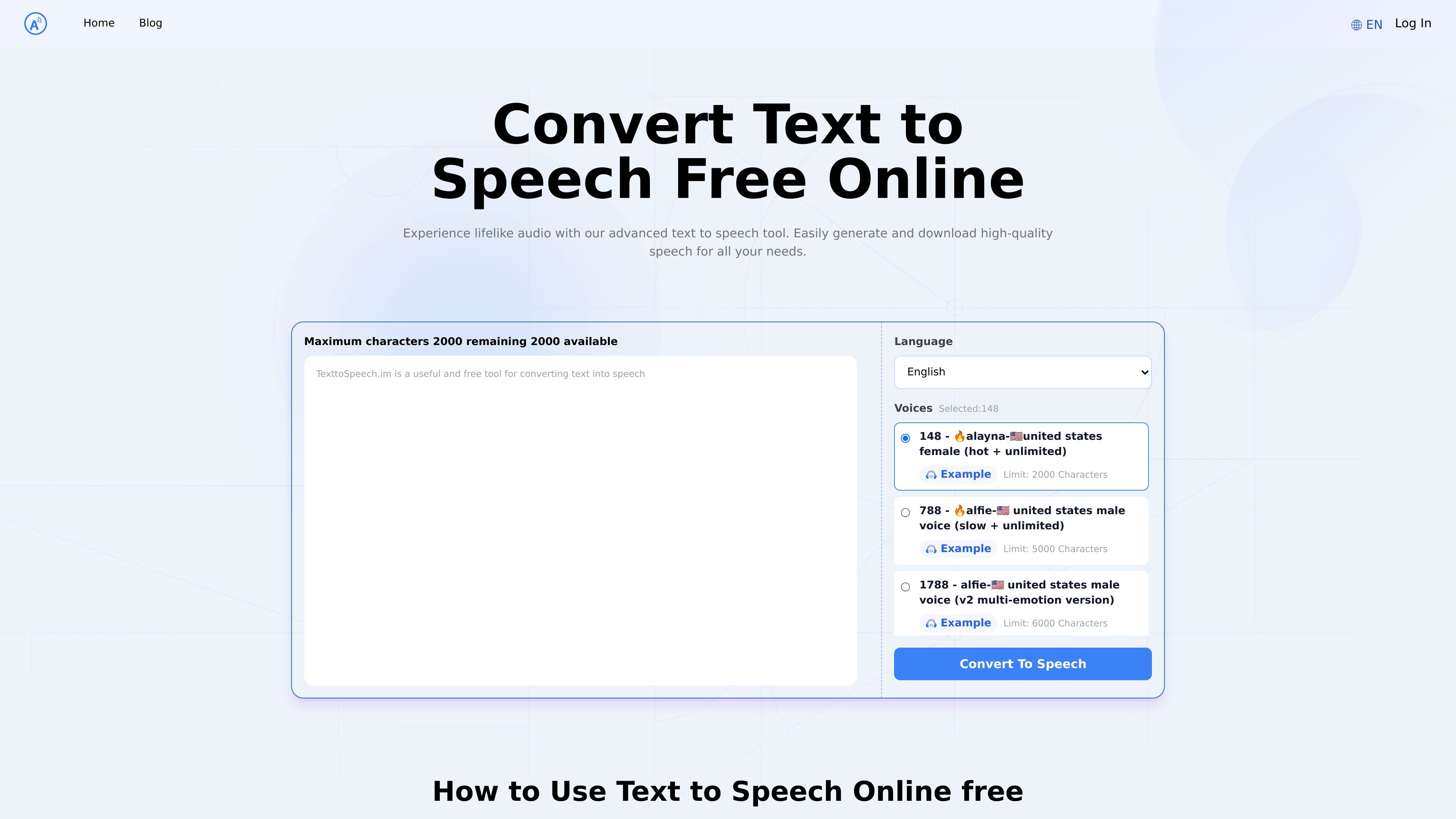
Text to Speech.im is a browser-based text-to-speech tool that converts written text into speech and lets users download the resulting audio. The homepage positions it as a free online service for generating lifelike audio, while the pricing page shows both a Free plan and paid tiers for heavier use.
The product supports a large set of voices and languages, with the homepage showing voice variants by region and style and the pricing page summarizing access to 300+ AI voices and 50+ languages. Users can enter text, choose a language and voice style, adjust rate and volume, and generate speech from the web interface.
Convert written text into speech from the browser and generate downloadable audio files without installing desktop software.
Choose from a large voice catalog shown on the homepage, with voices labeled by region, gender, age, and style variants such as slow, hot, and multi-emotion.
Select from a long language list on the homepage, covering common and less common languages and regional options.
Adjust speaking rate and volume before generating speech, which supports simpler control over pacing and output style.
The pricing page says paid plans include advanced sound editing and configuration options, along with faster conversion speeds.
Converted audio can be downloaded, and the pricing page says downloads are not charged separately within the stated 24-hour window.
Create spoken versions of short scripts, notes, or web copy directly in the browser when you need downloadable audio quickly.
Preview how different voices, regions, and voice styles sound before choosing a version for a specific project.
Produce audio for content intended for publication or distribution, using a paid plan that supports commercial use.
Use the language list and regional voices to localize speech output for multilingual or international content.
Adjust speaking rate and volume to better match narration needs or to test how a script sounds at different delivery speeds.
Yes. The pricing page lists a Free plan with a weekly character limit and a paid Pro series for higher usage and additional features.
The service uses character-based pricing. Each conversion deducts characters from the quota included in your plan.
The pricing page says paid plans include commercial use and users can cancel from the Manage Plan section, with access continuing until the end of the billing cycle.
The homepage shows a simple workflow: enter text, choose a language and voice style, adjust speaking rate and volume, then generate the speech.
Yes. The pricing page states there are no charges for downloading audio files, and converted files can be downloaded as many times as needed within 24 hours.