
Meeting recording and transcripts
Record and transcribe meetings with support for transcripts and summaries in 100 languages. Inspect names, terminology, and important statements in the output before relying on the record.

AI meeting assistant for recording, summarizing, and turning conversations into follow-up work.
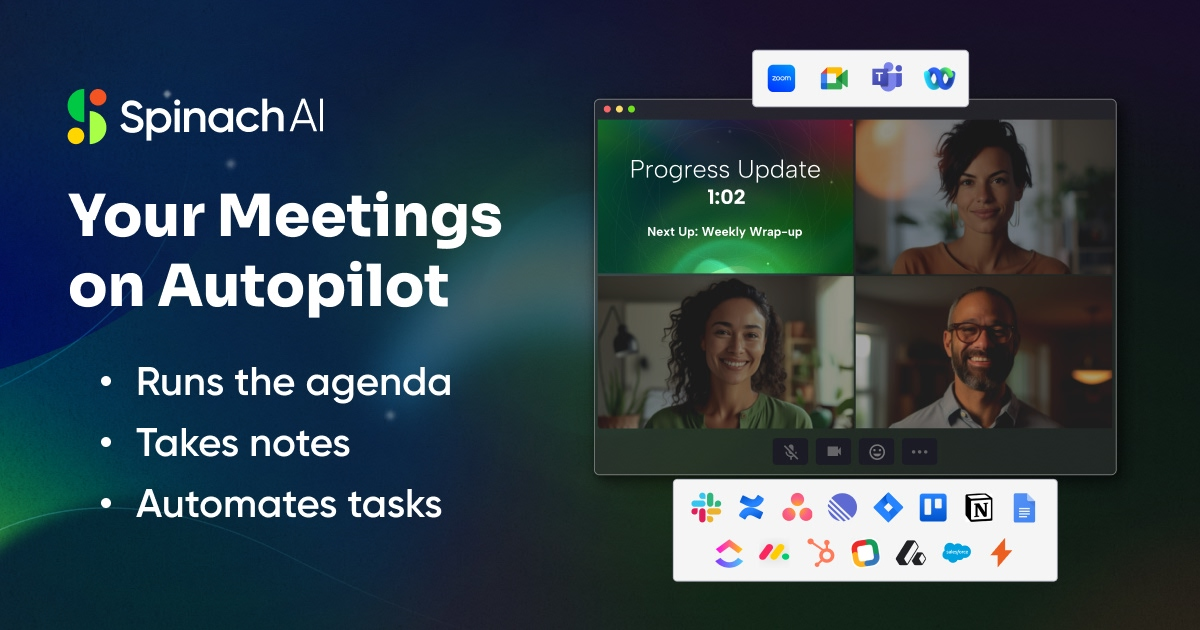
Spinach AI records and transcribes meetings, creates summaries, and helps teams carry discussion outcomes into follow-up work. Meeting information is organized in one place, with outputs such as action items, decisions, tickets, recap emails, and CRM updates.
Use it to prepare meeting records and next steps, then check important details, task owners, and decisions before sharing or acting. Follow your organization’s recording and data-sharing rules, and confirm the relevant meeting and work-tool connections. Generated notes are not a guarantee that every statement or action item was captured correctly.
Record and transcribe meetings with support for transcripts and summaries in 100 languages. Inspect names, terminology, and important statements in the output before relying on the record.
Creates summaries of meeting conversations to help participants review the main discussion without relying only on memory or raw transcripts.
Capture action items, decisions, and follow-ups for review. Confirm the intended owner, deadline, and meaning before carrying a generated next step into a team workflow.
Create tickets, send recap emails, or update a CRM from meeting outcomes where the required tools and permissions are configured. Review important changes before they affect other people or systems.
Keep meeting data organized in one place for later review, so teams can return to the captured discussion and its generated outputs.
Product teams can capture user feedback, decisions, and action items from discussions to inform product work.
Document technical decisions, progress, and follow-ups from engineering or project meetings. Use the notes to prepare a team review, with material risks and decisions confirmed by participants.
Recruiting and HR teams can retain meeting documentation from hiring, onboarding, and employee-engagement conversations.
Preserve buyer or client context and prepare follow-up emails, tickets, or CRM updates using the available workflow. Confirm the agreed next steps and connected-tool permissions before sharing.
Prepare meeting notes for internal legal or financial review. Check material facts against the actual discussion and supporting records; automatic documentation does not establish regulatory compliance, legal admissibility, or financial accuracy.
It provides meeting recordings, transcripts, summaries, and outputs for actions, decisions, and follow-ups. Review important statements and proposed next steps; automated capture is not a guarantee that nothing was missed.
Meeting outcomes can feed tickets, recap emails, and CRM updates. Confirm the required connections and permissions, then check recipients, task owners, and material changes before relying on the workflow.
The signup flow offers Google and Microsoft sign-in. Configure the meetings and relevant work tools for your team, following the organization’s recording and sharing rules. Check that the intended meeting and follow-up workflow is supported before adopting it widely.
Meeting transcripts and summaries support 100 languages. Test the language, audio conditions, names, and specialist terminology needed by your team rather than assuming identical accuracy in every setting.
Review the service’s applicable access, retention, sharing, and data-processing terms against your organization’s requirements. Obtain the required recording permissions and control who receives the outputs. Security badges or generated notes alone do not establish compliance for a particular meeting.
Traffic data is for reference only.

meetgeek.ai
AI meeting assistant for recording, transcription, summaries, and workflows
www.meetjamie.ai
AI meeting intelligence for professionals and teams that turns conversations into searchable notes and follow-up workflows.

wudpecker.io
AI meeting assistant for recording, transcription, and organized notes across Zoom, Google Meet, and Microsoft Teams.

noty.ai
An AI meeting assistant for teams that turns conversations into transcripts, summaries, and trackable tasks.

notexapp.com
AI meeting assistant for recording, transcription, summaries, and organized multilingual notes

brieflyai.com
AI meeting assistant for transcripts, summaries, action items, and follow-up emails