Spiky.ai logo

Spiky.ai

Freemium
Visit

Sales coaching and meeting intelligence for revenue teams

What is Spiky.ai?

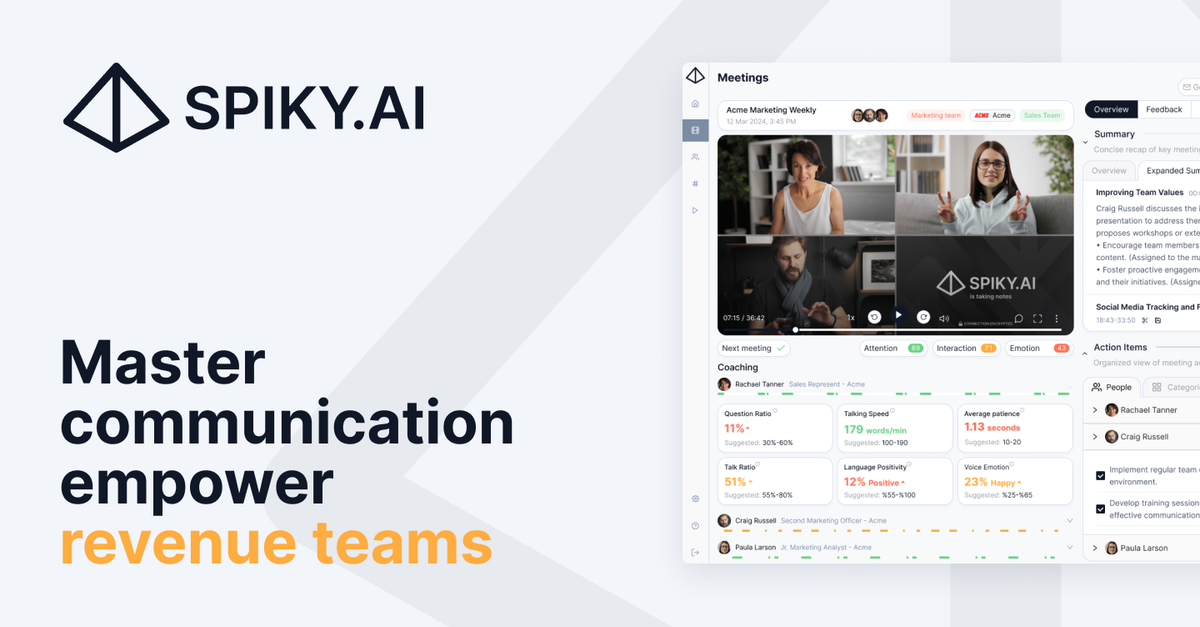
Spiky.ai is a sales coaching and meeting intelligence platform for revenue teams. It combines transcription, meeting summaries, CRM sync, and AI-driven insights to help teams capture what happened in conversations and act on it quickly.

The product is built around three linked workflows: capturing conversations, extracting signals from those conversations, and guiding reps with live recommendations and playbooks. The site positions Spiky for sales, customer success, and growth teams that want to standardize effective behaviors, reduce manual follow-up work, and make review more efficient.

What can Spiky.ai do?

Conversation capture and signal extraction

Captures calls, meetings, and emails, then structures the conversation into signals such as sentiment, objections, buyer intent, and follow-up items. This gives teams a searchable record instead of raw conversation transcripts alone.

Real-time coaching during meetings

Surfaces guidance during live calls through real-time coaching, playbooks, battlecards, participant insights, and call momentum cues. The home page describes this as guidance that appears in the moment when it matters.

CRM and workflow sync

Connects with CRM and Slack workflows so conversation insights can flow into the systems teams already use. The site also highlights auto-sync to CRM and follow-up sequence triggers.

Meeting review and summarization

Supports automated transcription, meeting summaries, topic detection, reel sharing, and action item identification. These outputs help teams review what happened and decide what needs follow-up after the meeting.

Reporting and playbook management

Provides team-level reporting and customization options such as report customization, executive dashboards, sentiment reporting, keyword tracking, and playbook customization. These features are aimed at surfacing patterns across many calls rather than single meetings.

Use Cases

“Post-call review and coaching”

Sales managers can review calls and conversations at scale, then use the extracted signals to spot common objections, pricing pressure, or winning talk tracks. The product’s summaries and signal extraction are designed to make review less manual.

“Live sales coaching”

Reps can receive live prompts, playbooks, and battlecards during meetings to handle objections, keep discovery on track, and follow the next best action. The home page emphasizes guidance that appears in the moment, not just after the call.

“CRM hygiene and workflow automation”

Operations teams can sync conversation outcomes into CRM records and related workflows, reducing manual updates after every meeting. The case study material highlights automation of CRM tasks and improved data accuracy.

“Standardizing winning behaviors”

Enablement teams can identify patterns from top performers, then standardize those behaviors across the broader team with playbooks, keyword tracking, and report customization. This fits organizations trying to replicate successful talk tracks and follow-up sequences.

“Customer success and retention reviews”

Customer success and account teams can use meeting intelligence to watch for stakeholder changes, usage milestones, and QBR sentiment signals that support retention and expansion work. The home page explicitly connects these signals to net-retention outcomes.

Frequently Asked Questions

What does Spiky do?

Spiky is presented as a sales coaching and meeting intelligence platform. The site describes real-time coaching, CRM sync, transcription, topic detection, meeting summarization, and call review workflows for revenue teams.

Does Spiky offer different pricing plans?

The pricing page shows Free, Plus, Pro, Premium, and Enterprise options. It also notes trial access and a contact-sales path for Enterprise, with meeting limits and support levels varying by plan.

Which tools does Spiky integrate with?

The source explicitly names Salesforce, HubSpot, Slack, Zoom, Teams, Gmail, Outreach, and Salesloft on the integrations section, and it also refers to CRM and Slack integrations. The full integration list appears broader than the examples shown.

How does Spiky handle security and data storage?

The site says it is SOC 2 Type II certified, GDPR compliant, KVKK compliant, and powered by ISO 27001 infrastructure. The FAQ list also includes security and data storage questions, indicating those topics are part of the product’s documentation.

Who is Spiky for?

The product is framed for revenue and GTM teams, including sales, customer success, and growth organizations. Case studies show use in sales operations, post-meeting review, and customer support workflows.

Quick Facts

Category
AI sales coaching and meeting intelligence
Primary users
Revenue, sales, customer success, and growth teams
Core workflows
Conversation capture, signal extraction, CRM sync, and real-time coaching
Pricing
Free, Plus, Pro, Premium, and Enterprise plans are shown; Enterprise uses custom pricing
Integrations mentioned
Salesforce, HubSpot, Slack, Zoom, Teams, Gmail, Outreach, and Salesloft
Trust and compliance
SOC 2 Type II, GDPR, KVKK, and ISO 27001 infrastructure

Spiky.ai Traffic Analysis

Traffic data is for reference only.

Domain Rating
49

Spiky.ai Alternatives

Fellow logo

Fellow

fellow.ai

Fellow is an AI meeting assistant that records, transcribes, summarizes, and organizes team meetings. It offers privacy controls, centralized storage, CRM updates, and automated follow-up generation.

Bloks logo

Bloks

bloks.app

AI operating system for financial advisors that captures client interactions, builds profiles, and tracks follow-ups.

Solidroad logo

Solidroad

solidroad.com

AI QA and coaching for CX teams across every channel

Momentum logo

Momentum

momentum.io

AI revenue orchestration turning customer interactions into GTM data

Kaizan logo

Kaizan

kaizan.ai

AI platform for client service teams to unify conversations, account health scoring, and AI Helpers.

Caret logo

Caret

caret.so

Caret is an AI meeting assistant that provides real-time answers during calls, helps you prepare with context from your calendar, email, and CRM, and automates follow-up work after meetings.