
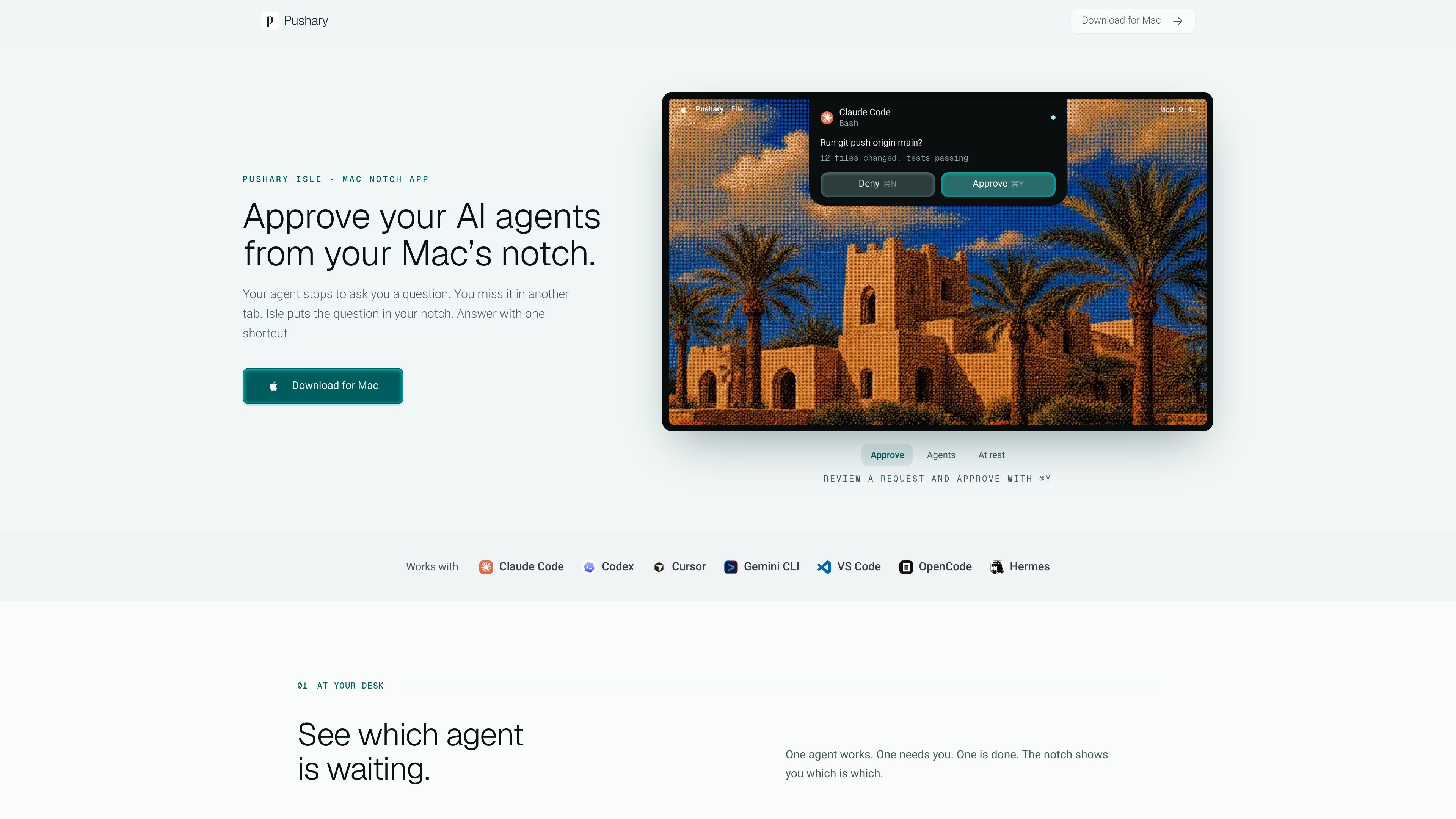
Notch and menu-bar request display
See waiting agent sessions, their status, and approval questions in a compact Mac interface. On Macs without a notch or when using an external display, Isle appears below the menu bar.

Pushary Isle is a native Mac app that puts AI agent questions and approval requests in the Mac notch or below the menu bar. It helps people review Claude Code, Codex, Cursor, and other connected agent requests at their desk or answer them from a phone.
Pushary Isle is a native Mac app for monitoring and responding to AI coding-agent requests. It surfaces agent sessions and questions in the Mac notch, or below the menu bar on Macs and external displays without a notch. From the compact interface, you can approve or deny a request, select an option, type a reply, or open the agent’s terminal when more context is needed.
The app supports Claude Code, Codex, Cursor, Gemini CLI, VS Code, OpenCode, and Hermes, while other agents connected through Pushary may also appear. At the desk, keyboard shortcuts let you respond without using the mouse. When the phone app is enabled, the same request can be answered away from the Mac; answering on one device closes it on the others.
Pushary Isle is intended for developers and teams using agents that pause for human input. It supports exception-based workflows: agents can work until a question needs an answer, while the person remains responsible for the decision. Requests, decision context, and replies are sent to Pushary for synchronization across devices; that context may include commands, file paths, or text supplied by the agent.
See waiting agent sessions, their status, and approval questions in a compact Mac interface. On Macs without a notch or when using an external display, Isle appears below the menu bar.
Use shortcuts to approve or deny a request from any app, and use number keys to select one of the presented options. You can also type a reply when an agent needs text rather than a binary decision.
Jump to the agent’s terminal from the notch when the compact request summary does not provide enough detail.
Send the same approval request to the optional phone app. A response on the Mac or phone closes the request on the other device.
Isle can configure Claude Code, Codex, Cursor, Gemini CLI, VS Code, OpenCode, and Hermes; other agents connected through Pushary can also be shown.
A developer can see which local agent is waiting, ready, or finished and approve or deny a request without switching back to a terminal window.
When a coding agent pauses after the user leaves the desk, the phone app can deliver the same question so the work does not require constant terminal monitoring. The Mac must remain awake and online for local agents.
A user running several supported agents can use the session view to distinguish an agent that needs attention from one that is still working or already finished.
When a request needs more context than the summary provides, the user can open the associated terminal, review the agent’s work there, and then return to the approval decision.
Pushary Isle displays AI agent sessions and human-input requests on a Mac and lets you approve, deny, choose an option, or type a reply. Pushary also makes those requests available on the phone app if phone approvals are enabled.
Isle supports macOS 14 or later on Apple silicon and Intel Macs. A physical notch is not required; on other Macs and external displays, the app appears below the menu bar.
No. Isle can be used on the Mac by itself. The phone app is optional and is intended for approvals away from the desk. Local agents need the Mac to stay awake and online.
Pushary receives agent questions, decision context, and replies so it can synchronize approvals across devices. Depending on the request, that context can include commands, file paths, or text supplied by the agent.
A Pushary account is required. Isle is included with every Pushary agent plan, has a three-day free trial, and paid plans start at $9.99 per month. The pricing page lists higher plans with additional notification, history, policy, and team capabilities.

www.edgee.ai
Edgee is an agent gateway for coding teams that reduces token usage, routes requests across models, and provides usage visibility. Its Compression V2 works as a drop-in CLI layer for Claude Code, Codex, OpenCode, Cursor, and other supported agents.

flocker.md
Flocker is an AI agent management platform for creating agent profiles, coordinating multi-agent work, and monitoring activity from a shared dashboard. It is designed for people running multiple agents across tools such as Claude Code, Codex, OpenClaw, OpenCode, and MCP-compatible workflows.

kody.codes
Kody is a software platform that gives connected AI agents shared memory, credentials, reusable packages, integrations, and scheduled execution. It helps developers carry work between agents such as Cursor, Claude, ChatGPT, and Codex without rebuilding the same automation each time.

deepaksinghcs14.github.io
deadeye is a plugin for coding agents that selects a suitable model and effort level for each task, while trimming verbose command output before it enters context. It is built for Claude Code and also supports Codex CLI, Gemini CLI, Cursor, and Windsurf on an experimental basis.

opentrade.io
OpenTrade is an open-source trading harness for Claude Code and Codex agents. It provides a repository-based app, agent templates, and scheduling-oriented run management for automated trading workflows.

rill.love
A native Mac browser that lets Claude Code and Codex work from any page while you browse.