
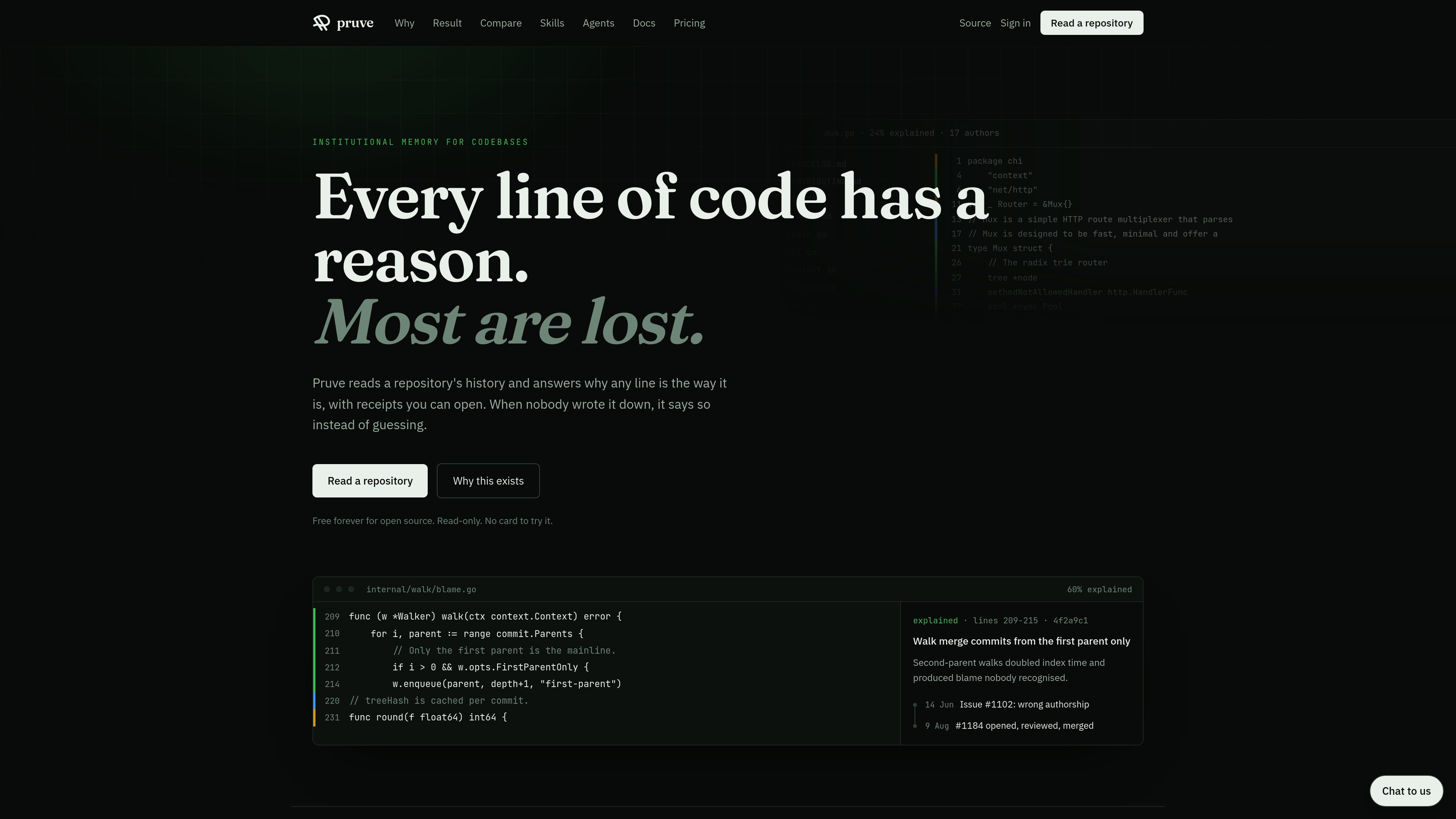
Line-level explanations with receipts
Pruve answers questions about specific lines by tracing them back to the changes and discussions that wrote them. The result is a clickable chain of evidence rather than a speculative summary.

Pruve reads a repository’s history to explain why specific lines of code are the way they are, with receipts you can open. It provides read-only context from GitHub or GitLab repositories for developers, product managers, and AI agents.
Pruve is a read-only product for exploring why code exists the way it does. It reads a repository’s history and ties individual lines back to the change that introduced them, so you can open the supporting discussion, commit, review thread, or agent session instead of relying on guesswork.
The product is built around evidence. When a line can be explained, Pruve shows the receipts behind it; when it cannot, it says so plainly. That makes it useful for understanding unusual constants, merge decisions, undocumented behavior, and other code that is hard to interpret from the source alone.
Pruve answers questions about specific lines by tracing them back to the changes and discussions that wrote them. The result is a clickable chain of evidence rather than a speculative summary.
It classifies changes as explained, described, or undocumented, then surfaces that coverage in dashboards, file trees, and the code gutter so readers can see which parts of a codebase have recorded reasoning.
Indexing can pull from commit messages, pull request bodies, review comments, linked issues, and agent sessions, which lets the product preserve the discussion around a change, not just the diff.
Pruve reads repository history and file contents without writing back to the code host. The only optional write action mentioned is a PR check run for the documentation gate.
The product exposes read-only MCP tools so agents can inspect reasoning before editing code. This is meant to let automated workflows ask “why” before making a change.
Teams can optionally fail pull requests that have no recorded reasoning anywhere, turning missing context into an explicit review signal.
A developer can click a line, see the change that introduced it, and read the discussion that explains why it was added instead of reverse-engineering the intent from the implementation.
When a merge commit drops discussion context, Pruve can surface the issue, benchmark, review comment, or agent session that explains why a choice was made.
Teams can scan a codebase to see which files or folders have recorded reasoning and which areas are still undocumented, making gaps visible before they become maintenance problems.
An AI agent can use MCP tools to inspect receipts before editing code, helping it avoid changes based on invented rationale.
Teams that want explicit evidence for pull requests can use the documentation gate to flag changes that lack recorded reasoning.
No. The product is read-only. The documentation says it does not push code, comments, or branches. The only write-related action mentioned is an optional PR check run for the documentation gate.
It indexes repository history and related discussion, including commits, pull requests, review threads, issues, and agent sessions when they are available.
It says so rather than guessing. The product is designed to report what it searched and stop if there is no evidence.
Coverage is counted as explained, described, or undocumented changes. Those counts are used in the product’s dashboards and line gutters.
Yes. The pricing page says open source is free forever, with free and unmetered read-only access for receipts.
Traffic data is for reference only.

refraction.dev
AI code generation for refactoring, tests, docs, bugs, and code conversion

onorca.dev
Orca is an Agent Development Environment for shipping with coding agents, running parallel CLI agents in isolated worktrees with desktop and mobile companion workflows.

blopai.com
Blop writes browser tests as code, runs them in CI, clusters repeated failures, and opens pull requests to fix broken tests.

rlama.dev
Local AI platform for RAG systems and intelligent agents

kastra.ai
Kastra is authorization infrastructure for AI systems that checks prompts, tool calls, shell commands, API requests, and browser actions before execution. Enforce policy, maintain signed audit trails, and govern local and enterprise AI workflows.

aakar-ai.dev
Manage AI providers, project setups, logs, and analytics in one dashboard with BYOK support.