
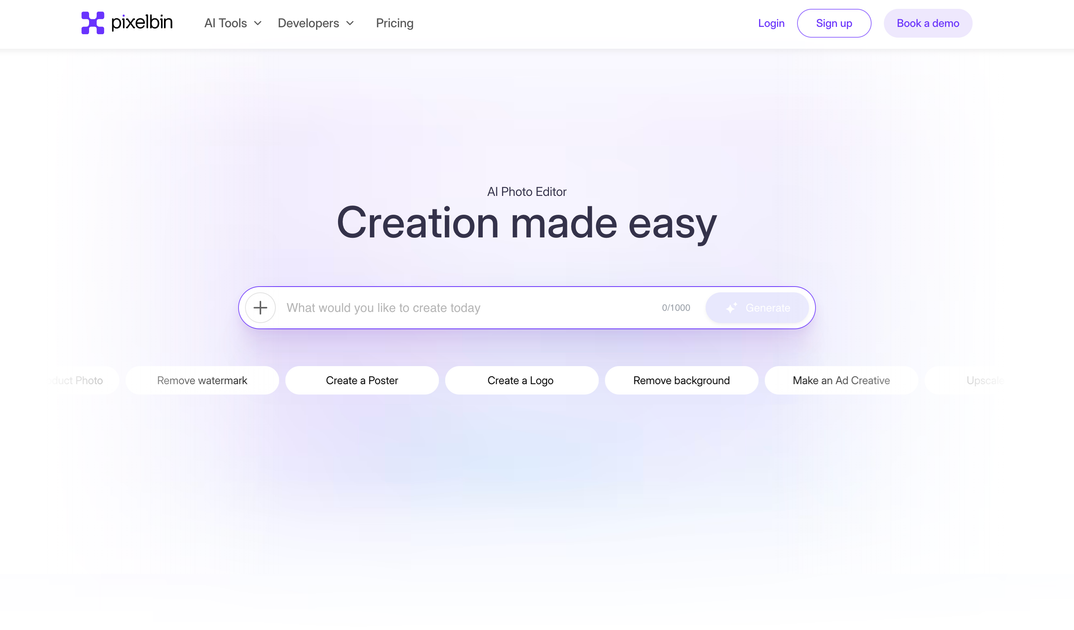
AI image and video generation
Generate images and videos from prompts, with the homepage highlighting image generation, video creation, photoshoots, social media content, and other creative outputs.

Pixelbin is a web-based AI studio for creating, editing, and automating image and video workflows.
Pixelbin is an AI studio for generating, editing, and delivering images and videos. The homepage positions it as a free online photo editor and media generator, while the pricing and enterprise pages show a broader workflow that includes prompt-based creation, image editing, batch transformations, and API-driven delivery.
The product is aimed at individuals and teams that need to create visual content, adjust existing assets, or automate media workflows. It supports actions such as background removal, upscaling, resizing, watermark removal, and AI generation for images and videos, with enterprise options for cloud storage integration and global delivery.
Generate images and videos from prompts, with the homepage highlighting image generation, video creation, photoshoots, social media content, and other creative outputs.
Edit images with tools listed on the pricing page, including watermark removal, image upscaling, background removal, resize, and adjust-and-retouch.
Apply prompt-based edits and transformations through the product’s AI workflows, which the pricing page groups under AI transformations and the enterprise page describes as URL-based transformations.
Process many assets at once, with enterprise messaging focused on batch editing and updating entire catalogs through API calls.
Connect to existing storage and delivery setups, including S3, GCS, and Azure, with the enterprise page describing global delivery and caching for optimized outputs.
Choose from multiple generation models, with the pricing page listing image and video models such as Nano Banana, Seedance, Imagen, Veo, LTX-2, Sora, WAN, Kling, and MiniMax Hailuo.
Create campaign images or short-form video concepts from text prompts when a team needs visuals without starting from a photo shoot.
Remove backgrounds, upscale assets, or fix dimensions before publishing product images to storefronts or marketplaces.
Process large sets of images through API calls to apply brand rules, watermarking, or resizing across a catalog.
Use URL-based transformation workflows to generate optimized versions of assets on demand without manual uploads.
Generate or edit visual content for social posts, editorial layouts, or concept mockups where fast iteration matters more than manual retouching.
Yes. The pricing page says you can start with a free plan and sign up to get 10 free credits to explore the product.
The pricing page describes credits as the unit used for AI generations, transformations, and processing tasks. Different actions consume different amounts of credits based on complexity and output type.
The enterprise page says Pixelbin supports image and video generation, batch editing, and URL-based transformations. The pricing page also lists editing tools such as watermark removal, upscaling, background removal, resizing, and adjust-and-retouch.
The enterprise page says Pixelbin can work with existing cloud storage such as S3, GCS, or Azure and deliver optimized assets globally. The pricing page also describes API-first workflows and SDKs for fast transformations.
The pricing page says support includes documentation, email support, and priority assistance for billing, plan changes, and AI transformation issues.
Traffic data is for reference only.

pixmaker.ai
Free AI image and video generation with editing tools

aitubo.ai
Browser-based AI image and video generator for creating and editing from text, images, or references.

firefly.adobe.com
Adobe Firefly is an all-in-one generative AI creative studio for generating or editing images, video, audio, and more. It brings together more than 30 generative AI models in one place for people developing creative content.

piclumen.com
PicLumen is a web-based AI platform for creating and editing images and videos.

insmind.com
Browser-based AI platform for creating and editing images and videos

magi1.ai
MAGI AI is a web-based platform for uncensored AI image and video creation, image editing, image-to-video workflows, and companion chat, with one-time credit purchases.