
Selfie upload plus pack selection
Users start by uploading selfies, then selecting a photo pack. The site presents the workflow as a simple path from input photos to generated portraits.

PicStudio.AI is a web-based AI portrait generator that turns uploaded selfies into professional-looking headshots and styled portraits. It is aimed at individuals creating images for LinkedIn, Instagram, YouTube, and other personal branding uses.
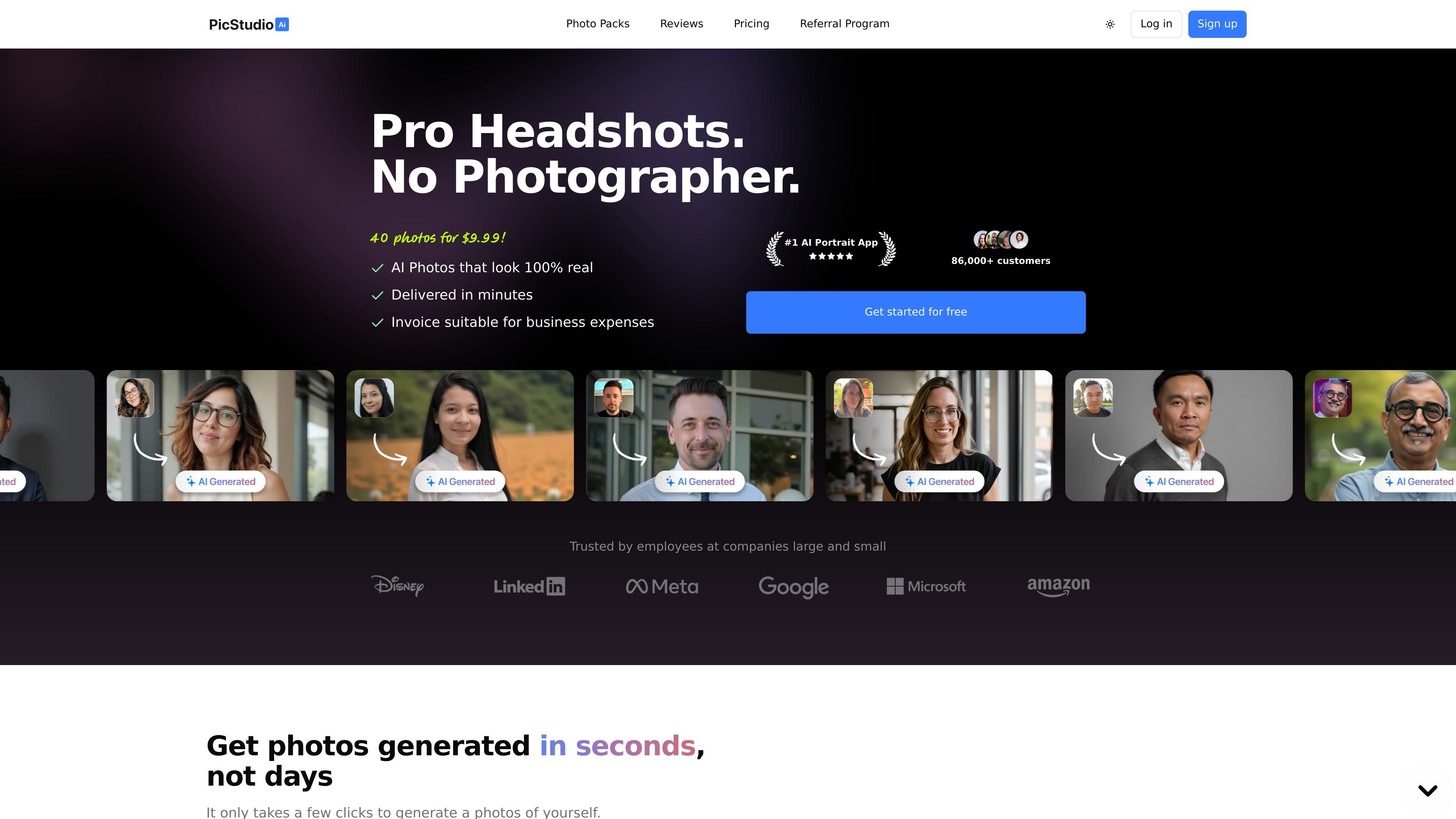
PicStudio.AI is an AI portrait generator focused on professional headshots and styled portraits. The product lets users upload selfies, choose from a catalog of photo packs, and receive a set of generated images that can be used on profiles, social platforms, or other personal branding surfaces.
The site positions the workflow as faster and less expensive than a traditional photoshoot. It emphasizes realistic-looking results, a broad range of styles, and practical uses such as LinkedIn profiles, Instagram, YouTube thumbnails, and other online identity needs.
Users start by uploading selfies, then selecting a photo pack. The site presents the workflow as a simple path from input photos to generated portraits.
The product offers hundreds of styles and themed packs, including corporate, editorial, vintage, nature, location-based, and profession-specific options. That gives users different looks without needing a manual shoot setup.
The home page says the system can generate portraits with thousands of outfit options and unlimited locations to choose from. Those controls are positioned as a way to vary the final look of the headshots.
The site says the generated images are professionally upscaled to high resolution and are suitable for printing. It also frames the output as realistic portraits that look like real photos.
The product presents a fast turnaround, with the pricing page stating delivery in about 30 minutes for the listed plans. The workflow is described as upload, generate, then download and share.
The site includes a browse page for packs plus a referral program. That suggests both a self-serve browsing experience and an affiliate-style sharing option.
Use PicStudio.AI to create a cleaner profile photo or banner image for LinkedIn. The site explicitly positions the product for polished professional portraits that help with first impressions.
Creators can generate portraits for YouTube thumbnails and channel imagery. The home page specifically mentions improving click-through rates and video performance with eye-catching portraits.
The site calls out Instagram use for personal branding and engagement. Users can generate varied looks for social profiles without arranging a new photoshoot each time.
People who want multiple looks for themselves can browse different packs and styles before generating a batch of portraits. This fits users comparing corporate, editorial, vintage, or location-based looks.
The packs browse page includes team-oriented categories and headshot types, which suggests a fit for groups looking for coordinated portrait styles. The source does not explain a full team workflow, so this is best read as a style-use case rather than a managed collaboration feature.
The source shows a workflow where you upload at least 8 selfies, choose a photo pack, and wait for the AI to generate portraits. The pages do not spell out every onboarding step, but they do describe a simple upload-to-download flow.
The pricing page shows three individual plans: Starter Kit, Pro Bundle, and Pro+ Bundle. Each plan is built around one person and different portrait counts and photo-pack counts.
The source says portraits are delivered in about 30 minutes for the listed plans. It does not provide a more detailed delivery breakdown beyond that timing.
The rendered pages mention LinkedIn, Instagram, Facebook, and YouTube as common uses, and the packs browser includes team headshot packs. The source does not explain any dedicated team-management workflow or seat-based setup.
The pages emphasize selfies as the input and mention professional, realistic headshots and portraits in different styles. They do not list explicit camera, lighting, or file-format requirements beyond uploading photos of yourself.