
Immediate PDF upload
Uploads start immediately from the home page, reducing setup before you can summarize a document.

pdf → gpt summarizes PDFs with GPT, answers document questions, accepts file uploads or URLs, and auto-chunks large files for easy processing.
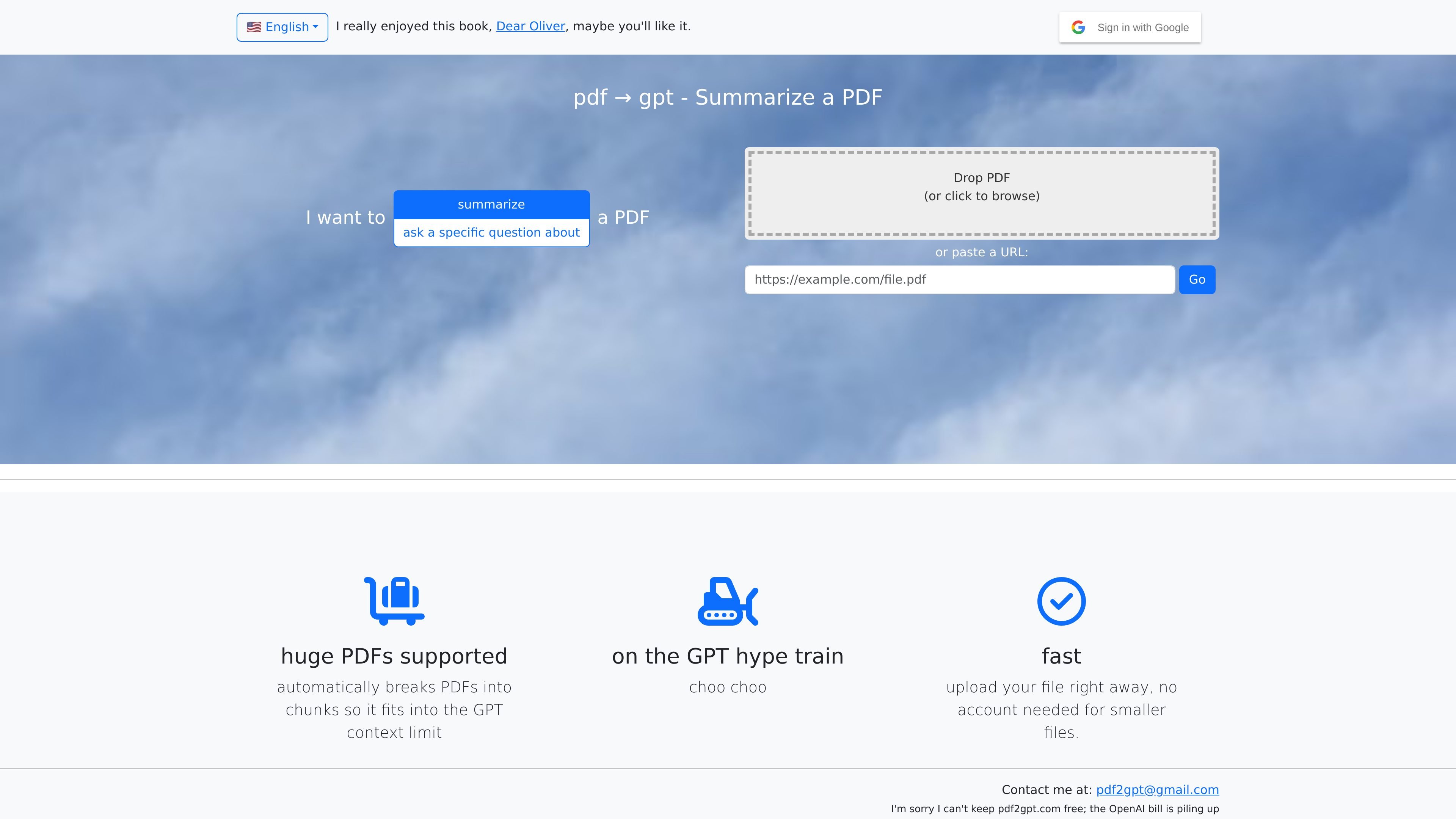
pdf → gpt is a web tool for summarizing PDFs with GPT. It accepts a file upload or a URL input, then processes the document into chunks so even large files can fit within the GPT context limit.
The output shown on the site is designed to cover multiple levels of detail: an overall summary, a table of contents, and summaries of individual sections. The interface also supports asking a specific question about the document from the same flow.
Uploads start immediately from the home page, reducing setup before you can summarize a document.
The product automatically breaks PDFs into chunks so longer documents fit into the GPT context limit.
It returns an overall summary, a table of contents, and section-by-section summaries for the document.
The interface also supports asking a specific question about a PDF, not just generating a summary.
A URL can be pasted in as an alternative to uploading a local file, based on the visible input options.
Use it when you need a concise overview of a long report, paper, or book without reading every page first.
Use it when a document is too large for a single model prompt and needs to be split automatically before summarization.
Use it when you need to locate a specific detail in a document by asking a targeted question after upload.
Use it when you only have a document link and want to process it without manually downloading and re-uploading the file.
Yes. The homepage and pricing page both indicate you can upload a PDF immediately, and the page also mentions that smaller files can be uploaded with no account needed.
The product is designed to summarize PDFs and also lets you ask a specific question about a PDF from the same interface.
The page says it automatically breaks PDFs into chunks so they fit into the GPT context limit, which is intended to support huge PDFs.
The source text does not show a separate export or integration destination, so the page only supports direct upload and URL-based input from what is visible.