
Generate patterns from text
Create seamless patterns from text prompts for florals, geometrics, abstracts, conversationals, and similar print directions. The home page says the output is pixel-unique and free for commercial use.

PatternedAI is a web-based AI pattern design tool for creating, recoloring, upscaling, and exporting seamless repeats for textile and surface-design workflows. It is aimed at designers, manufacturers, and brands that need print-ready pattern files.
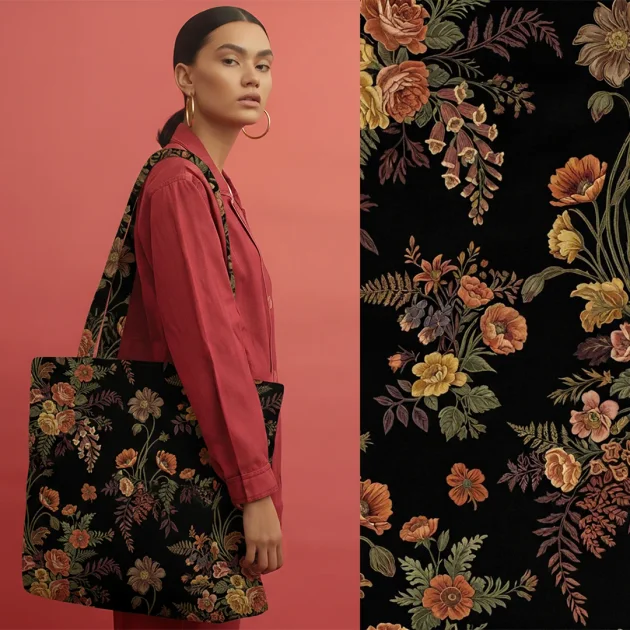
PatternedAI is an AI pattern design platform built for creating seamless repeats for textile, fashion, wallpaper, packaging, and related surface-design workflows. It combines text-to-pattern generation, image-based pattern extraction, recoloring, upscaling, and export tools in one web product.
The site positions the product for designers, manufacturers, and brands that need print-ready output rather than quick mockups. Its workflow centers on building or refining a pattern, checking how it looks on products, and exporting files in formats suited to digital, rotary, or screen printing.
Create seamless patterns from text prompts for florals, geometrics, abstracts, conversationals, and similar print directions. The home page says the output is pixel-unique and free for commercial use.
Upload a fabric scan, product photo, sketch, or texture and have the system detect repeating elements and reconstruct a seamless tile. This is positioned for turning source imagery into production-ready repeats.
Recolor an existing pattern with Auto, Palette, or Describe modes. Users can generate multiple colorways, enter exact HEX values, or guide the palette with simple text prompts.
Upscale patterns while preserving repeat integrity for print workflows. The product pages describe output up to 8,200 × 8,200 pixels and mention 2× to 16× upscaling depending on the plan.
Export files for production in formats suited to different workflows, including PNG, SVG, AI with layers, and color-separated TIFFs on higher plans. The site also mentions support for rotary and screen printing workflows.
Preview patterns on mockups before printing, including fashion, home décor, accessories, and packaging contexts. The product also offers a seam-checking workflow and gallery downloads.
Start from a prompt and create a seamless repeat for a new collection direction, then generate alternate colorways for buyer review or seasonal planning.
Use a fabric scan, sketch, or product image as source material, then turn it into a clean repeat that can move into production or sampling.
Take an existing pattern and create multiple palette options without changing the repeat structure, useful when a client wants faster color approvals.
Increase the resolution of a finished repeat for textile, wallpaper, or large-format production, then export the result in a print-ready format.
Check how a design looks on products and verify seamlessness before printing samples, especially when a team needs fewer rejected files and less manual revision.
Yes. The site says patterns created in PatternedAI are royalty-free and yours to use on unlimited products, and the image-extraction page says you can use patterns you create commercially.
Uploaded files are described as private and not shared or used for training. On Pro and Business accounts, generated patterns are also private; on Standard accounts, selected text-generated designs may appear in the public gallery.
The site says you can export print-ready files in PNG or vector format, and the product pages mention SVG export, AI files with layers, and color-separated TIFFs for some plans.
Yes. The pricing page says you can change plans at any time, and you can cancel from your profile through Manage My Subscription while keeping access until the end of the billing period.
The site supports English-language prompts and uploads, and the home page says PatternedAI can be used in your language; however, the source does not specify a full list of supported languages.