Email-based OTP autofill
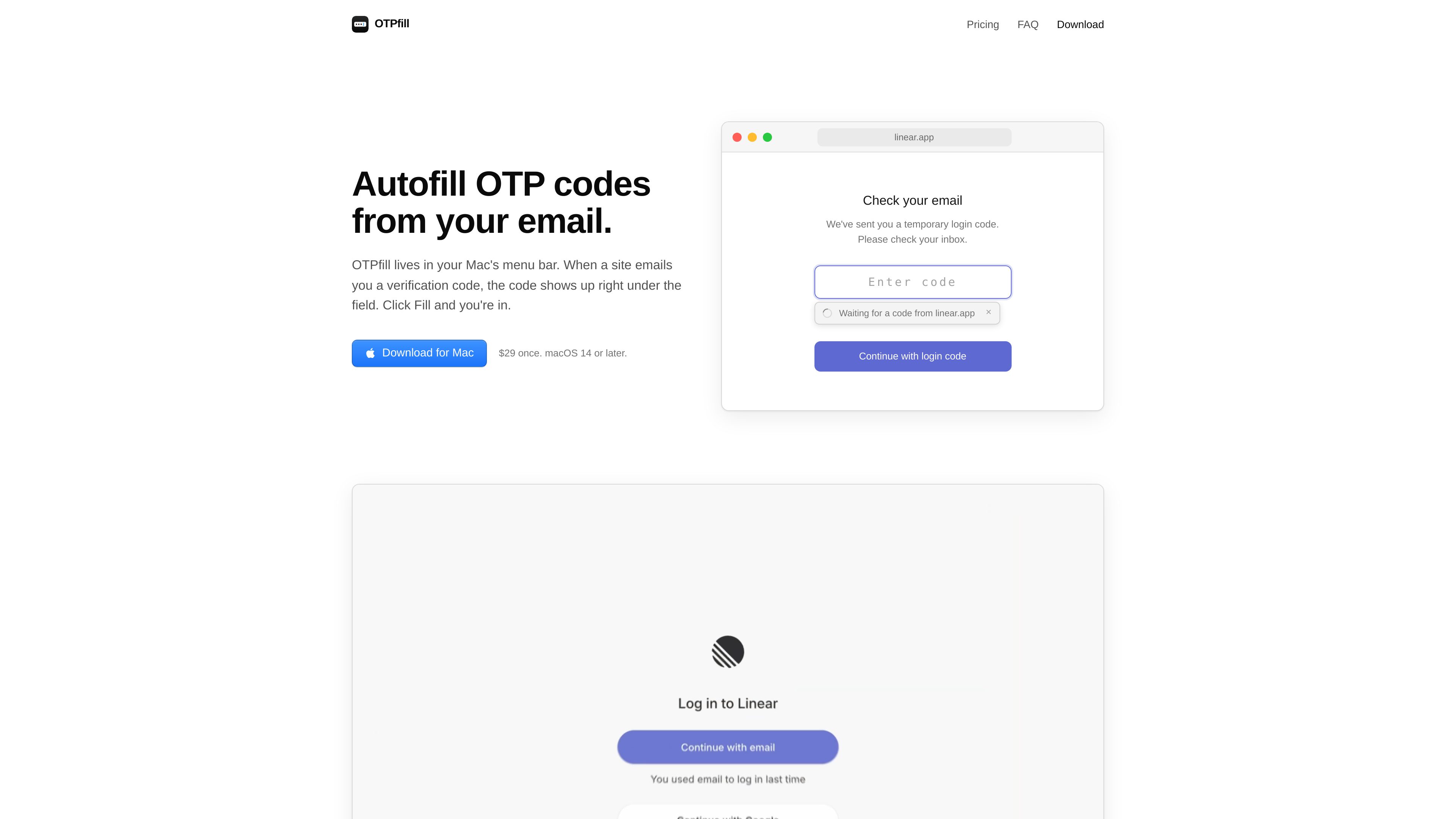
Finds recent one-time login codes in connected inboxes and shows the result beneath a focused verification-code field.
Automatically fills email-delivered login codes on your Mac when you sign in to websites and Mac apps.
OTPfill is a Mac menu bar utility that retrieves one-time login codes from connected email inboxes and places them into verification-code fields. When a code field is focused, it checks recent messages and displays the matching code beneath the field. Users can click Fill or press ⌘⇧O; if the message came from the site currently in use, OTPfill can fill the code automatically.
It supports major hosted mail services and other IMAP accounts, and works in common Mac browsers as well as native Mac apps. OTPfill checks inboxes only while a code field is focused, looking for messages from the previous three minutes. The site states that message text is processed in memory on its server and that emails and their contents are not stored or logged.
Finds recent one-time login codes in connected inboxes and shows the result beneath a focused verification-code field.
Fill a detected code by clicking the Fill control or pressing ⌘⇧O. Codes can fill automatically when the email came from the site currently in use.
Works with Gmail, Google Workspace, Outlook, Microsoft 365, iCloud Mail, Yahoo Mail, Fastmail, and other IMAP accounts.
Supports Safari, Chrome, Arc, Dia, Brave, Edge, other Chromium browsers, and native Mac applications.
Checks connected inboxes only while a code field is focused and searches messages from the last three minutes; promotional codes in the same inbox are ignored.
Gmail and Outlook connect through OAuth via Composio, IMAP passwords are encrypted before being saved, and removing an inbox in Settings revokes access.
When a website sends a verification code by email, focus its code field and use the displayed result instead of switching to the mail tab to copy it.
Use OTPfill with native Mac applications that present email-based verification fields, not only with browser-based sign-in pages.
Connect supported Gmail, Microsoft, Apple, Yahoo, Fastmail, or IMAP inboxes when login codes arrive in different accounts, then let OTPfill check the connected inboxes during an active code-entry step.
OTPfill is available for Mac computers running macOS 14 or later.
It supports Gmail, Google Workspace, Outlook, Microsoft 365, iCloud Mail, Yahoo Mail, Fastmail, and other IMAP accounts.
The site says OTPfill checks connected inboxes only while a verification-code field is focused and only looks at messages from the last three minutes.
The site states that message text passes through its server in memory to find the code, while emails and their contents are not stored or logged.
The available source does not provide an answer about SMS messages or authenticator-app codes.
Traffic data is for reference only.