
Visual MCP server testing
Provides a visual testing interface for Model Context Protocol servers, helping developers examine server behavior without relying only on code or command-line output.

MCP Inspector is an open-source visual testing tool for Model Context Protocol (MCP) servers. It is intended for developers who need to inspect and test MCP server behavior through a visual interface.
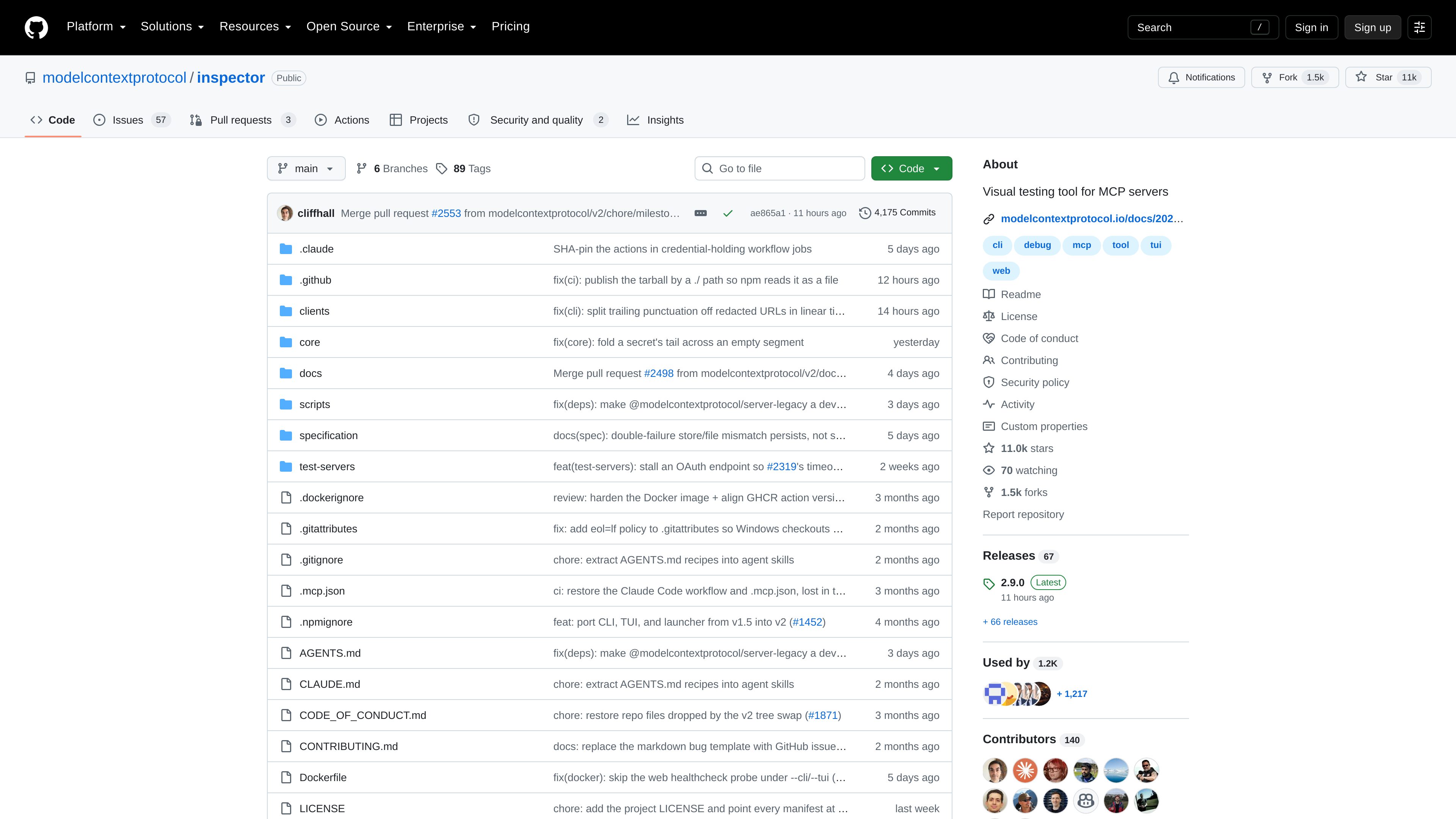
MCP Inspector is a public, open-source GitHub project described as a visual testing tool for Model Context Protocol (MCP) servers. Its core purpose is to give developers a visual way to work with and test MCP server implementations.
The repository is structured around several application surfaces and supporting packages, including web, terminal UI, command-line, launcher, and core directories. It also includes documentation, specifications, scripts, and dedicated test-server resources, so the project functions as both a usable developer tool and a codebase for contributors.
The collected source confirms the product category and repository structure, but does not provide enough detail to state exact installation steps, supported connection types, test result formats, hosted deployment options, or product-specific pricing.
Provides a visual testing interface for Model Context Protocol servers, helping developers examine server behavior without relying only on code or command-line output.
The repository contains separate web and terminal UI areas, indicating that the project supports more than one client-oriented interaction surface.
Dedicated CLI and launcher directories support the tooling around starting or invoking the inspector, although the collected pages do not document their exact commands or options.
A `test-servers` directory provides project test-server material for exercising the inspector and validating changes.
Documentation, specifications, scripts, core code, and client packages are organized as distinct repository areas for development and maintenance.
Use the inspector as a visual aid while building an MCP server, with the goal of examining how the server behaves during development.
Developers contributing to the public repository can use the client surfaces and test-server resources to exercise changes alongside the project’s core and supporting code.
Teams or individual developers evaluating how to work with the tool can review its web and terminal UI components as distinct client-oriented surfaces.
MCP developers who need to inspect implementation details can use the repository’s documentation, specifications, scripts, and core packages as part of a source-based workflow.
MCP Inspector is a visual testing tool for Model Context Protocol servers. It is distributed as a public project on GitHub.
It is intended for developers building, testing, or contributing to MCP server projects.
The repository contains web and terminal UI directories as well as CLI and launcher components, so the project includes multiple client and invocation surfaces.
Yes. The repository has a dedicated `test-servers` directory. The available source does not specify every fixture or the complete set of scenarios it covers.
The supplied evidence identifies it as a public GitHub repository but does not provide product-specific pricing or confirm a hosted service offering. GitHub’s general pricing page should not be treated as pricing for MCP Inspector.

blopai.com
Blop writes browser tests as code, runs them in CI, clusters repeated failures, and opens pull requests to fix broken tests.

argminai.com
Argmin AI helps teams evaluate AI features before release using workflows, rules, docs, and a few examples—without requiring an ML team or custom evaluation code.

mrge.io
AI code review for pull requests and codebases

mantaai.co
Manta AI is an autonomous web app testing tool that crawls an app from a URL, maps user flows, and automatically flags broken behavior. Generate test plans in plain English for teams shipping web products.

developers.cloudflare.com
Kitesurf is Cloudflare’s stateless browser for AI agents and automation workflows. Built to run on Workers, it handles page rendering, screenshots, and HTML extraction while using less CPU and memory than Chromium for common agentic tasks.

www.simplecommenter.com
Simple Commenter is a website feedback platform with an MCP server that connects comments and page context to AI tools such as ChatGPT, Claude, Cursor, and Codex. It helps web teams turn review comments into clearer next steps and fixes.