
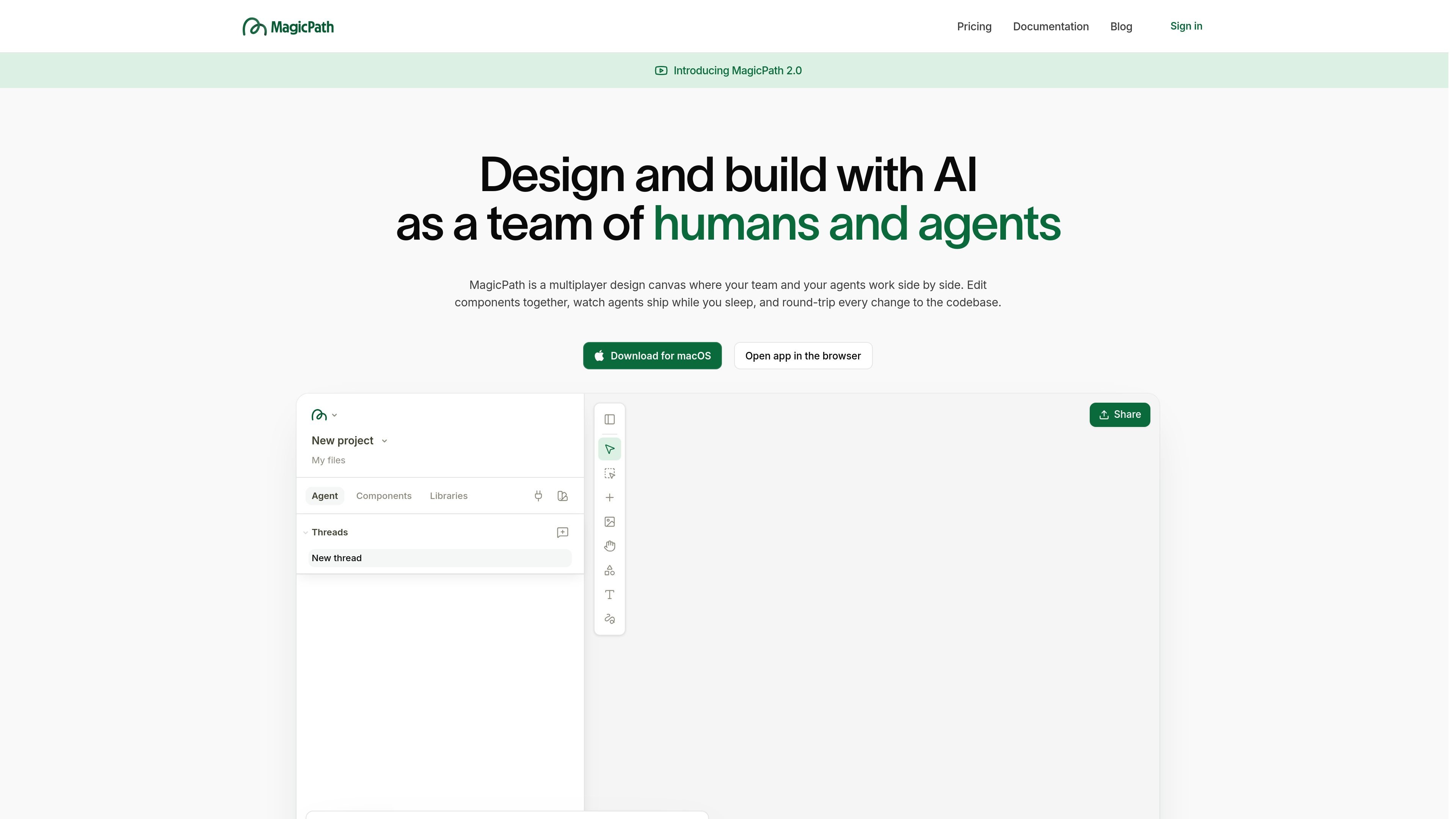
Parallel screen generation
MagicPath’s canvas is built for parallel work: one brief can turn into multiple screens or variations, with designer agents working side by side and appearing as they finish.

A shared design canvas for humans and AI agents
MagicPath is a shared design canvas for humans and agents. It is built for teams that want to create, refine, and explore product ideas together, with AI contributing directly on the same workspace as designers and developers.
The product centers on a real-time canvas where one brief can produce multiple screens in parallel, edits can be applied across designs, and work can move between design and code. MagicPath also supports external agents such as Claude Code, Codex, and Cursor, letting users drive projects from their terminal, IDE, or phone even when the app is closed.
MagicPath’s canvas is built for parallel work: one brief can turn into multiple screens or variations, with designer agents working side by side and appearing as they finish.
Edit elements across several designs at once, or send a quick AI prompt directly on the canvas, so updates can propagate through related screens without manual one-by-one edits.
The canvas accepts designs, sketches, screenshots, images, and selected elements as context, which lets you point agents at the exact material you want them to use.
Connect Claude Code, Codex, or Cursor and keep working from your terminal, IDE, or phone. The docs say the external agent can keep driving MagicPath even when the app is closed.
Import from Figma, capture any website, and export production-ready code. The pricing page also notes code download and opening the result in any IDE.
MagicPath supports live team collaboration, shared workspace behavior, and real-time visibility into every teammate and agent working on a project.
Use MagicPath to turn a short brief into several screen directions at once, then compare the variations as they land on the canvas.
Invite teammates into the same workspace so they can edit, review, and coordinate with agents in real time during a design sprint.
Connect Claude Code, Codex, or Cursor when you want an agent to keep building from your repo, MCP, or Linear tasks while you work elsewhere.
Bring in Figma files, capture a website, or start from a screenshot when you need existing context rather than a blank canvas.
Move approved designs into code, or pull components back into the canvas, when you want a tighter round trip between design and implementation.
MagicPath is a canvas where humans and agents design together. You can create new screens from a brief, edit multiple designs at once, import from Figma, capture a website, and export production-ready code.
The docs say you create an account, describe what you want to make, and then upload a screenshot, mention an existing design, sketch on the canvas, or select existing elements. MagicPath dispatches the right designer agents and brings the work back to the canvas as it is ready.
Yes. MagicPath supports live collaboration with your team, and both teammates and agents appear on the same canvas in real time.
Yes. MagicPath connects with external agents such as Claude Code, Codex, and Cursor, and the app can be driven from your terminal, IDE, or phone even when the app is closed.
The pricing page says Free includes 5 Figma imports and 3 exports per month, Builder includes 5 imports and unlimited exports, and Pro and Teams include unlimited Figma imports and exports.
Traffic data is for reference only.
| Apr | 88429 |
|---|---|
| May | 108236 |
| Jun | 177691 |

adam.new
Adam is a CAD copilot that streamlines hardware workflows from Slack and email.

flowmuse.ai
FlowMuse AI is a visual AI workflow platform connecting image, video, audio, and text generation in a node-based canvas, with subscriptions, Pay As You Go credits, and multiple major models in one workspace.
nuphos.ai
Nuphos is an AI-native DevOps workspace for engineering teams. It provides a shared environment where AI agents can learn infrastructure, investigate issues, and operate production systems with human approval and audit trails.
dagworks.io
Open-source and hosted tools for reliable AI workflows with Apache Hamilton and Apache Burr

gradio.app
Gradio Workflows is a visual, node-based AI pipeline builder built into Gradio. It helps developers connect Hugging Face Spaces, models, datasets, and Python functions on a drag-and-drop canvas.

getorchestra.io
Declarative data and AI orchestration platform for building, running, and monitoring workflows