
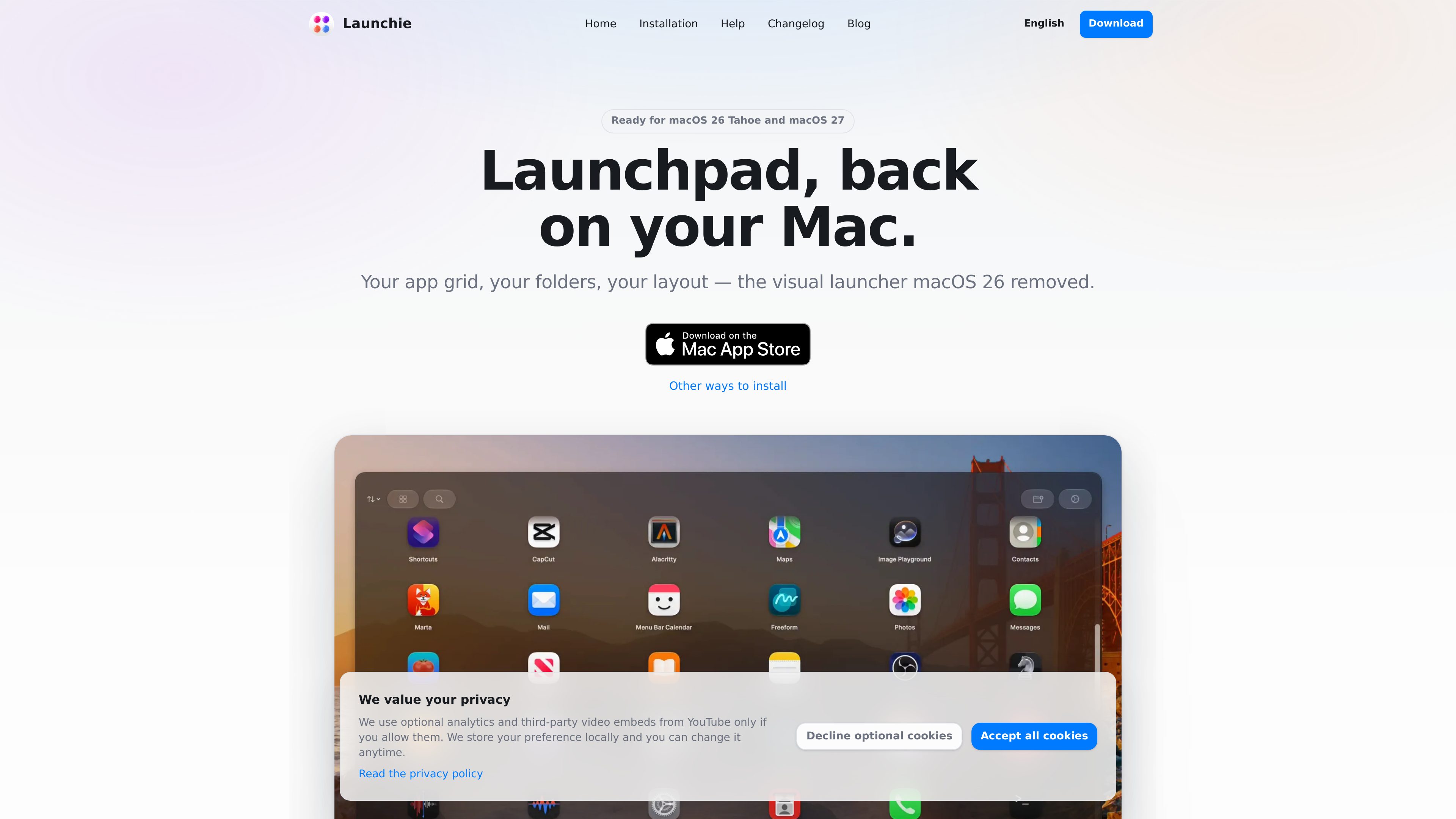
Custom app grid
Arrange applications by dragging them into a preferred order in a fullscreen grid. The layout remains user-controlled rather than being limited to alphabetical placement.

Launchie is a fullscreen app launcher for macOS 26 Tahoe and macOS 27 that restores a Launchpad-style visual grid. It lets users organize apps with custom ordering, folders, Spaces, search, and layout backups.
Launchie is a Launchpad-style app launcher for macOS 26 Tahoe and macOS 27. It restores a fullscreen, visual grid for browsing and opening applications, with user-controlled app order rather than a fixed alphabetical arrangement.
Its core workflow is organizing a large app library into drag-and-drop layouts, folders, and separate Spaces. Users can also search for apps, hide apps they do not want displayed, and use Smart Lists for recently used, most-used, or newest applications.
Launchie includes backup and restore tools and can import layouts from macOS Launchpad, LaunchNext, or LaunchOS, carrying over folders and app order. It can be opened with a keyboard shortcut, Hot Corner, or supported trackpad gestures, and closed with Escape or by clicking outside the launcher.
Arrange applications by dragging them into a preferred order in a fullscreen grid. The layout remains user-controlled rather than being limited to alphabetical placement.
Group related apps into folders and divide a large library across separate Spaces, each with its own apps and folders.
Search for an application by name or use quick-access lists for recently used, most-used, and newest apps.
Import folders and app order from macOS Launchpad, LaunchNext, or LaunchOS. Launchie also provides backup and restore tools for saving and recovering a setup.
Open Launchie with the default or custom keyboard shortcut, a Hot Corner, or supported trackpad gestures. Escape and clicking outside provide quick ways to close it.
Customize the launcher’s presentation with options such as Liquid Glass or traditional sheet styling, background images, tint, app-name visibility, and hidden-app handling. Some documented options are part of Launchie Pro.
Users on macOS 26 Tahoe or macOS 27 can regain a fullscreen, visual way to browse and open apps instead of switching to a different launcher style.
People with many installed apps can separate work and personal tools into Spaces, organize related apps into folders, and use search or Smart Lists when browsing is not practical.
Users switching from LaunchNext or LaunchOS can import their existing folders and app order rather than rebuilding the layout manually.
A saved backup can help recover a Launchie arrangement when setting up another Mac or restoring an existing configuration; the product also documents importing layouts from the original Launchpad.
The product is presented as a Launchpad replacement for macOS 26 Tahoe and macOS 27. The site footer states that it is built for Apple Silicon Macs.
Yes. Launchie can import a layout from macOS Launchpad, including folders and app order. The changelog says Launchpad layouts can survive an upgrade to macOS 26 or later when imported into Launchie.
Yes. The documented import workflow supports LaunchNext and LaunchOS layouts, and LaunchNext backup files are also supported.
The documented options include a keyboard shortcut, a Hot Corner, and supported trackpad gestures. New installations use Option-Space by default, while existing custom hotkeys remain unchanged after updates.
The available pricing URL is not a product pricing page, so exact prices and plan limits cannot be confirmed from the supplied evidence. The changelog does document Launchie Pro and identifies some appearance and customization options as Pro features.

parall.app
Parall is a native macOS launcher for creating separate instances of supported apps, websites, files, folders, and command-line tools. It helps users maintain distinct app identities, data paths, profiles, and launch settings where macOS and the target app support them.

www.stashformac.com
Stash is a macOS utility that keeps apps and system controls accessible from the screen edges and corners without leaving them visible. It includes a Hidden Dock, App Launcher, Edge Sliders, Corner Dials, App Profiles, and an iPhone companion called Stash Deck.