

Connected app workflows
Connect Instruct to your apps so it can pull context from one tool and carry out work in another, rather than only reading information passively.

Instruct AI is a general AI agent that connects to your apps and automates cross-app tasks from plain-English instructions. Free plan available.
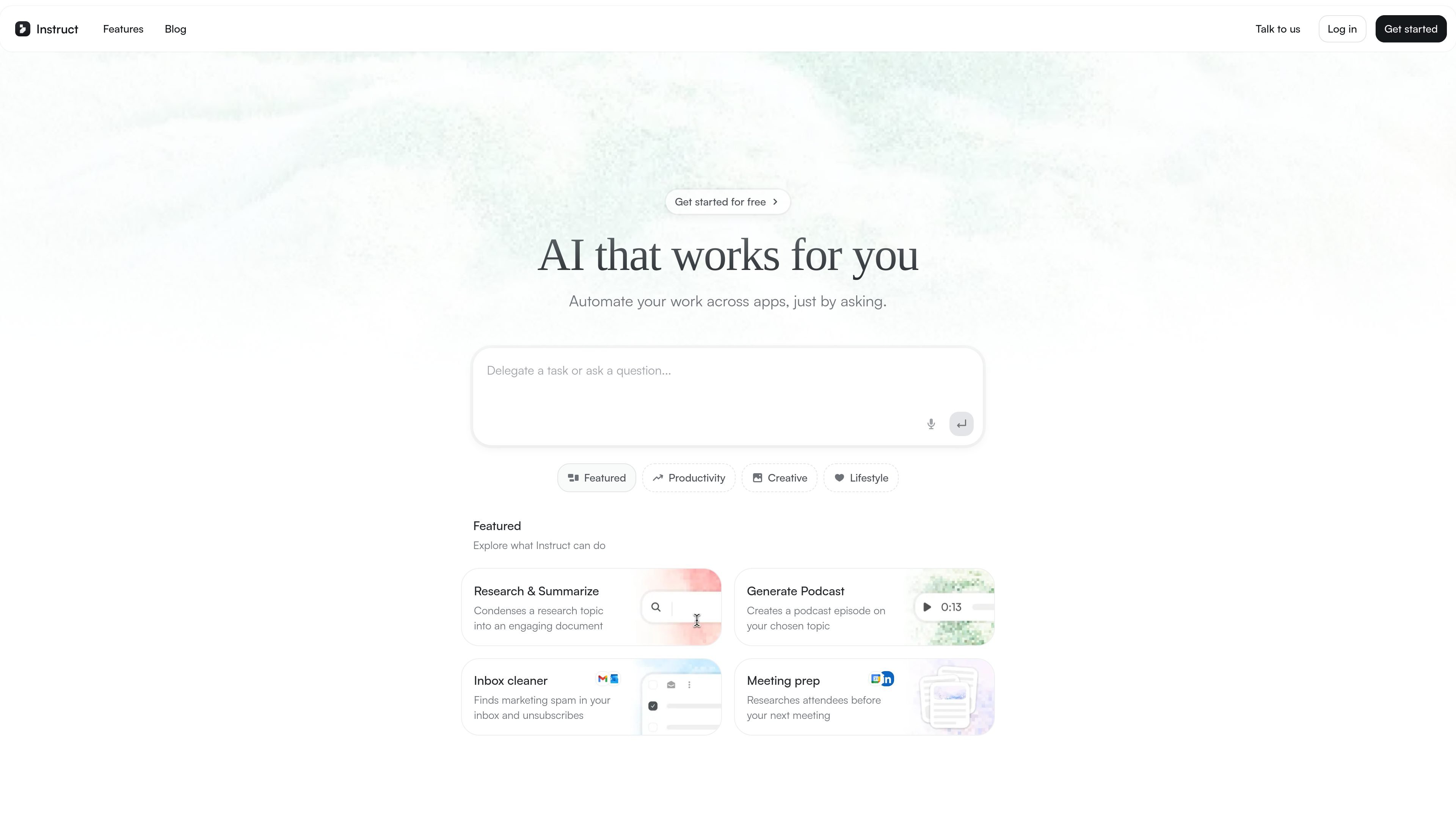
Instruct is a general AI agent that connects to your apps and executes tasks on your behalf. The product is positioned around letting users describe work in plain English and watching it get done in real time.
The homepage frames Instruct as a way to automate work across connected apps. It says the agent can pull context from one app and use it to execute work in another, which makes it useful for tasks that span research, writing, document generation, inbox cleanup, and meeting preparation.
Connect Instruct to your apps so it can pull context from one tool and carry out work in another, rather than only reading information passively.
Assign work in natural language and let the agent handle tasks such as writing, editing, fetching data, and generating documents.
Turn a completed one-off task into a recurring process by asking Instruct to run it on a schedule.
Use it to create work outputs shown on the homepage, including research summaries, podcast episodes, inbox cleanup, and meeting prep.
Start from the product’s free plan and sign up to begin automating without requiring a sales interaction first.
Use Instruct to condense a topic into a document when you need a readable research brief from multiple sources.
Ask it to build a podcast episode around a chosen topic, based on the product examples shown on the homepage.
Have it find marketing spam in your inbox and unsubscribe from it, reducing routine email cleanup work.
Use it to research meeting attendees before a call so you can prepare with relevant background context.
Turn a one-time task into a repeating process by scheduling it after Instruct completes it once.
Instruct is described as a general AI agent that connects to your apps and executes tasks on your behalf. The homepage emphasizes that you can describe the work in plain English and watch it get done in real time.
The homepage says you can start for free and sign up now to begin automating work in minutes with the free plan.
The homepage says Instruct connects securely to your tools, pulls context from one app, and uses it to execute work in another, so it is meant for workflows across connected apps.
The blog and homepage both point to Instruct as an AI agent platform, but the collected pricing page does not expose public plan names or pricing details.
Twine AI Launcher is an Android launcher with AI assistant access, bringing ChatGPT-style help to your homescreen for quick answers, notes, tasks, reminders, and people memory.

阶跃AI is a personal efficiency assistant from 阶跃星辰 for knowledge search, writing, coding, and daily automation. Download on desktop and mobile, and trigger web, files, and reminders by voice.

BrowserOS is an open-source AI browser that automates web tasks from plain-language prompts on macOS, Windows, and Linux, with Chrome extensions and MCP integrations.

Termo is an AI agent platform with dedicated VMs for browsing, code execution, memory, and scheduled automation for research and build tasks.

AI Magicx is a unified AI workspace for chat, image, video, voice, music, email and developer tasks, helping teams and creators manage multiple models in one place.

Hypertype is an AI agent for industrial support teams, reducing repetitive work, integrating with existing tools, and using selected company data through consultative enterprise onboarding.