
Text input and document uploads
Paste text directly into the humanizer or upload a document on paid plans. The site also offers a public demo with limited usage for trying the workflow before signing up.

HideMyAI rewrites AI-generated text to sound more natural and aims to stay undetectable by AI detectors. Free, Pro, and Enterprise plans available.
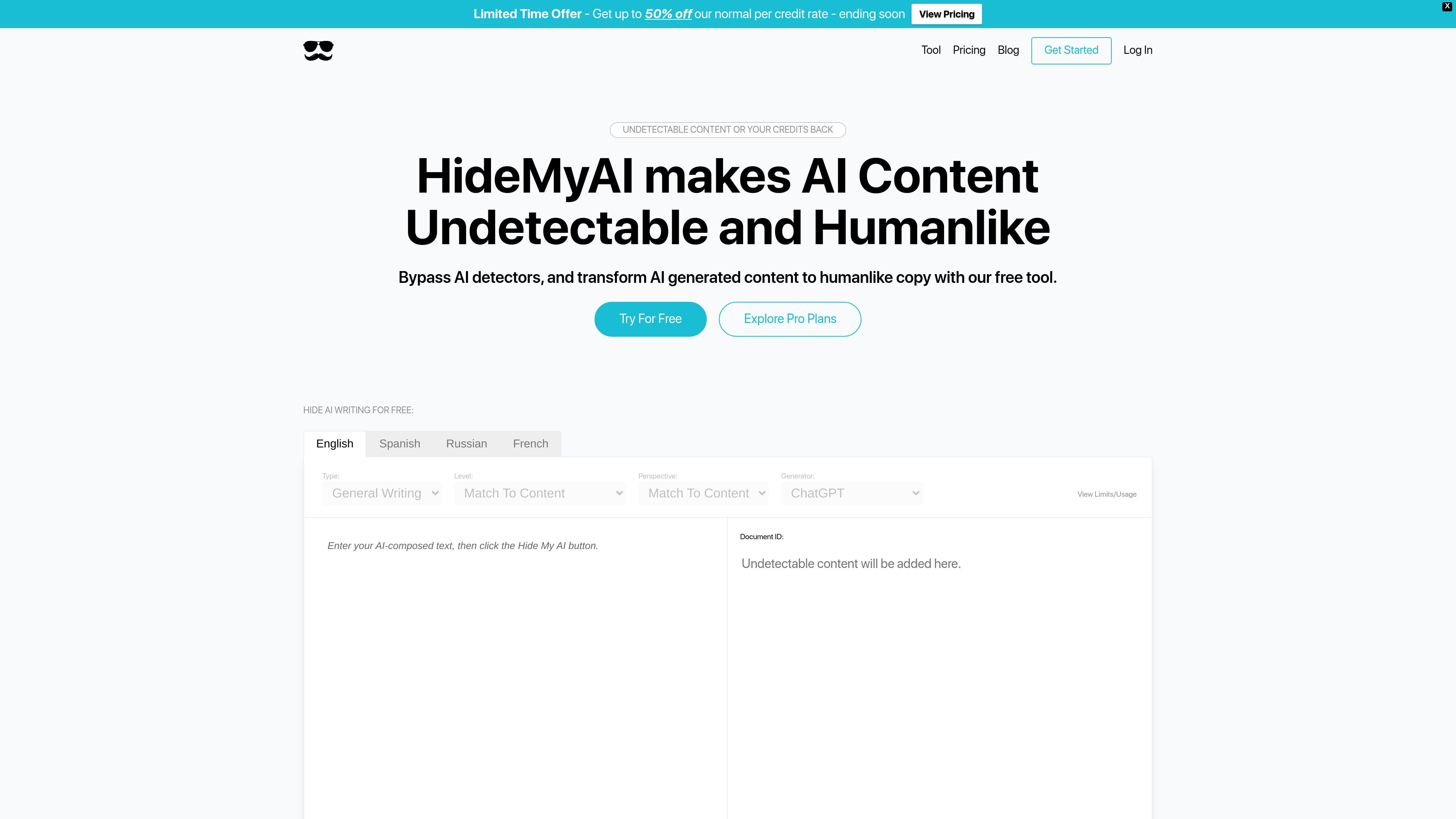
HideMyAI is a web-based AI content humanizer that rewrites machine-generated text so it reads more like human writing and is intended to remain undetectable by AI detectors. The homepage positions it as a tool for bypassing detectors and transforming AI-generated content into humanlike copy.
The workflow on the site centers on pasting text or uploading a document, choosing language and writing parameters, and letting the system rewrite and recheck the output. The pricing page shows a free starter option, a Pro plan for individuals, and an Enterprise tier for teams and organizations that need higher volume and API access.
Paste text directly into the humanizer or upload a document on paid plans. The site also offers a public demo with limited usage for trying the workflow before signing up.
The interface lets you choose language, content type, writing level, perspective, and source generator so the rewrite can be tailored to the input and intended output.
HideMyAI says it semantically understands the source, removes AI watermarks, and restructures the text while keeping the facts and information intact.
After rewriting, the platform checks the result against AI detectors and will reprocess content for free if it does not pass the site’s verification flow.
The pricing page lists multilingual support for French, Spanish, and Russian on Pro, along with bulk upload and pay-as-you-go options.
Enterprise plans include multiple seats, team features, API access, and priority support according to the pricing page.
A writer or marketer pastes AI-drafted copy into the tool, adjusts the writing style settings, and produces a more human-sounding version before publishing.
A student, educator, or reviewer checks whether text appears AI-generated by comparing detector-facing output with the site’s rewriting and verification flow.
A team uses the paid plan to process larger volumes of content, upload documents, and manage work with multiple seats and team features.
An organization that produces content in more than one language uses the multilingual plan features to humanize French, Spanish, or Russian text.
A developer or operations team evaluates the Enterprise plan when they need API access and support for integrating the workflow into an internal process.
HideMyAI is a web-based AI content humanizer. You paste text or upload a document, choose a language, writing type, level, perspective, and generator, then the tool rewrites the content to read more like human writing and checks it against detectors.
The site says it can process pasted text in a public demo, with paid plans adding multilingual processing, document uploads, bulk processing, team features, and API access on enterprise plans.
The pricing page lists a completely free starter option, a Pro plan at $5 per month billed annually, and an Enterprise option with contact sales pricing.
The company states that if processed content does not beat leading AI detectors and the claim is verified in its platform, it will refund the credits used.
Based on the pricing and homepage copy, enterprise features include multiple seats, team features, API access, and priority support, but the site does not publish a detailed integration list.