
Parallel branches
Work on several branches at the same time without constantly switching or stashing, which is useful when you need to keep a bug fix and a feature moving in parallel.

GitButler is a Git-backed change management platform for AI-assisted coding workflows, with desktop app and CLI support for parallel branches, commit editing, and agent integrations.
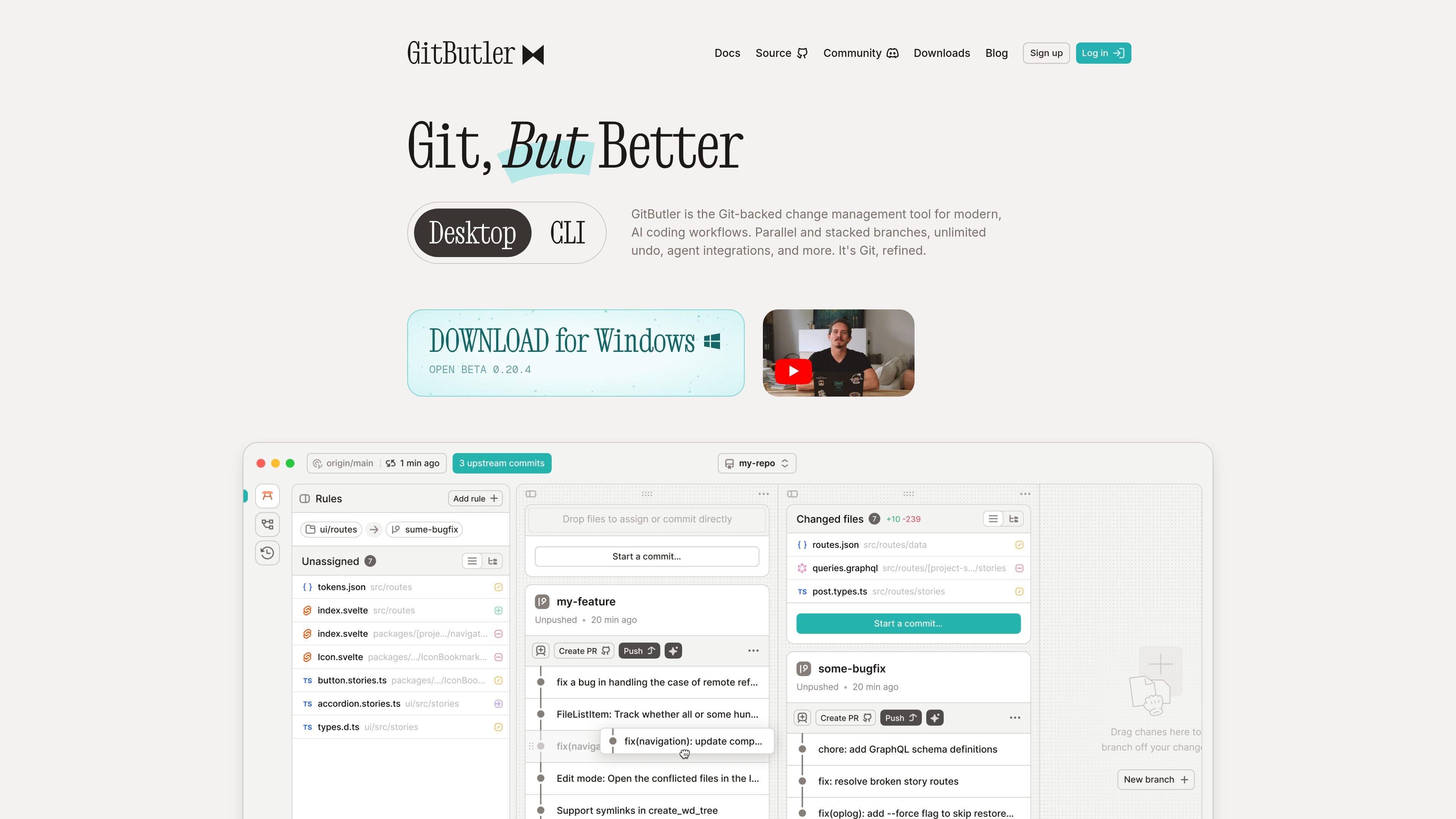
GitButler is a Git-backed change management tool for modern AI-assisted coding workflows. It combines a desktop app and CLI with branch management features designed to make it easier to work on several changes at once, review work in smaller increments, and keep commits organized.
The product centers on parallel and stacked branches, unlimited undo, commit editing, and integrations for GitHub, GitLab, and AI agents. The site presents it as a way to manage local changes and pull-request workflows without leaning as heavily on manual branch switching, rebasing, or ad hoc commit cleanup.
Work on several branches at the same time without constantly switching or stashing, which is useful when you need to keep a bug fix and a feature moving in parallel.
Split a larger change into dependent branches so reviews and integrations can happen in smaller steps.
Generate branch names, commit messages, and PR descriptions with AI to reduce manual setup work.
Create snapshots before operations so you can move back through prior states without relying on manual recovery steps.
Edit, reorder, squash, or split commits even after pushing to a remote, reducing dependence on rebasing workflows.
Open pull requests, generate PR messages, and check PR status through GitHub and GitLab integrations; the site also mentions a built-in Claude Code GUI and support for other agents through MCP.
Keep a bug fix moving while you continue feature work in separate branches, instead of stashing and switching repeatedly.
Turn a large feature into smaller dependent branches so reviews can happen in stages and each step stays easier to reason about.
Use the AI-assisted workflow to generate branch names, commit messages, and PR descriptions, or to separate agent work into branch-specific context.
Edit, reorder, squash, or split commits when you need to clean up history before merging or after a push.
Open pull requests and check their status through GitHub or GitLab while keeping branch state organized inside GitButler.
GitButler is a Git-backed change management tool for modern, AI coding workflows. The site highlights parallel branches, stacked branches, unlimited undo, commit editing, and agent integrations.
The site points to desktop app downloads for Windows, macOS, Linux packages, and a CLI binary. It also highlights an integrated Claude Code GUI and support for Cursor, Claude hooks, and other agents through its MCP server.
GitButler emphasizes parallel and stacked branches, which let you work on multiple changes at once or break a larger feature into dependent branches for incremental review.
The download page mentions an interactive agent setup wizard for tuning version control behavior, plus improvements aimed at multi-committing, amending, splitting commits, and stacked PR workflows.
The pricing page content provided does not show specific plan names or prices. The available evidence only confirms a pricing page exists, so pricing details should be checked directly on the site.