
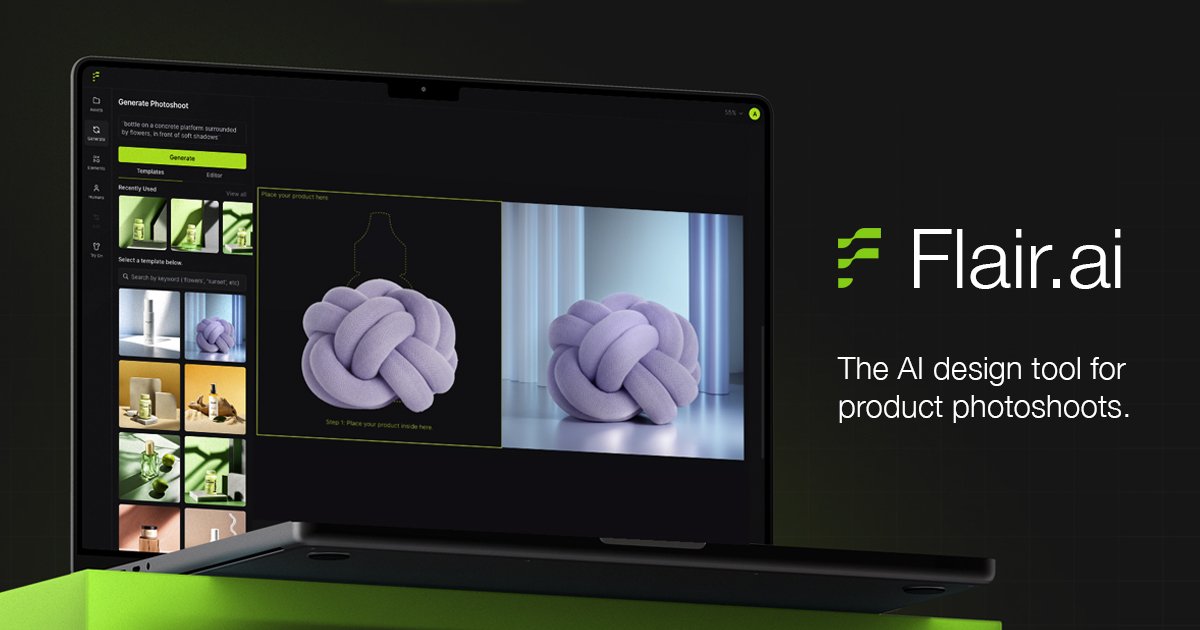
Drag-and-drop scene building
Build product scenes with a drag-and-drop canvas and combine products, templates, props, and other design elements.

AI product photo generator and editor for e-commerce teams
Flair.ai is an AI product photo generator and editor for e-commerce teams, brands, agencies, and other businesses that need product imagery at scale. The site positions it as a drag-and-drop design tool for creating studio-style product photoshoots, on-model visuals, videos, and marketing creative.
The product combines image generation, editing, and team collaboration in one workflow. Site pages also point to enterprise options such as custom model training, SAML-based SSO, data ownership and security statements, and support for larger organizations that need shared asset management and custom onboarding.
Build product scenes with a drag-and-drop canvas and combine products, templates, props, and other design elements.
Generate product images quickly, including on-model photography, product photography, marketing ads, and product videos.
Customize AI human models by attributes such as hair color and body type, then use them across brand assets.
Edit and refine generated visuals with tools such as background regeneration, magic erase, upscaling, variations, and resolution enhancement.
Manage work across teams with real-time collaboration, organized workspaces, and brand asset management.
Use the product through an API, with enterprise pages also mentioning unlimited API access for custom plans.
Create product photography for online catalogs when you need clean visuals without setting up a physical shoot.
Generate on-model visuals for apparel and accessories, including clothing and jewelry with patterns and logos preserved.
Produce campaign assets such as product ads, marketing images, and reusable templates for ongoing creative work.
Coordinate shared design work across in-house teams or agencies that need real-time collaboration and centralized brand assets.
Use enterprise workflows to train custom models, manage larger asset libraries, or integrate with product imagery systems through API access.
Flair is a browser-based AI product photo generator and editor. The homepage presents it as a drag-and-drop tool for creating e-commerce images, product videos, ads, and on-model photography, with team collaboration and a free entry plan.
The product pages show individual, team, and enterprise-oriented workflows. Flair highlights real-time collaboration, organized workspaces for teams, and a sales/demo flow for larger businesses.
Flair’s homepage and pricing page show a mix of generation and editing workflows, including instant image generation, background regeneration, AI editing tools, image upscaling, image variations, video generation, and ad generation. The site does not provide detailed technical output specifications on the pages provided.
The pricing page shows a free plan, paid monthly plans, and a custom enterprise option. The enterprise page says enterprise customers can contact sales for custom solutions, while the sales page offers a request-a-demo flow.
Traffic data is for reference only.

douhuiai.com
豆绘AI is an online AI image creation and editing platform for e-commerce and design, supporting white-background, scene, interior renderings, and common post-processing.

creativio.io
AI product photography that turns basic images into polished marketing visuals

mokker.ai
Mokker AI creates polished product scenes from one photo

weshop.com
AI product photography and image editing for e-commerce

oksuro.com
Web-based AI stock image library for search, editing, compositing, and short video creation.

maze.guru
Chat-to-edit AI studio for product photography and design