
Interpretation reports
Generates lab interpretations that can be presented as clinical reports for doctors or as plain-language reports for patients. The product also uses historical test data to add context to the analysis.

Docus AI platform for diagnostic labs to turn results into interpretations, follow-up workflows, compliance checks and requisitions.
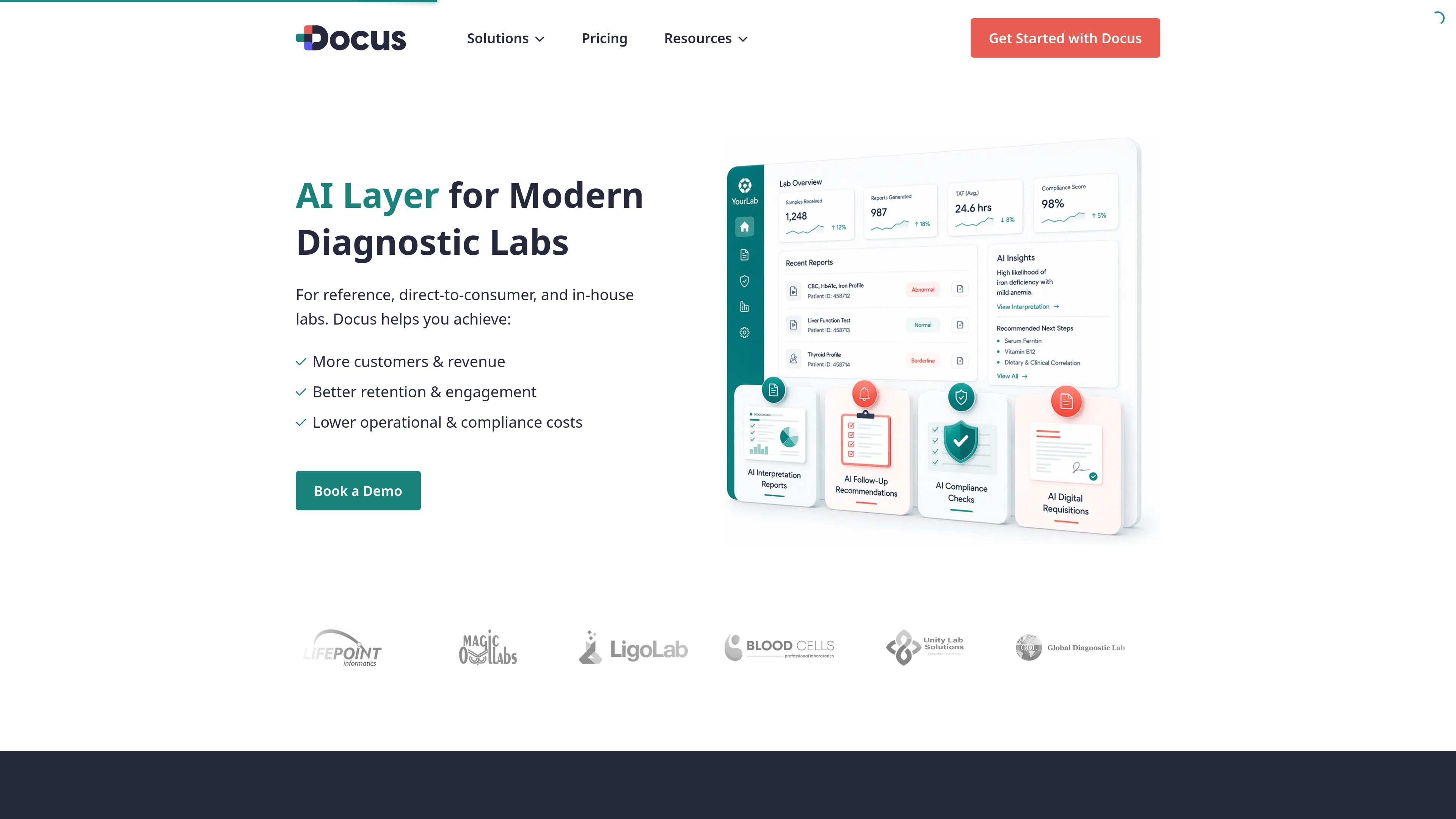
Docus is an AI layer for diagnostic labs that combines interpretation, follow-up workflows, compliance checks, digital requisitions, and context-aware assistants in one platform. The site positions it for direct-to-consumer labs, reference labs, and in-house labs or clinics.
For labs, the product turns test results into structured reports for doctors and patient-friendly explanations, then extends that analysis into operational workflows such as repeat-test reminders, medical necessity checks, and requisition handling. The platform also offers a flexible setup with API/HL7 integration or Docus interfaces, depending on how the lab wants to work.
Generates lab interpretations that can be presented as clinical reports for doctors or as plain-language reports for patients. The product also uses historical test data to add context to the analysis.
Suggests next tests and follow-up steps based on results and identified risks, and can send reminders to help bring patients back for repeat testing or review.
Checks test orders against diagnosis codes and repeat-testing rules to flag possible medical necessity issues before denial risk grows. The lab and ordering doctor can be alerted when problems are detected.
Supports digital requisitions with autocomplete, guided inputs, e-signatures where needed, and AI-generated medical necessity text based on selected tests and diagnosis codes.
Provides context-aware assistants for doctors and patients, with responses informed by patient data, history, and lab results. The patient assistant also explains results in simpler language when appropriate.
Lets labs choose between API/HL7 integration and Docus interfaces, with outputs deliverable into LIS, CRM, or EHR systems when integrated.
A lab can turn incoming results into structured interpretations for clinicians and simpler explanations for patients, helping each audience get the version of the report they need.
A lab can use result-based reminders and follow-up test suggestions to encourage patients to return for additional testing or review when a next step is needed.
A lab can check test orders for medical necessity, repeat frequency, and order accuracy before denials or compliance issues become expensive.
A lab or clinic can streamline requisitions with guided inputs, auto-complete, AI-drafted medical necessity language, and e-signature support where required.
A team with existing systems can send data through API/HL7 and route outputs into a LIS, CRM, or EHR, or start with Docus interfaces if it wants a quicker setup.
Docus offers a free plan for the Docus Patient Platform and the Docus Doctor Platform, with limited access so users can try the product before upgrading. The lab software uses flexible pricing that depends on test volume, workflow complexity, and regional regulations, and the lab team can contact sales for a custom quote.
For labs, the platform can send and receive data through API/HL7 integrations and can also be used with Docus interfaces without an integration. The site says lab outputs can be delivered into a LIS, CRM, or EHR through API/HL7, depending on setup.
The lab-facing platform is designed for diagnostic labs that want AI support for interpretation, follow-ups, compliance checks, requisitions, and patient-facing workflows. The site also presents separate products for doctors and patients, so the lab offering is one part of a broader healthcare platform.
The site says lab results can be turned into clinical reports for doctors and patient-friendly reports for patients. It also describes follow-up reminders, compliance checks, and digital requisition workflows as part of the lab experience.
The site describes security aligned with HIPAA, GDPR, and SOC 2 requirements, and notes that personally identifiable information is not required for core workflows. It also states that all data is encrypted at every step.