
List building and data import
Import data from webhooks, CRMs, CSV files, or supported connectors, then create lists from scratch using filters and specialized databases.

Data enrichment for syncing company and people data across tools and AI workflows
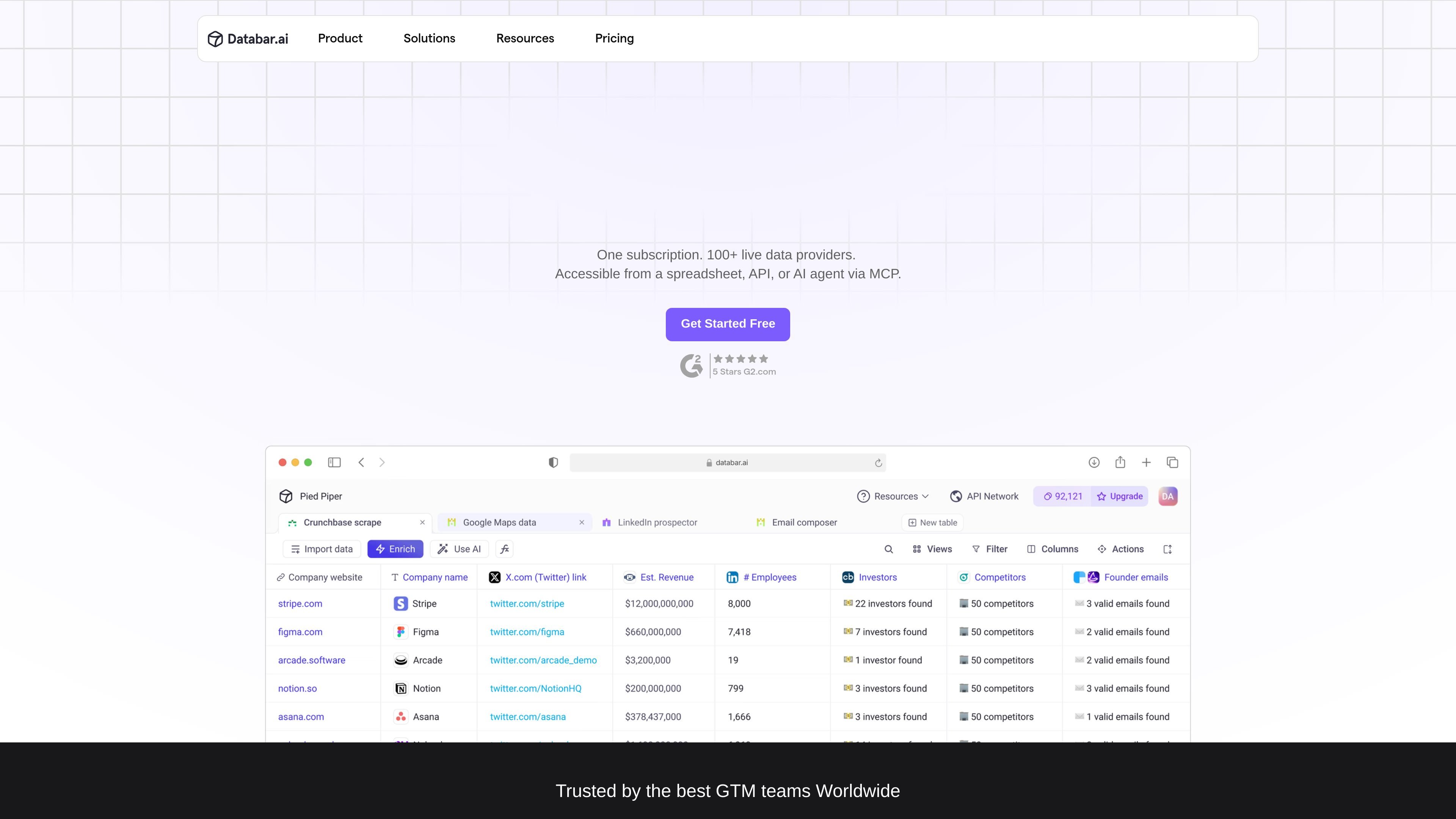
Databar.ai is a data enrichment platform for go-to-market teams that need to import, clean, enrich, and activate company and people data. The site describes it as a data layer for AI-native go-to-market work, with access to 100+ live data providers from a spreadsheet, API, or AI agent via MCP.
The product centers on building lists, enriching records with hundreds of data points, and sending the results into CRMs, outbound tools, analytics workflows, or custom integrations. The pricing page also shows plans for growing teams and agencies, plus an Enterprise tier for organizations that need custom credits, support, and SDK access.
Import data from webhooks, CRMs, CSV files, or supported connectors, then create lists from scratch using filters and specialized databases.
Enrich companies, people, and websites with more than 450 data points and access to 100+ data providers through Databar's credentials.
Use the platform from a spreadsheet, API, or AI agent via MCP, which gives teams several ways to fit Databar into existing workflows.
Run waterfall enrichment to query multiple providers and increase coverage, and use the API Network to combine external data sources in one workflow.
Sync enriched records into outreach tools, CRMs, webhooks, and custom APIs, with native two-way sync available for most connected systems.
Automate research with prebuilt agents or AI prompts to find company details, scrape the web, and generate contextual outputs for analysis or outreach.
Build prospect or account lists from scratch using filters, specialized databases, and intent-style discovery workflows before passing the results into outbound tools.
Fill in missing firmographic, contact, and web-derived fields on company and people records, then push the cleaned data back into a CRM.
Use prebuilt agents or AI prompts to scrape the web, summarize findings, and collect company details for research tasks that would otherwise require manual lookup.
Connect the API Network, custom APIs, or your own keys to route data through existing systems when the workflow needs programmatic control or custom logic.
Run enrichment and export workflows across spreadsheets, outreach tools, and analytics platforms when teams need data refreshed and activated in more than one destination.
Databar is designed to connect data sources, enrich records, and push the results into spreadsheets, CRMs, outbound tools, or custom APIs. The site also describes use through a spreadsheet, API, or AI agent via MCP.
The pricing page shows Build, Scale, and Enterprise plans. Build starts at $99/month billed monthly, Scale starts at $495/month billed monthly, and Enterprise uses custom pricing.
The pricing page says each workspace gets 100 free trial credits, which can be used toward API requests and enrichments.
The site says Databar supports native two-way sync with most outreach tools, CRMs, and custom APIs, and it also lists CRM and email integrations plus export via REST API.
The pricing page says credits apply to both connectors and enrichments, and you only pay for successful API requests that return data.
Traffic data is for reference only.

fiber.ai
Fiber AI is a B2B data platform for sales, recruiting, and GTM teams, combining company and people search, enrichment, and audience building with API, MCP, and plugin access for coding agents.

parvenu.io
B2B data enrichment for verified emails, contacts, and sales workflows

clearbit.com
B2B data enrichment and visitor intelligence for sales and marketing teams

clay.com
Clay is a GTM infrastructure platform helping teams collect data, enrich records, run AI-assisted workflows, and launch revenue operations in one system.

explorium.ai
Structured B2B company, prospect, and business-event data for AI agents and go-to-market systems.

clodura.ai
Clodura.AI is a GTM platform combining B2B data, enrichment, email verification, outreach, and calling for sales and revenue teams.