
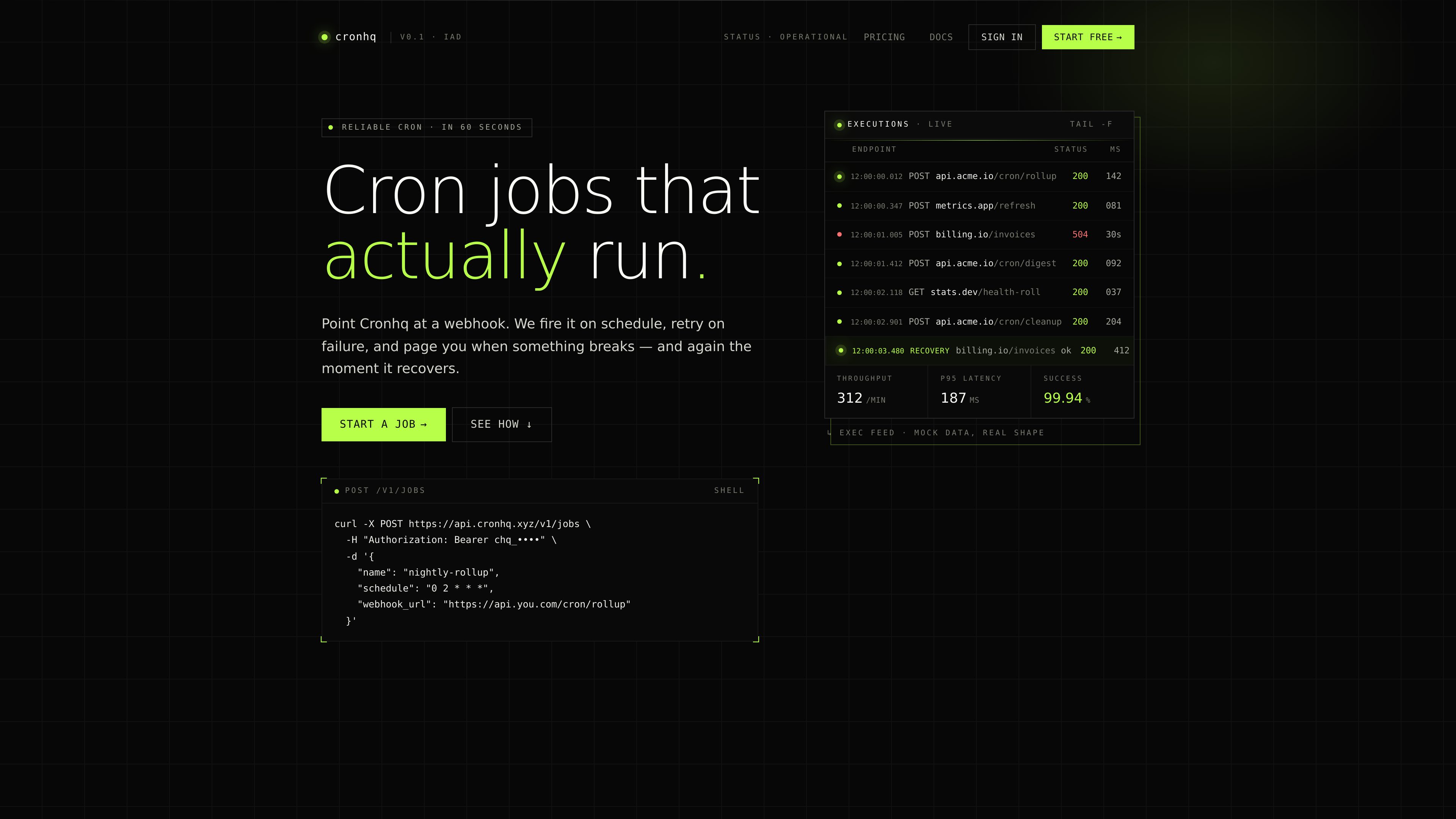
Scheduled webhook execution
Create jobs with a cron schedule and webhook URL through the REST API or dashboard. Each execution records its status, duration, HTTP code, and response body.

Cronhq is a REST API and managed service for running scheduled webhooks with exactly-once coordination, retries, execution history, and alerts. It is intended for developers and teams that need recurring backend tasks without installing an agent, daemon, or SDK.
Cronhq is a REST API and managed service for scheduled webhooks. You define a job with a cron schedule and an HTTP endpoint; Cronhq calls the endpoint on schedule, records the result, retries failures, and sends deduplicated alerts when a job breaks or recovers.
The product is designed for recurring backend work that can be exposed as an HTTP endpoint, such as database backups, data synchronization, health checks, cleanup tasks, reminders, and scheduled reports. It does not require an SDK, agent, or daemon on the system receiving the webhook. Jobs can be created from the dashboard or API, and executions can be inspected through the dashboard or CLI.
Cronhq coordinates workers with Postgres locks to prevent two workers from firing the same scheduled execution. It also provides signed requests, heartbeat monitors, execution history, cron-as-code workflows, and a plain-language schedule helper. A self-hosting option is available with the same container, an MIT license, and a customer-provided Postgres database.
Create jobs with a cron schedule and webhook URL through the REST API or dashboard. Each execution records its status, duration, HTTP code, and response body.
A Postgres lock coordinates workers so the same scheduled execution is not fired twice. If a worker crashes mid-job, another worker can take over after the lock expires.
Jobs can retry failed deliveries with backoff. The terminal status and last error are preserved in execution history for later investigation.
Route alerts to email or Slack. Cronhq pages after the documented failure threshold rather than on every failed attempt, then sends a recovery notification after a subsequent success.
Requests include an HMAC-SHA256 signature and timestamp for verification, with a separate secret per job. Heartbeat monitors detect when an expected ping is missed and mark the monitor DOWN.
The CLI can synchronize jobs from a `cronhq.yaml` file and stream executions with `tail`. The dashboard command palette turns plain-English schedule descriptions into cron expressions with a preview.
Use the backup template to schedule a nightly `pg_dump` or `mysqldump` and send the archive to S3 or R2 through an endpoint you control.
Run an hourly Stripe-to-Postgres synchronization endpoint so analytics data can be copied into your database instead of querying the Stripe API for every analysis.
Schedule a request to a health endpoint every five minutes, or configure a heartbeat monitor to detect a missed run and alert when the expected activity stops.
Automate tasks such as expiring sessions, tokens, password resets, and rate-limit buckets, or send weekday Slack reminders and weekly metrics emails from existing backend endpoints.
Sign up, copy the API key, and create a job with a schedule and webhook URL using the REST API or dashboard. The documentation shows a `POST /v1/jobs` request, and the job becomes active on its next scheduled tick.
No. Cronhq is used as a REST API for scheduled webhooks, so the receiving system only needs an endpoint. The site states that no SDK, agent, or daemon is required on your side.
Cronhq uses a Postgres lock to coordinate workers. The product documentation says this prevents two workers from firing the same scheduled execution, and another worker can take over after a crashed worker's lock expires.
Cronhq retries according to the job's configured retry and backoff settings, preserves the final outcome and last error in history, and can alert through email or Slack. The site describes a failure alert after the third failure in an hour and a recovery alert after the first later success.
Yes. The pricing page describes self-hosting as free forever, using the same container under an MIT license with a Postgres database that you provide.

vdf.ai
VDF AI is an enterprise AI agent orchestration platform for coordinating agents, models, tools, retrieval, and workflows under centralized governance. Run it as a managed cloud service or deploy it in a private cloud, data centre, sovereign environment, AWS account, or air-gapped infrastructure.

pastea.app
Pastea is a clipboard history manager for macOS that saves copied text, links, code, images, files, and screenshots for later search and reuse. It helps developers, marketers, designers, and other Mac users recover and paste frequently used content without manually organizing it.

www.cadenya.com
Cadenya is an agent runtime for developers building, testing, and improving AI agents on existing APIs. Connect tools, models, objectives, webhooks, feedback, and embeddable widgets in one platform.