
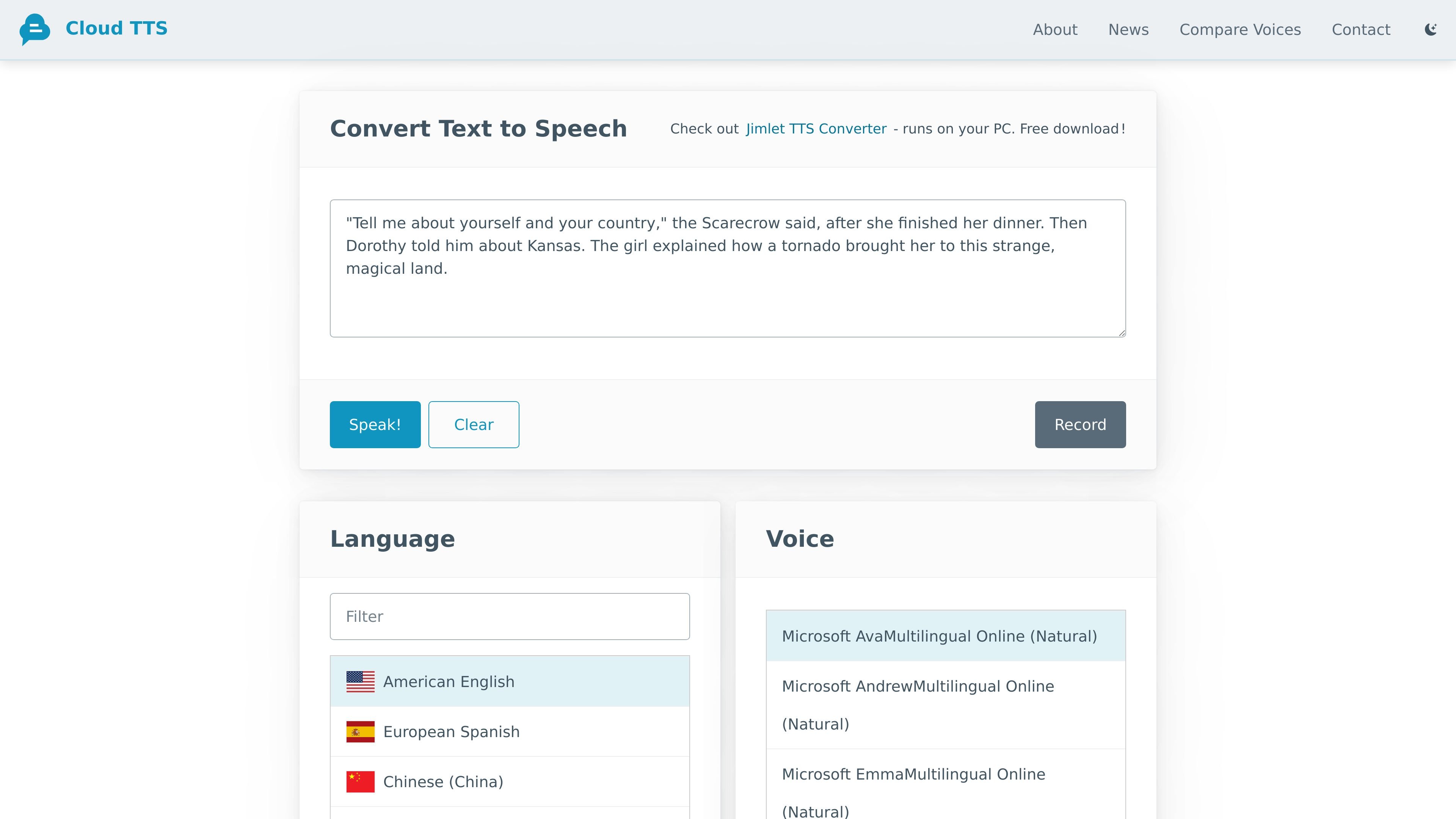
Text input and instant playback
Paste or type text directly into the app, then play it back in a spoken voice without needing a complicated setup.

Free web-based text-to-speech with multilingual audio and word highlighting
CloudTTS is a free text-to-speech web app that turns pasted or typed text into spoken audio in a natural-sounding voice. It is designed for people who want a simple way to listen to text without installing a desktop tool or learning a complex interface.
The product emphasizes language coverage and read-along support. The site says it supports roughly 140 languages and highlights words while reading, which makes it especially useful for language learners, pronunciation practice, and anyone who wants to track speech visually as they listen.
Paste or type text directly into the app, then play it back in a spoken voice without needing a complicated setup.
Choose from a large set of languages and regional variants, including English, Spanish, Arabic, Mandarin, Russian, and many others.
Adjust the speaking speed to slow text down for comprehension or speed it up for short scripts and quick narration.
Words are highlighted as they are spoken, making it easier to follow along while listening.
The app works in mobile browsers and is described as universally compatible across browser and platform, with best results on Microsoft Edge for Windows desktop.
The site notes that the app remembers your voice and language choices for your next visit, reducing repeated setup.
Paste in a passage and listen while the app highlights each word, which helps with pronunciation, pacing, and reading comprehension.
Review drafts, scripts, or other written content by hearing it read aloud, which can make awkward phrasing or missing words easier to notice.
Slow the voice down and replay text to make dense passages easier to understand, especially on mobile devices or in a browser tab.
Increase the speaking speed when you need a quick spoken version of a longer script, such as a short radio spot or demo narration.
Compare different voices and pre-defined sample texts on the voice-comparison page to hear how providers and voice styles differ.
Yes. The site describes CloudTTS as absolutely free, with no plans, fees, or quotas.
You type or paste text into the app, choose a language and voice, adjust speed if needed, and click Speak to hear the text read aloud.
CloudTTS supports mobile browsers and is described as universally compatible with any browser and platform, although the site recommends Microsoft Edge on Windows desktop for the best experience and full feature availability.
The app highlights words as they are spoken, which helps users follow along while listening and is especially useful for language learning.
The source does not list file export, team workspaces, or API integrations on the product pages provided.
Traffic data is for reference only.
| Apr | 17432 |
|---|---|
| May | 27468 |
| Jun | 20526 |
twinelauncher.com
Android launcher and AI assistant with ChatGPT-style help, notes, tasks, reminders, and message drafting.

xiaoyi.huawei.com
小艺 is Huawei’s AI assistant for Q&A, writing, documents, coding, and image recognition.

altered.ai
AI voice changer and voice content creation platform for media and live use.

mmaudio.net
AI voice generation for turning videos into audio
keysake.ai
Keysake is a Mac input method for Chinese speakers learning English. It shows relevant English expressions alongside Chinese text as you type and lets you save language from your own messages and notes for later review.

moyin.com
魔音工坊 is an online text-to-speech and AI voiceover platform for short videos, audiobooks, and creators, with script extraction, auto-timing, one-click video creation, and team collaboration tools.