
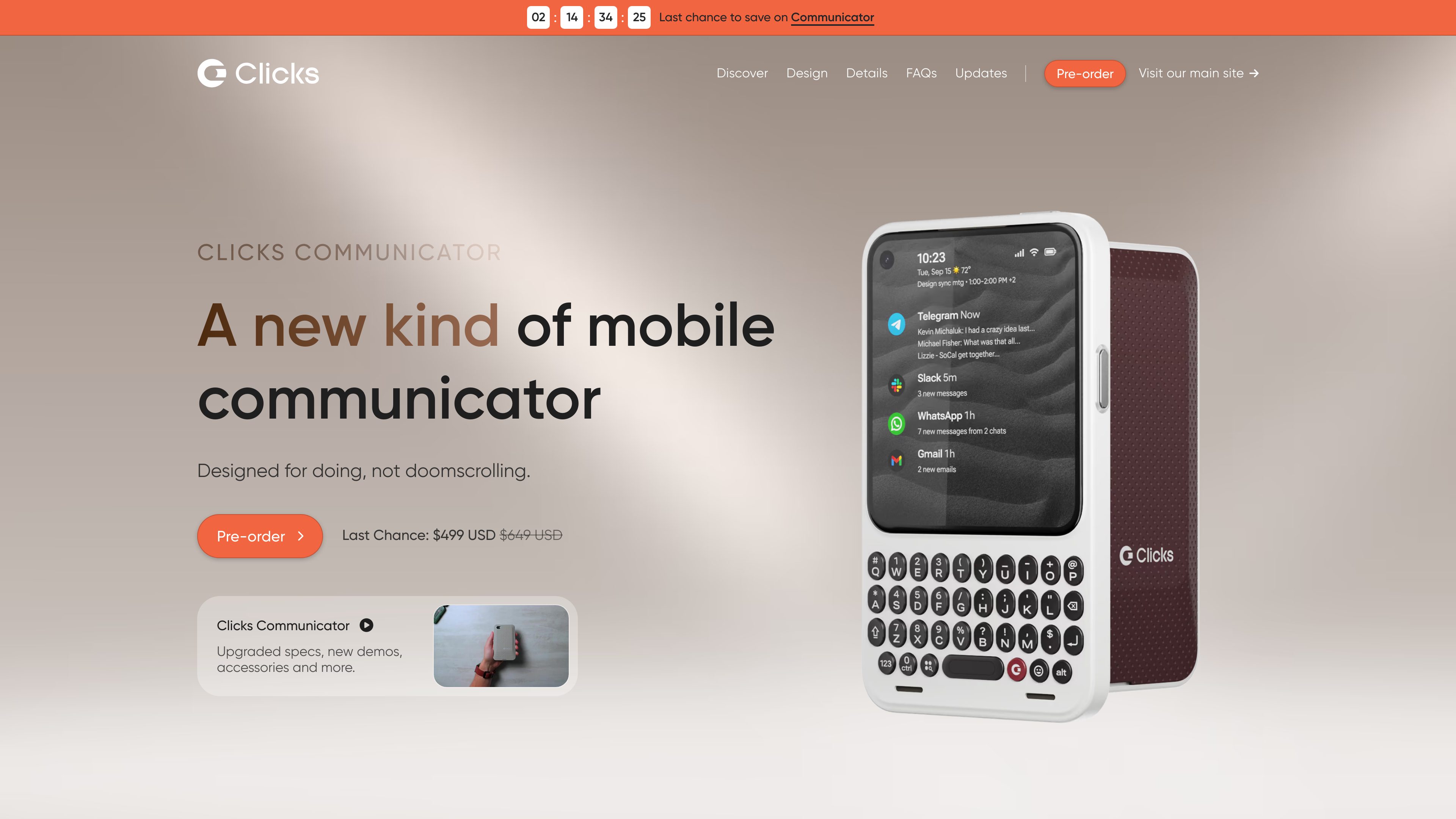
Physical tactile keyboard
Ergonomically designed keys provide tactile feedback for composing messages and handling typing-heavy tasks. Keyboard layouts include English QWERTY, French AZERTY, German QWERTZ, Korean, and Arabic.

A standalone Android smartphone with a tactile keyboard, compact touchscreen, voice input, and communication-focused tools.
A standalone Android smartphone with a tactile keyboard, compact touchscreen, voice input, and communication-focused tools. Clicks Communicator is built around physical communication rather than continuous touchscreen use. It combines a tactile keyboard, a 4.03-inch AMOLED display, voice-input controls, and a message hub that brings supported messaging apps together on the home screen. It can serve as a primary phone or as a companion to another smartphone.
The device supports 5G and Wi-Fi, runs Android 17, and is described as supporting at least four years of Android version updates and five years of security updates. Its hardware includes 12GB of RAM, 256GB of onboard storage, expandable MicroSD storage up to 2TB, a 50MP rear camera with optical image stabilization, a 24MP front camera, and a 4,350mAh lithium-ion battery.
Ergonomically designed keys provide tactile feedback for composing messages and handling typing-heavy tasks. Keyboard layouts include English QWERTY, French AZERTY, German QWERTZ, Korean, and Arabic.
Holding the side key can turn speech into text, start a voice recording, or transcribe a meeting.
The keypad supports scrolling through inboxes, messages, and web pages without moving to the touchscreen.
Messages from favorite apps can be brought together on the home screen, while keyboard shortcuts support quicker triage and actions.
The notification light can be customized to signal when selected people or apps require attention.
Clicks Communicator supports Qi2 wireless charging through its charging cover, is MagSafe-compatible, includes NFC, Bluetooth, Wi-Fi, USB-C, and a 3.5mm headphone jack, and accepts a NanoSIM plus eSIM.
Use Clicks Communicator as a full Android smartphone for cellular connectivity, apps, messaging, voice calls, photography, and web access. Traditional cellular calling requires a SIM and phone number; internet-based calling accounts can carry over from another phone.
Pair its communication-first design with an existing iPhone, Galaxy, or Pixel when you want a separate device for messaging and focused tasks rather than replacing your main phone.
Use the physical keyboard, message hub, and keyboard shortcuts to compose and triage messages from supported apps more deliberately than with a touchscreen-only workflow.
Hold the side key to dictate text, create a voice recording, or transcribe a meeting when typing is inconvenient.
Keep the pocketable device accessible for scrolling, messaging, web browsing, and quick actions, with wireless charging and expandable storage available for everyday mobile use.
Yes. Clicks Communicator is described as a standalone Android 17 smartphone with apps, 5G connectivity, and Wi-Fi. It can also be used alongside an iPhone, Galaxy, or Pixel.
The available layouts are English QWERTY, French AZERTY, German QWERTZ, Korean, and Arabic. Availability is tied to the selected ordering region, and the layout is selected during configuration or checkout.
Clicks Communicator launches with Android 17 and is described as supporting up to at least Android 20. Clicks states a minimum of four years of Android version updates and five years of security updates.
Internet-based calling services such as WhatsApp, Telegram, and Facebook can carry over from a primary phone. Traditional cellular calls require a SIM and phone number, so a second SIM or number may be needed when using Clicks Communicator alongside another phone.
Yes. The charging covers include Qi2 wireless charging and NFC, and the device is described as MagSafe-compatible. The default charging cover is included with Clicks Communicator.