
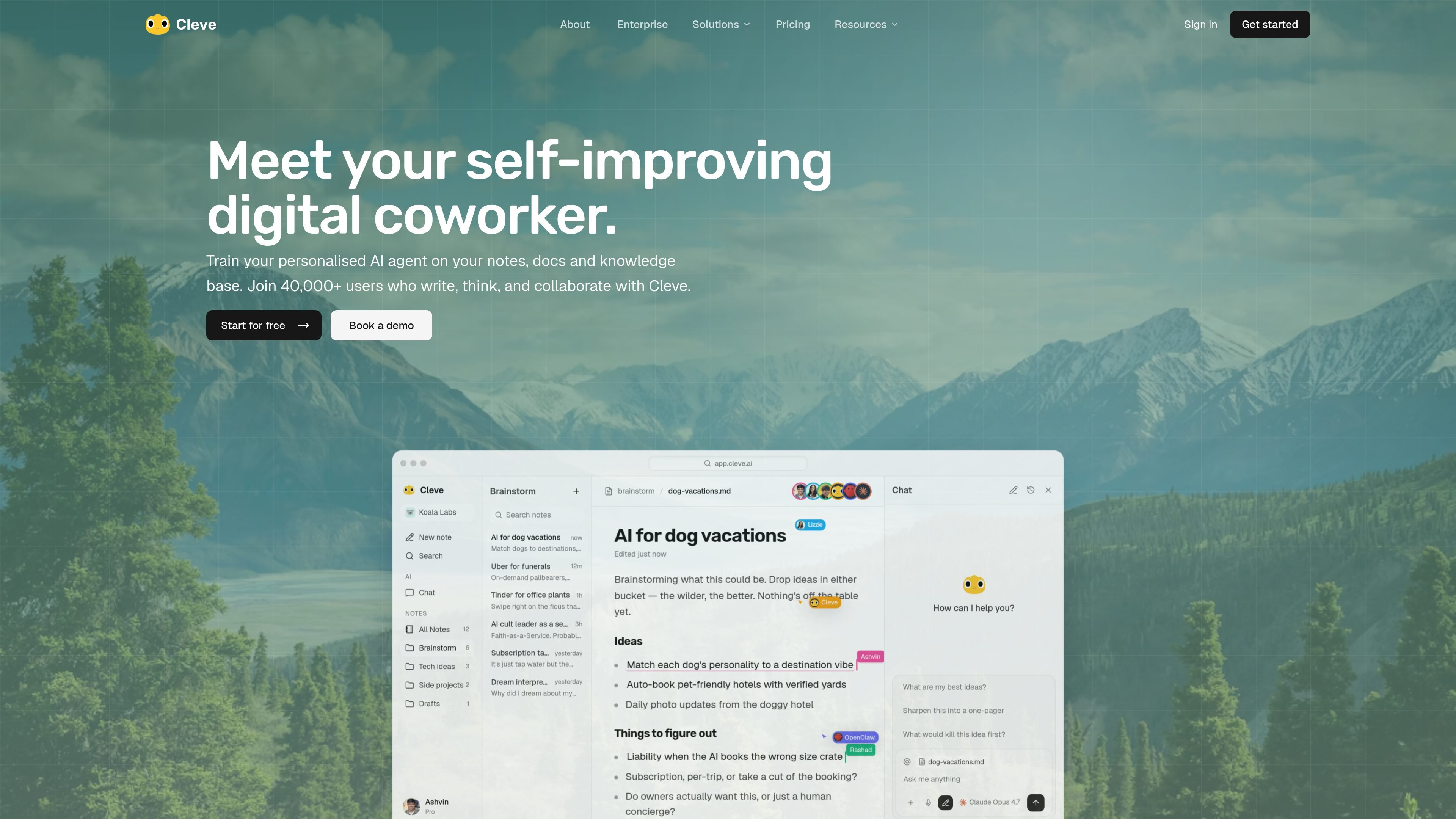
Personal context on your work
Train a personalized AI agent on your notes, docs, and knowledge base so the model can respond with your own context instead of starting from scratch.

Cleve is an AI workspace that learns from your notes and knowledge to help you write, think, and collaborate.
Cleve is an AI workspace for writing and thinking. It is built around a personalized AI agent that can be trained on your notes, documents, and knowledge base so the assistant has access to the context behind your work.
The product combines chat, note capture, document handling, model switching, and connected sources in one workspace. The homepage and pricing pages describe it as a place to write, think, collaborate, and build repeatable workflows with AI that understands your materials and style.
Train a personalized AI agent on your notes, docs, and knowledge base so the model can respond with your own context instead of starting from scratch.
Switch between supported AI models in Cleve or let the product choose the best model automatically for the task.
Save ideas, references, brand guides, and project notes, then pull that context into chat when you need it.
Connect LinkedIn, X, and Gmail to add more context about your voice and style, with more platforms listed as coming soon.
Use AI voicenotes and desktop/mobile/web access to capture ideas and continue working across devices.
Use paid-plan capabilities such as web search, source-backed answers, doc editing, Cleve Skills, MCP access, and connectors like Google Drive, Slack, and Notion.
Writers and creators can save rough ideas, references, and past drafts, then ask Cleve to help shape them into posts, articles, or newsletters using their own tone and context.
Founders and operators can keep brand guides, project notes, and SOPs in one place so they can ask questions or create new docs without rebuilding context each time.
People who work across web, mobile, and desktop can capture ideas quickly with notes or voice and return later to expand them into finished writing.
Teams that want reusable prompts or repeatable processes can use Cleve Skills, connectors, and MCP access to support recurring workflows.
Users comparing AI models can write in the same workspace and switch among supported models to fit the task or use Cleve’s automatic model selection.
Cleve is an AI workspace for writing and thinking. It lets you train a personalized AI agent on your notes, docs, and knowledge base so you can draft, edit, and work with AI that has your context.
The source shows that you can save notes, docs, references, brand guides, project notes, and other context in Cleve. It also mentions connecting LinkedIn, X, and Gmail, plus using web search and source-backed answers on paid plans.
Cleve says your data is encrypted at rest and in transit, AI providers use zero data retention, and your content is not used to train AI models. The security page also notes SOC 2 Type II-certified infrastructure for the services that process personal data.
Cleve appears aimed at people who write, think, and collaborate with AI using their own context, including creators, founders, business leaders, and teams that want a shared knowledge base. The contact page also lists team use cases such as content and marketing, sales enablement, company brain, operations and SOPs, and MCP/API.
The pricing page shows a Starter plan, Pro plan, and Max plan. Cleve also offers a free start and paid upgrades for more capacity, advanced models, and team features.
Traffic data is for reference only.

hugo.ai
Hugo is an AI-powered support agent that resolves tickets and automates support work 24/7 using your data and connected systems.

heptabase.com
Heptabase is a visual knowledge base for structured learning with whiteboards, connected notes, source capture, and AI Tutor.

hoarder.app
Open-source bookmark manager with AI tagging, search, and self-hosting

scrintal.com
Visual note-taking and research workspace for linked ideas, sources, and writing.
reflect.app
Minimalist notes for linked ideas, fast capture, search, and AI-assisted writing.

wolfia.com
AI-native knowledge platform for security questionnaires, trust centers, and cited customer answers.