
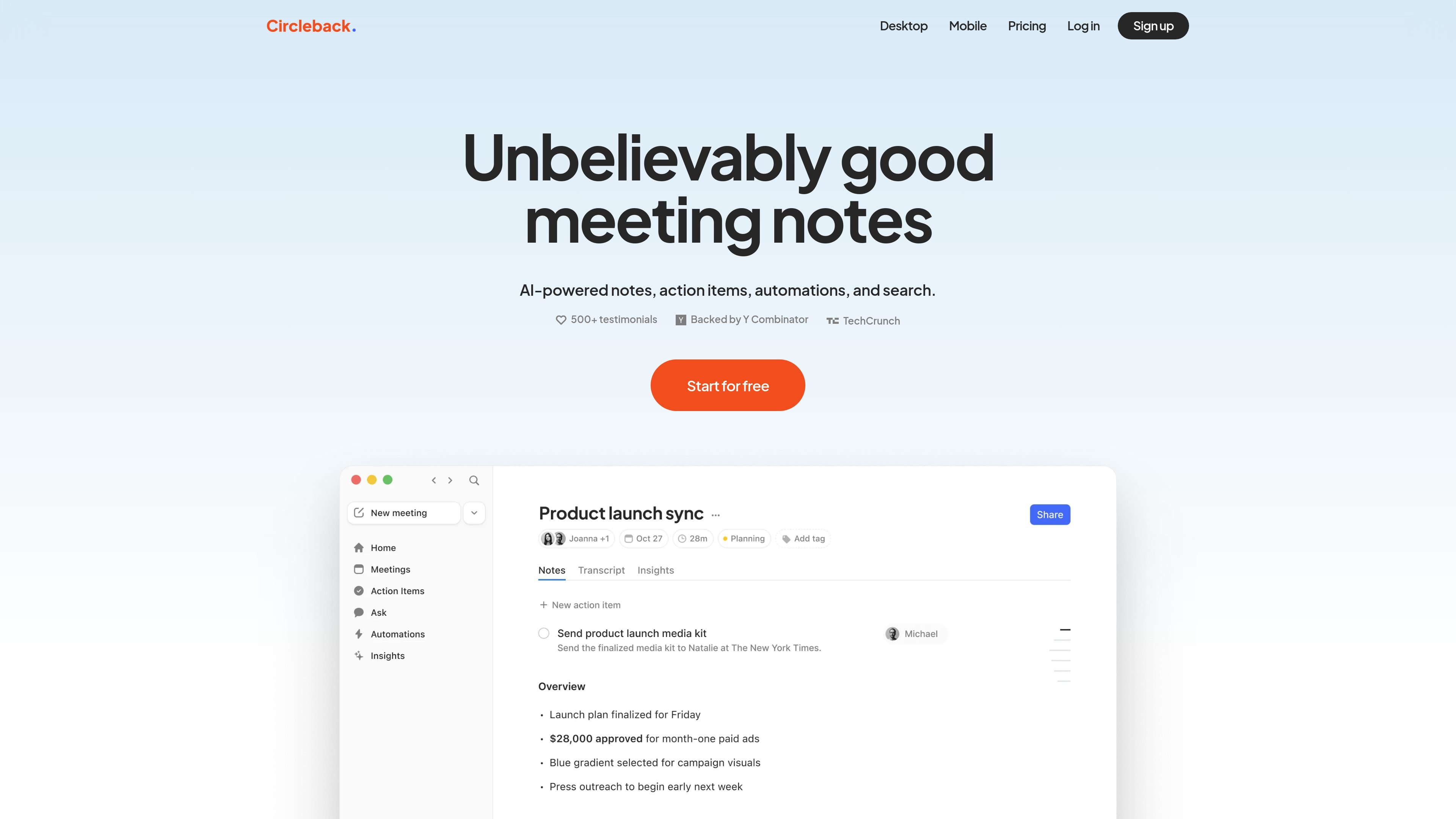
AI notes and action items
Circleback writes meeting notes automatically and pairs them with auto-assigned action items so follow-up work is captured in the same place.

AI meeting assistant for notes, action items, transcription, search, and automations
Circleback is an AI meeting assistant that captures notes, action items, transcripts, and searchable context from conversations. The site positions it for meetings in Zoom, Google Meet, Microsoft Teams, Slack huddles, and in-person settings, with free trial entry points on the pricing page.
Its core purpose is to help individuals and teams turn conversations into follow-up work and reusable context. Beyond notes, it adds post-meeting automations, searchable conversation history, meeting playback, and integrations with calendars, communication tools, and business systems.
Circleback writes meeting notes automatically and pairs them with auto-assigned action items so follow-up work is captured in the same place.
The product records and transcribes meetings, including speaker recognition and support for over 100 languages.
Users can ask questions across their meetings and search across all conversations to retrieve context later.
Circleback can build automations after meetings and connect with many external tools, including Slack, HubSpot, Salesforce, Linear, Notion, Monday, Zoho, Zapier, and Make.
The site says Circleback supports meeting video and audio playback, plus import of past recordings and in-person meetings.
Team plans add shared meeting access, inline comments, centralized billing, usage dashboards, access controls, and customizable retention settings.
Use Circleback to capture meeting notes and action items automatically after recurring calls, so follow-up tasks are recorded without manual note-taking.
Use shared meetings, inline comments, centralized billing, usage dashboards, and team settings when multiple people need access to the same conversation history.
Use search and question answering across past meetings when you need to recover a decision, commitment, or discussion detail from earlier conversations.
Use the automation and integration features to push meeting outcomes into tools such as Slack, HubSpot, Salesforce, Linear, Notion, Monday, Zoho, Zapier, or Make.
Use the transcription and recording features for meetings held in person or across supported meeting platforms when you want a reusable record of the conversation.
Yes. The pricing page presents Individual, Team, and Enterprise options, with free trial entry points on the Individual and Team plans and a sales contact flow for Enterprise.
The pricing page lists monthly and yearly billing options for Individual and Team, and an Enterprise plan that asks prospects to contact sales.
The homepage says Circleback works with Zoom, Google Meet, Microsoft Teams, Slack huddles, and in-person conversations.
The homepage says Circleback supports over 100 languages and automatically identifies each speaker by name.
The site lists support for Google Calendar, Gmail, Outlook, Slack, HubSpot, Salesforce, Attio, Linear, Notion, Monday, Zoho, Zapier, Make, webhooks, MCP, and CLI.
Traffic data is for reference only.

sonnetai.com
Meeting assistant that records, transcribes, and creates searchable notes and action items without a visible bot

fellow.app
AI meeting assistant for transcripts, summaries, and action items

notexapp.com
AI meeting assistant for recording, transcription, summaries, and organized multilingual notes

wudpecker.io
AI meeting assistant for recording, transcription, and organized notes across Zoom, Google Meet, and Microsoft Teams.

brieflyai.com
AI meeting assistant for transcripts, summaries, action items, and follow-up emails
store.comu.com
Comu Action Pro is a pocket-sized AI voice recorder and work assistant that turns spoken requests, conversations, and recordings into documents, slides, emails, summaries, and action items. Capture meetings and turn them into useful outputs without rewriting notes by hand.