
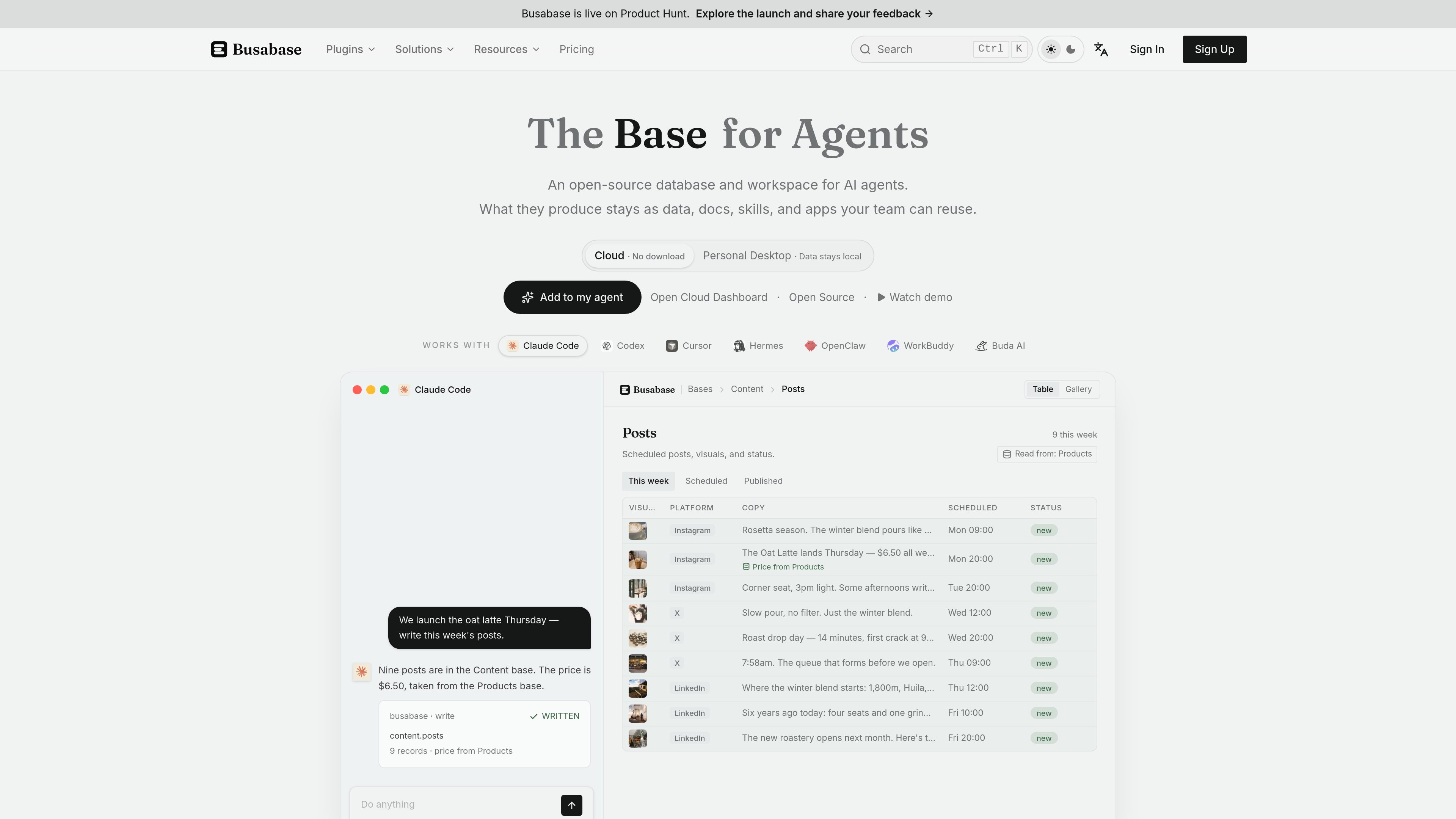
Shared bases for structured data
Store customers, projects, inventory, content, and other records in bases with defined fields that agents and teammates can read and update.

An open-source database and workspace for connecting AI agents with reusable data, documents, skills, and apps.
Busabase is an open-source database and workspace for AI agents. It keeps agent-produced data, docs, skills, playbooks, and apps in a shared workspace so teams can review and reuse the work. The product is also presented as a headless review database and CMS for AI-generated content, with approved records available through an API.
Agents connect through Agent Skills, MCP, OpenAPI, the CLI, or supported plugins and integrations. They can read and write shared bases, while people can inspect submissions, revise them, and approve or reject changes. Busabase's commit-based workflow records edits and preserves a history behind approved records.
Deployment options include a local desktop app, self-hosting inside a company network, and Busabase Cloud. The engine is MIT-licensed; cloud plans add hosted collaboration and plan-based limits.
Store customers, projects, inventory, content, and other records in bases with defined fields that agents and teammates can read and update.
Send agent submissions to an inbox where reviewers can inspect changes, revise them, approve or reject them, and merge accepted work.
Treat each AI edit as a new commit and preserve provenance behind the canonical record, creating a diffable history rather than overwriting earlier versions.
Keep sourced answers in a knowledge base, save repeatable procedures as skills, and document team instructions in playbooks for later agents and people to follow.
Build internal AirApps from shared data and expose approved records through a token-authenticated REST API; paid cloud plans also list OpenAPI, webhooks, and MCP support.
Run Busabase locally, self-host it with Docker or the server command, or use Busabase Cloud for hosted team collaboration.
Use bases for briefs, drafts, and publishing records, then route agent-generated content through review before it becomes an approved record or downstream page.
Collect AI-generated structured data or labels in a review queue so a person can inspect, revise, and approve records with a history of edits.
Store decisions, meeting notes, customer facts, and operating context in shared docs and bases so a later agent or teammate can continue without starting from a chat transcript.
Connect multiple agents to common records, preserve their skills and playbooks, and give the team an AirApp or other shared interface over the current data.
Busabase is used to store, review, and reuse AI-generated data and content. It combines structured bases with docs, skills, playbooks, apps, and a human review workflow.
The site lists Claude Code, Codex, Cursor, Hermes, OpenClaw, WorkBuddy, Buda AI, n8n, and other agents. Connections can use Agent Skills, MCP, OpenAPI, the CLI, or plugins, depending on the integration.
Yes. The MIT-licensed engine can run locally or on a server in your own network. The pricing page documents a Docker command and a server command; both listen on port 15419 by default.
An agent submission enters a review queue. A reviewer can open and diff the change, revise it, approve or reject it, and merge approved work. The documentation describes each edit as a new commit with a preserved history.
Yes. Busabase Cloud has Free, Plus, Pro, and Enterprise options. The source lists Free at $0, Plus at $10 per seat per month billed yearly, and Pro at $20 per seat per month billed yearly; Enterprise pricing is custom. Self-hosting is available separately through the open-source engine.
Traffic data is for reference only.

www.cognee.ai
Cognee is an open-source memory platform for AI agents and applications. It connects data across sources, builds connected memory using vector, graph, and relational storage, and makes that context available through SDK, cloud, or self-hosted deployments.

obot.ai
Obot is an open-source enterprise AI control plane and MCP gateway for deploying, governing, and auditing AI agents, MCP servers, and Skills. It helps organizations centralize access policies, discovery, authentication, and activity records across AI tooling.

workato.com
An enterprise platform for connecting apps, data, workflows, and AI agents.

getbb.app
bb is a local-first, open-source IDE for running coding agents in parallel, organizing their work in threads, and extending the workspace with plugins. It is designed for developers and teams that want to coordinate provider-based agents and customize their software workflow.

www.flintai.dev
Switch is an open-source collaborative workspace that brings people and AI agents into shared rooms inside the messaging tools teams already use. It helps preserve decisions, messages, and work history across agent handoffs.

glama.ai
Glama is a registry and infrastructure platform for discovering, evaluating, and connecting to Model Context Protocol (MCP) servers, connectors, clients, and tools. It supports browsing open-source and remote MCP entries, with hosted access and gateway features described on the site.