
AI post generation
Create LinkedIn posts with AI using Bluecast’s post generator, which is offered with a 50K-word allowance on Pro and a 75K-word allowance on Grow in the pricing page text.

Bluecast is an AI content tool for creating and scheduling LinkedIn posts. Generate ideas, repurpose content, and publish faster.
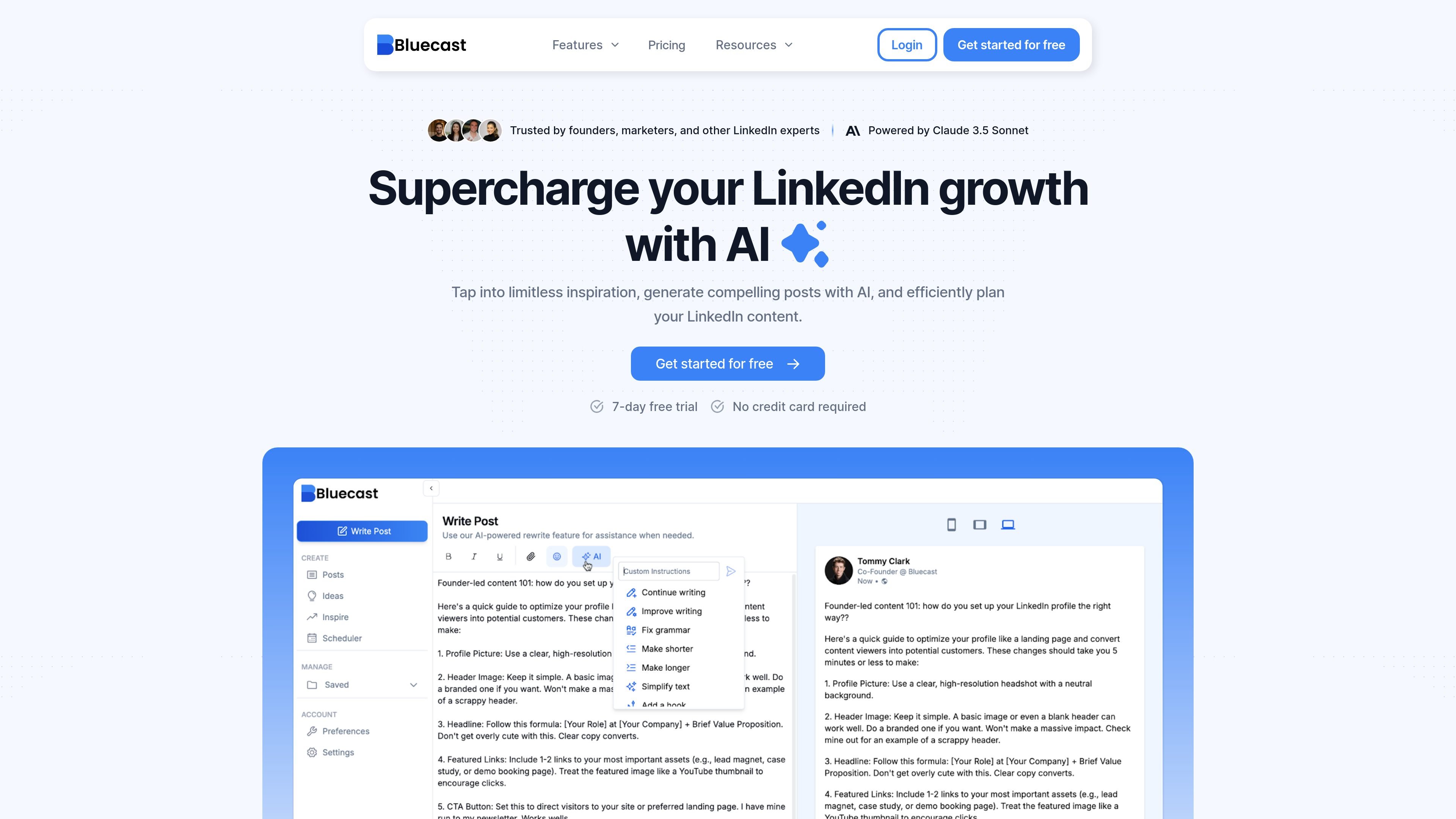
Bluecast is an AI-powered content tool for LinkedIn creation and publishing. It combines post generation, idea discovery, content repurposing, previewing, and scheduling in one product so users can move from draft to published post without switching between separate tools.
The site positions Bluecast for founders, marketers, and other LinkedIn creators who want a faster way to produce posts that fit their voice and reuse existing material. Its homepage emphasizes generating content from inspiration, while the pricing page shows plans that include word-based post generation, repurposing from multiple source formats, and scheduling features.
Create LinkedIn posts with AI using Bluecast’s post generator, which is offered with a 50K-word allowance on Pro and a 75K-word allowance on Grow in the pricing page text.
Repurpose existing material from YouTube, blogs, PDFs, and audio into LinkedIn-ready content.
Generate ideas and save them for later, including inspiration drawn from top LinkedIn influencers.
Preview and format posts before publishing so the output is easier to review and refine.
Plan content in advance with a scheduler that supports posting and comments, helping users keep a regular publishing cadence.
Organize work around a custom voice and, on the Grow plan, multiple workspaces with priority email support.
Use Bluecast to turn a rough topic or blank page into a LinkedIn post draft, then refine the voice, formatting, and final wording before publishing.
Convert a YouTube video, blog article, PDF, or audio file into LinkedIn content when you want to reuse material instead of starting from scratch.
Pull inspiration from top LinkedIn influencers and save ideas for later so you can build a queue of post concepts for future publishing.
Review post formatting and line breaks before publishing, then schedule posts and comments to support a consistent LinkedIn calendar.
Bluecast offers a 7-day free trial with full access to the tool and no credit card required. Users sign up with a LinkedIn account and can upgrade to a paid plan during or after the trial.
After the 7-day trial ends, access ends unless the account is upgraded to a paid plan. The pricing page says no charges are made automatically because payment information is not collected for the trial.
The pricing page says that if you exceed your word limit, you will be prompted to upgrade to a higher-tier plan. Existing content remains accessible, but new content generation is blocked until words are available.
Yes. Bluecast says accounts can be canceled at any time, with access continuing until the end of the current billing period.
Bluecast says it prioritizes data security and privacy and uses standard safeguards, with more detail available in its Privacy Policy.